Em50 Series 4 SOFTWARE & CONFIGURATION
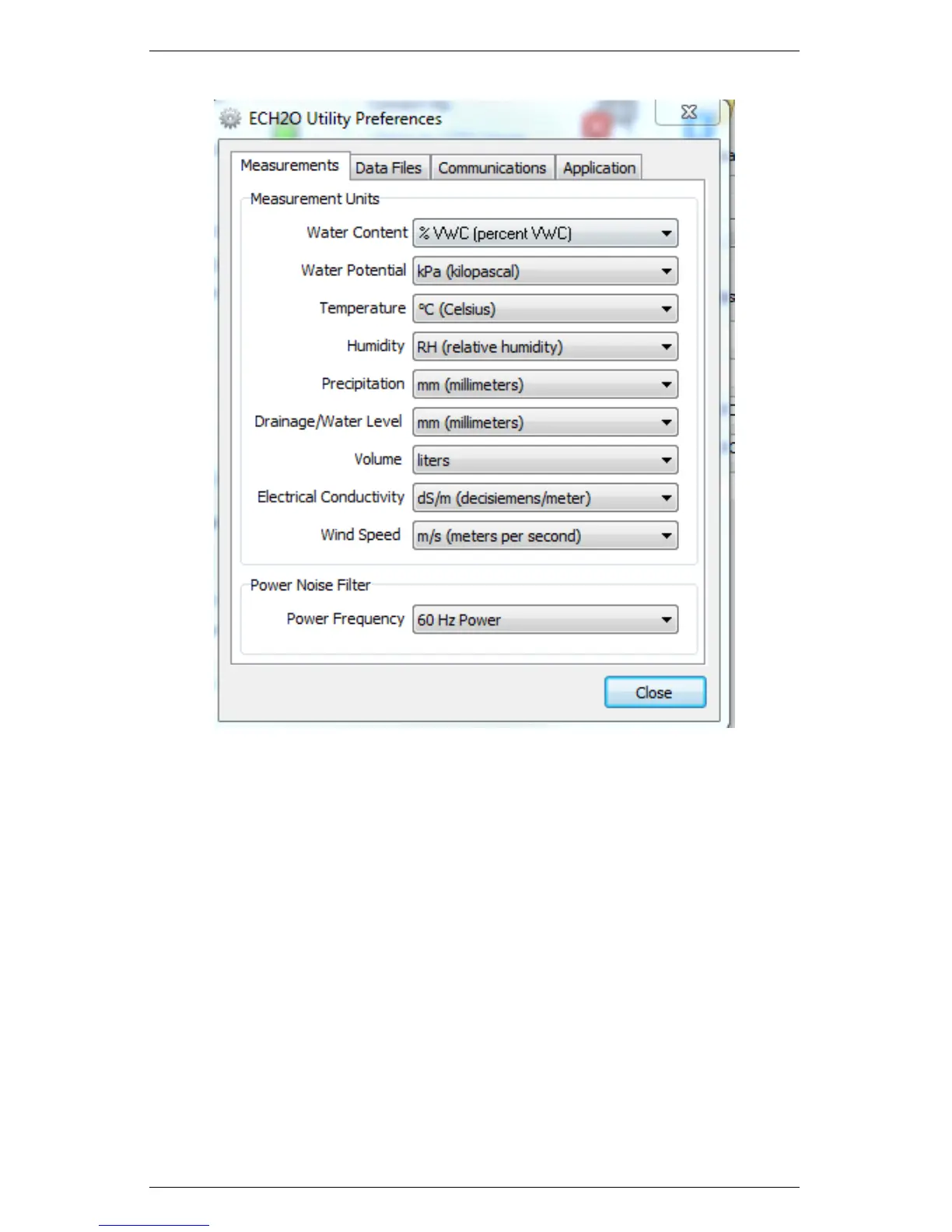
Figure 5: ECH2O Utility Preferences: Measurements Tab
1. Measurements Tab
The Measurement Units feature is the main function of the Mea-
surement tab. These field entries determine the unit values that
display when you save downloaded data as Excel, processed, or raw
data files. ECH20 Utility supports displaying some measurement
data in multiple units. For example, it allows you to choose degree
Celsius or degree Fahrenheit for temperature sensors.
To set your preferences for measurement units, choose the Measure-
ments tab in the ECH20 Utility Preferences window. Locate the type
of measurement and select a unit from the drop-down menu next to
25


 To Next Page