Em50 Series 5 EM50G CELLULAR COMMUNICATION
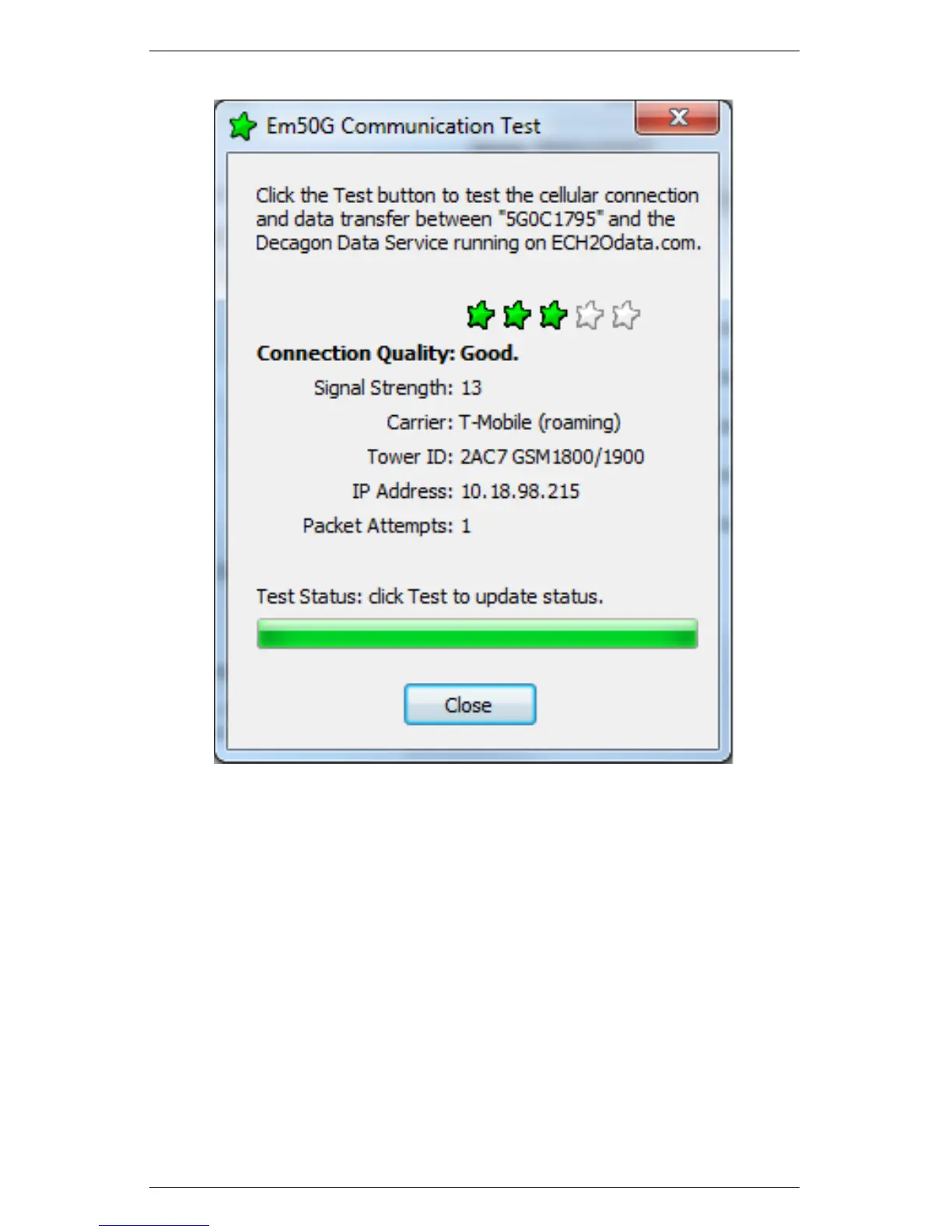
Figure 10: Em50G Communication Test Window
The test takes approximately 30 to 60 seconds while the Em50G
establishes a connection with the cellular network and sends test
packets to the Decagon Data Service. Once the tests are finished,
the “Connection Quality” field reports connection quality based on
cellular signal strength and successful packet transfers. After the
initial test is finished, clicking the Test button again updates the cel-
lular signal strength and re-sends test packets. Subsequent tests are
much quicker than the initial test because the Em50G is already con-
nected to the cellular network and the Decagon Data Service. Test
your connection quality again to find the best spot to install your
Em50G. If one test fails, be sure to continue testing until your test
39


 To Next Page