Em50 Series 6 EM50R RADIO TELEMETRY
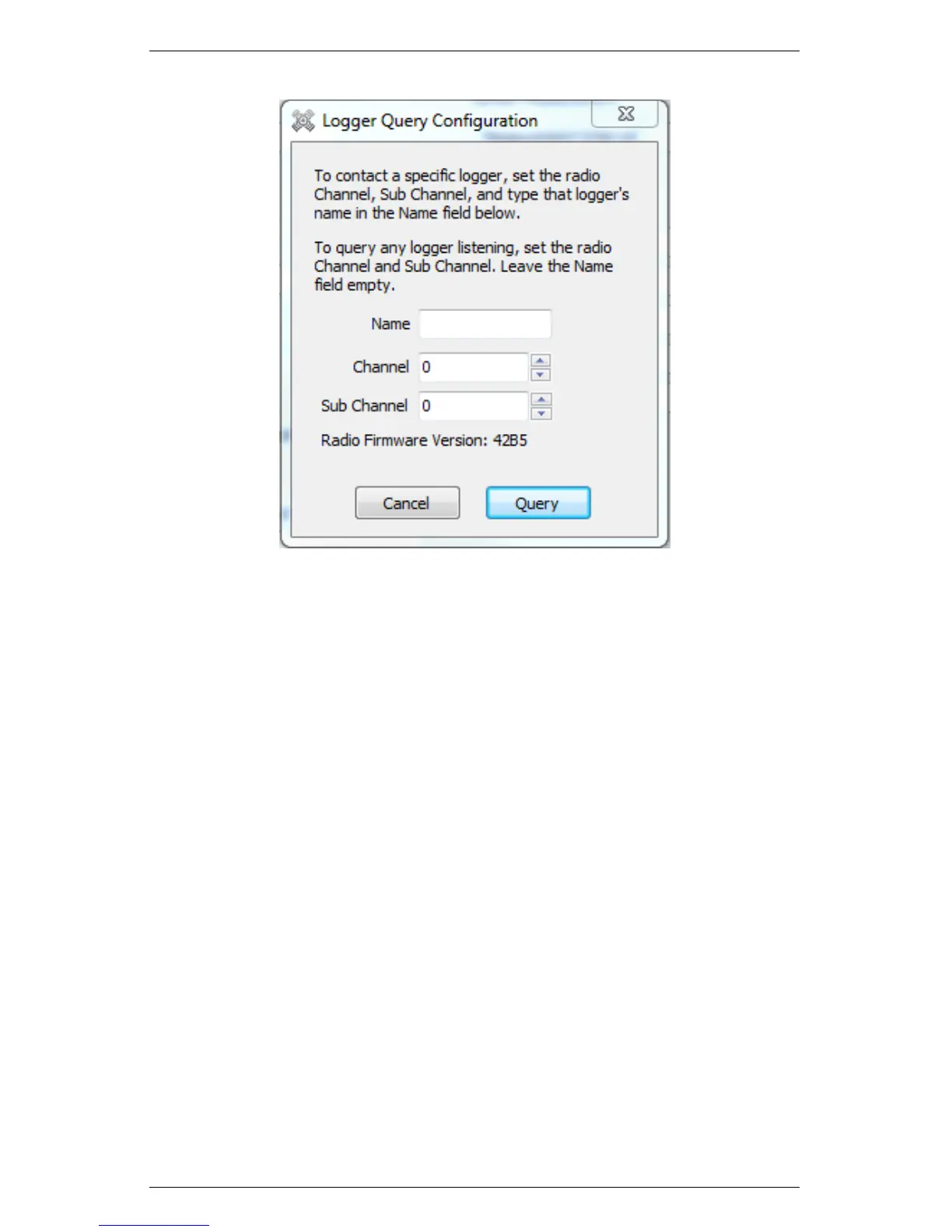
Figure 13: Logger Query Configuration
The Logger Query Configuration form appears. To connect to a spe-
cific Em50R, type the logger Name, Channel, and Subchannel. After
typing the name, click the Query button. If you want to connect to
any available Em50R, pick the correct Channel and Subchannel, but
leave the Name field blank.
Note: To connect to a radio logger, the radio Channel setting must
be the same for both the logger and the Rm-1. The radio Subchannel
setting must also be the same for both the logger and the Rm-1.
The Connection Progress screen appears as ECH20 Utility tries to
establish a radio connection with the remote logger through the Rm-
1. The connection process can take up to 60 seconds while ECH20
Utility sends a logger “wake up” signal and retries the connection
attempt.
When ECH20 Utility connects to a remote radio logger, it shows
the signal strength of the connection with the radio signal strength
icon on the status bar. Click on the radio signal strength icon to
53


 To Next Page