4
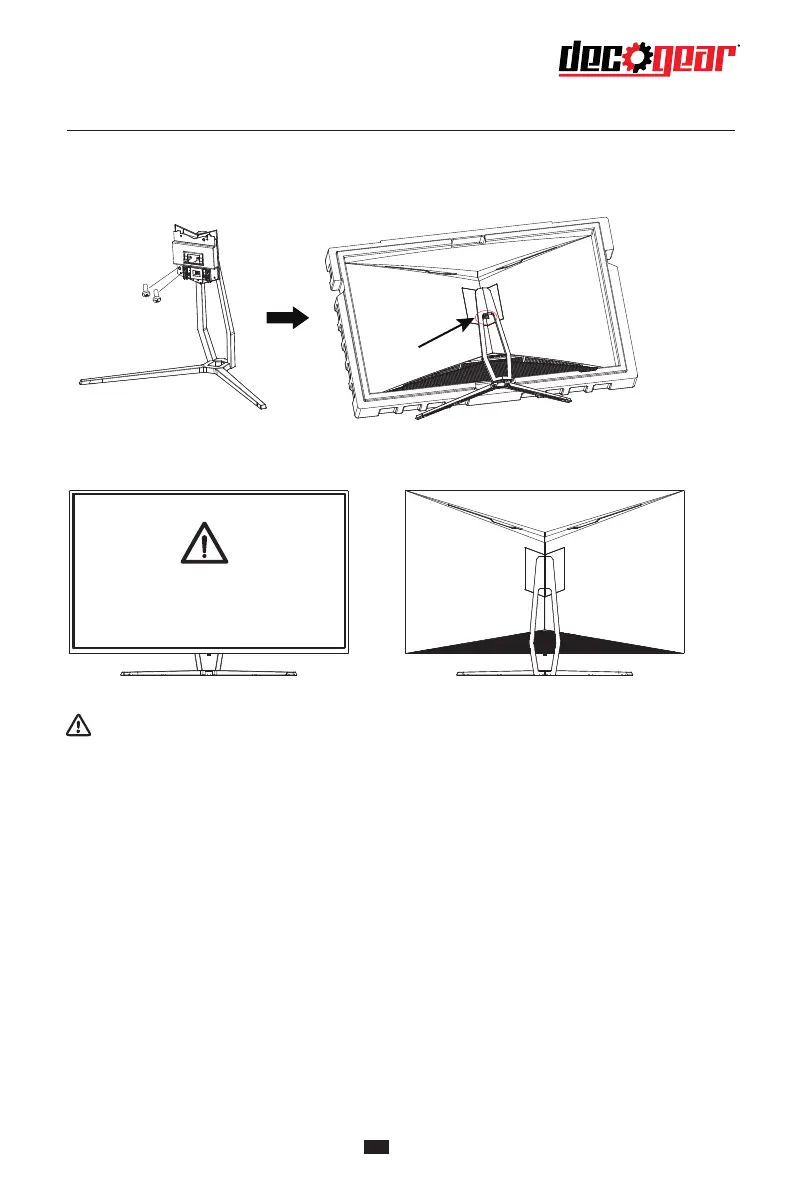
4. Lock the rotary shaft set taken out to the stand with 2 screws, align the base and stand components
assembled in Step 3 to the slot of the machine and clip them. (Note: Slide the quick disassembly
button up with the fingers to take out the base and stand components)
5. Simply hold the stand with hand to stand the monitor upright.
Do not press the LCD
Note: During standing of the monitor, do not take out the monitor from foams, and do not
pinch the liquid crystal screen with hand to avoid damage to the screen.


 To Next Page