Installation
3
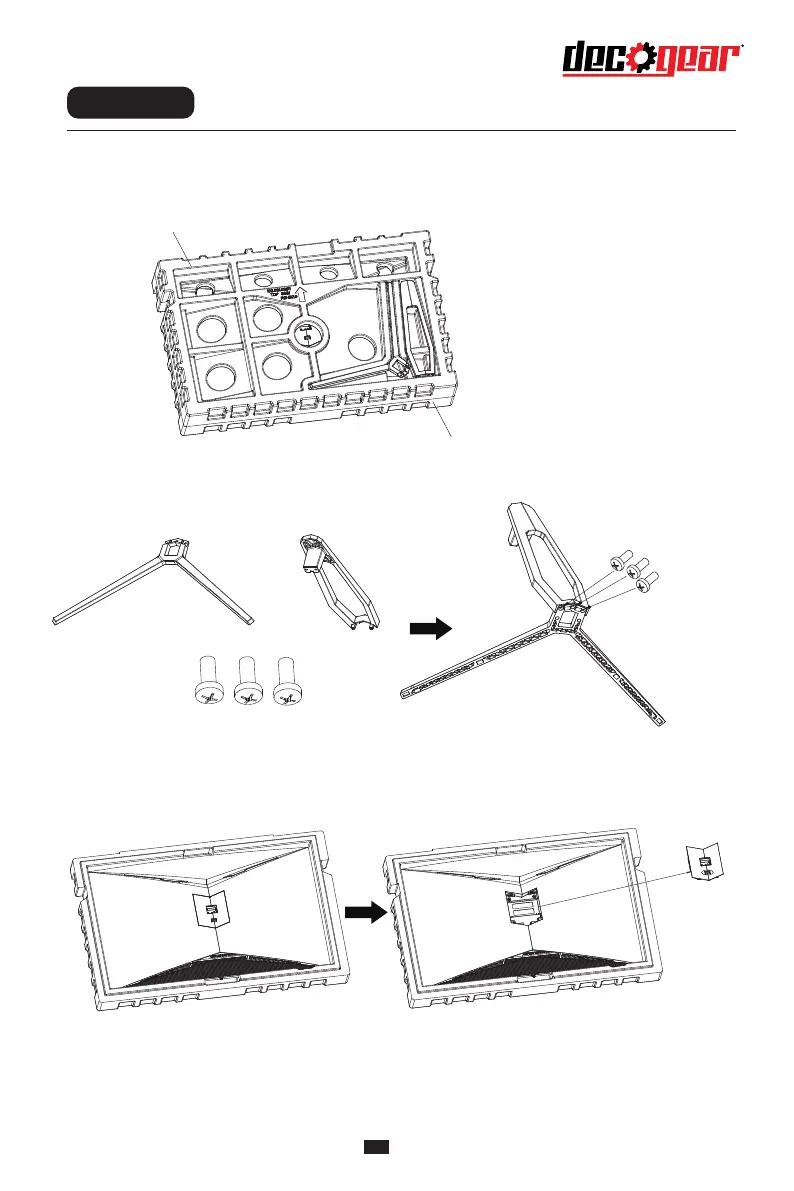
nstallation of base
1. Open the package to take out foams wholly and put them on a flat tabletop.
2. Take out the base, the stand and 3 screws and lock the stand to the bottom of the base
with these 3 screws.
3. Take out the upper foam and toggle the quick-disassembly button to take out the rotary shaft set
fastened on the whole monitor. (During disassembly of screws, do not take the screen out from the
foam to avoid damage to the screen)
Foam
Foam
Screws
Base Stand


 To Next Page