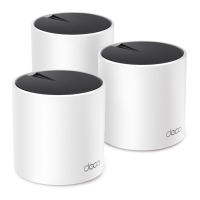
Need help?
Do you have a question about the Deco X55 and is the answer not in the manual?
Explains the text and icon conventions used throughout the guide for clarity.
Details the LED indicator colors and describes the physical ports and buttons on the Deco unit.
Guide to obtaining and installing the necessary mobile application for Deco setup.
Steps for creating or logging into a TP-Link ID and selecting your Deco model.
Instructions for connecting to your modem and setting up the Wi-Fi network.
Overview of the main dashboard sections for network status, shortcuts, and HomeShield.
Instructions on how to add additional Deco units to extend network range.
How to view the online/offline status and network details of all Deco units.
Accessing speed, IP address, MAC address, and connected clients for each Deco.
Procedure to designate a different Deco unit as the main Deco without reconfiguring the network.
Steps to reset a Deco to factory defaults or simply reboot it for performance.
Viewing device info, changing names, and setting locations for connected devices.
Utilizing automation, high priority, profiles, and Mesh Technology for devices.
Customizing device locations to easily manage and identify them within the network.
Method to start a new network setup from the app's main overview screen.
Alternative method to initiate a new network setup from the app's menu.
Procedure for changing the primary user account managing the Deco network.
Steps to delete the entire Deco network and reset all units to factory defaults.
Instructions for connecting and managing smart home devices with the Deco network.
Setting up custom shortcuts for quick execution of smart device actions.
Creating automated routines based on triggers and desired actions for smart devices.
Overview of security, parental controls, and performance optimization provided by HomeShield.
How to change the main Wi-Fi network name (SSID) and password.
Creating and managing a dedicated Wi-Fi network for guests.
Using Deco's intelligent scan to find optimal channels for better Wi-Fi performance.
Adding devices to a blacklist to prevent them from accessing your network.
Instructions for downloading and installing the latest firmware for improved performance and stability.
Configuring WAN, IPv6, Firewall, LAN, DHCP, UPNP, and Port Forwarding.
Managing Wi-Fi features, LED control, operation modes, and connection alerts.
Using Wi-Fi Protected Setup for easy and secure client connection without a password.
How to invite and set privileges for other TP-Link ID users to manage the network.
Setting up Alexa to control Deco network features using voice commands.
Resolving issues during main/satellite Deco setup and internet connection testing.
Addressing problems with device connectivity and lost internet access.
Troubleshooting Deco app errors and finding suitable placement for Deco units.

 To Next Page

 General