10
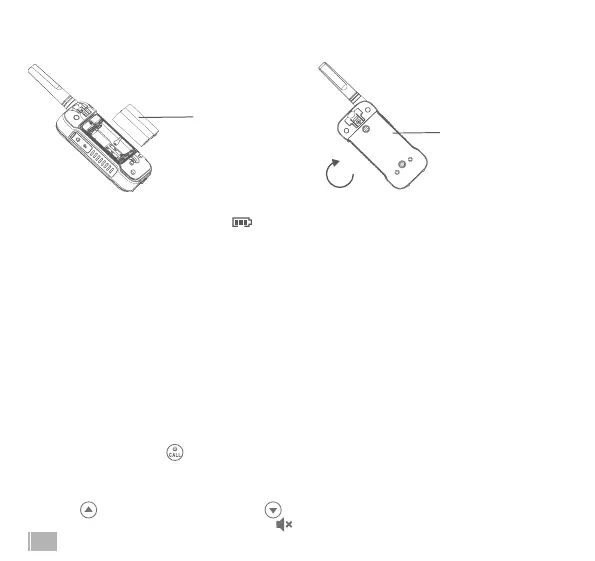
3. Close the battery and tighten the two screws clockwise.
4. Tighten the screws clockwise to close the battery cover rmly.
Radio Battery Meter
Battery full bars indicates battery high . When battery meter shows 1 bar, device is on low battery
mode and will indicate low battery alert in the forms of alert tone and blinking bar display.
Note:
- Remove the battery from radio for storage purposes. Batteries may corrode over time and cause
permanent damage to your devices.
- Charge the supplied NiMH batteries once every 3 months when not in use.
Using the USB Type-C Charger
The USB Type-C charger is a handy port that allows you to conveniently charge your NiMH battery.
Use certied adaptor(5V, ≥1A). Do not attempt to charge alkaline batteries.
1. Make sure your radio is turned OFF.
2. Plug the USB Type-C cable into the USB Type-C charging port on your radio. Connect the other
end of the USB Type-C charger to wall power outlet.
3. The battery meter on LCD will move to indicate the battery is charging.
Turning your Radio On and O
1. Press and hold on the button to turn your radio ON/OFF.
2. The display screen then shows the current channel, code and all features that are enabled.
Setting the Volume
1. Press to increase the volume. Press to decrease the volume.
2. When the volume reached level 0 the mute icon appears permanently on screen.
Insert the Ni-MH
battery pack.
Close the battery
cover.



 To Next Page