EasyManua.ls Logo

Dedicated Micros Digital Sprite 2 - Appendix 1 - Rack Mounting Kit

Dedicated Micros Digital Sprite 2
54 pages
Print Icon
To Next Page IconTo Next Page
To Previous Page IconTo Previous Page
Loading...
51
Appendix 1
Installation
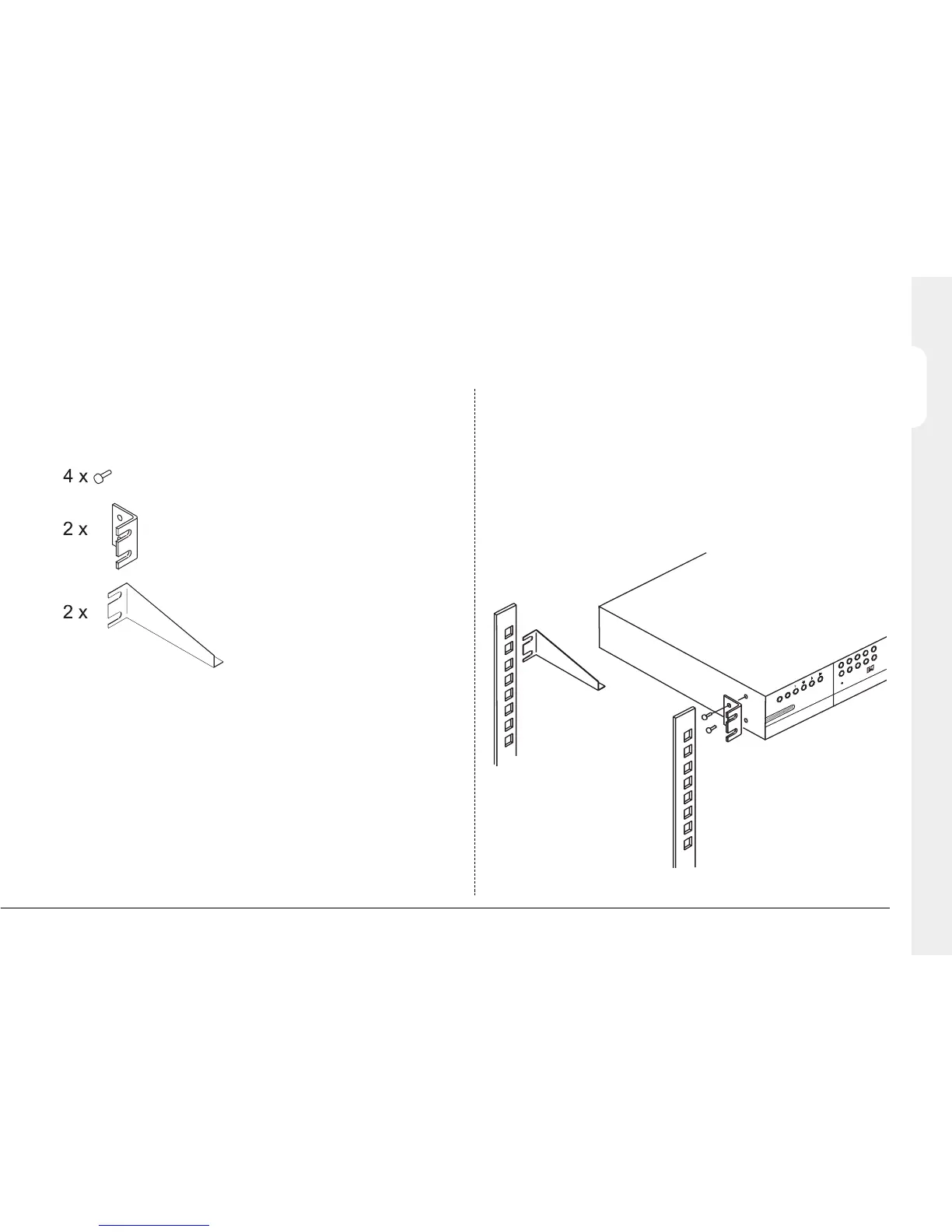
Before connecting cables to the back of the Digital Sprite 2;
1. Attach the rear supports to the rack.
2. Using the supplied screws, attach the rack mount ears to each side of
the unit.
3. Position the unit on the rear supports.
4. Attach the rack mount ears to the front of the rack.
E
V
E
N
T
C
O
P
Y
G
O
T
O
1
9
2
10
3
1
1
4
1
2
Rack mounting kit
A rack mounting kit is supplied with this product. It is important to use this
correctly. The kit contains:
(Rack mount screws)
(Rack mount ears)
(Rear supports)
ENGLISH

Other manuals for Dedicated Micros Digital Sprite 2

Related product manuals