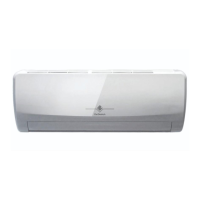
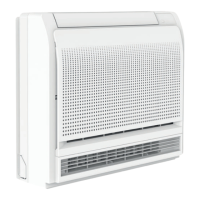
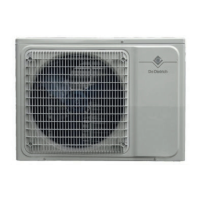
This document describes the De Dietrich Mono-split WALL-MOUNTED air conditioner, including its remote control and operational features.
Function Description:
The De Dietrich Mono-split WALL-MOUNTED air conditioner is designed for residential or commercial use, offering various modes of operation to ensure optimal comfort and air quality. It utilizes a wireless remote control for convenient operation, allowing users to adjust settings such as temperature, fan speed, and operating mode from a distance. The system is available in different capacities, indicated by the UME (indoor unit) and MOSE (outdoor unit) models, ranging from 20 to 70. The air conditioner incorporates features aimed at energy efficiency, improved air quality, and user convenience, such as ECO mode, iCLEAN, Anti-Fungus, and iFavor.
Important Technical Specifications:
- Models:
- Indoor unit: UME 20 / 25 / 35 / 50 / 70
- Outdoor unit: MOSE 20 / 25 / 35 / 50 / 70
- Refrigerant: R32, indicating better performance and less pollution.
- Temperature Range: The adjustable temperature range is from 16 °C to 32 °C, in increments of 0.5 °C.
- Remote Control Range: The wireless remote control should be used within 8 meters of the air conditioner, without obstacles between the remote and the receiver.
- Batteries: The remote control requires 2 AAA batteries (not rechargeable).
- Silence Function: Reduces ventilation to a minimum of 20 dB.
- TIMER Function: Allows setting the time range from 0.5 to 24 hours (0.5 = 30 min) in increments of 0.5 hours.
- ECO Mode: Operates in economy mode, offering up to 35% energy savings, and automatically stops after 8 hours.
- iCLEAN Function: Runs for 30 minutes, cleaning dust from the evaporator and drying internal water to prevent odors.
- ANTI-FUNGUS Function: Operates for 3 minutes to dry the coil, preventing bacteria and mold formation.
Usage Features:
Remote Control Operation:
The remote control features both external and internal keys, accessible by opening a cover.
- ON/OFF Key (1): Powers the unit on or off. Pressing this key may delete timer or sleeping functions.
- Fan Speed Key (2): Adjusts ventilation speed through Low → Mid → High → Auto settings.
- Temperature Adjustment Keys (3): Increases or decreases the temperature by 0.5 °C per press. Holding the key down changes the temperature rapidly.
- COOL Key (4): Activates the cooling mode.
- HEAT Key (5): Activates the heating mode.
- Shutter Adjustment Keys (6): Activates left/right or up/down switching mode for the shutters. Pressing again locks the shutter. The position of the shutters can only be adjusted in this mode, and the setting is stored due to a memory function.
Internal Remote Control Keys (accessible by opening the door from left to right):
- MODE Key (3): Selects the operating mode: AUTO → COOL → DRY → HEAT → FAN.
- TURBO Key (4): Activates the TURBO function, valid in cooling or heating modes (not in auto, dry, or fan modes).
- SILENCE Key (5): Activates the "SILE" function, reducing ventilation to a minimum (20 dB).
- TIMER Key (6): Sets the time range for the unit to stop operation.
- WIFI Key (7): Used for WIFI function (specific details not provided).
- iFEEL Key (9): Activates the "IFEEL" function, where the remote control sends the temperature read by its internal sensor every 3 minutes. If no response for 10 minutes, the function disconnects. The LCD displays the actual room temperature. Not active in fan mode.
- DISPLAY Key (10): In display mode, pressing this button switches off the screen. Pressing again shows room temperature and setpoint for 5 seconds.
- iCLEAN Key (11): When the remote control is off, pressing this key initiates a 30-minute cleaning cycle to remove dust and dry internal water. "CL" appears on the indoor unit. Can be stopped by pressing "iclean" or "on/off".
- ANTI-FUNGUS Key (13): When the remote control is off, pressing this key activates a function to prevent bacteria and mold after cooling, dehumidification, or ventilation modes. The fan operates for 3 minutes to dry the coil. The indoor unit emits specific beeps for activation/deactivation.
- Automatic Switching Mode Key (14): Activates automatic switching mode.
- ECO Key (15): In cooling mode, activates economy mode, offering up to 35% energy savings and automatically stopping after 8 hours.
- iFavor Key (16): Allows the appliance to operate under previously saved conditions (mode, fan speed, temperature, shutter position). Press and hold for 3 seconds to save current conditions; the "iFavor" icon flashes 3 times. Pressing it later recalls these conditions.
Operating Modes:
- Automatic Mode: Select AUTO mode, then adjust fan speed (LOW, MID, HIGH, AUTO).
- Temperature Setting: Select HEAT or COOL mode, then use temperature adjustment keys.
- Ventilation Mode: Select HEAT or COOL mode, then adjust fan speed.
- Dehumidification Mode: Select MODE key and choose dehumidification mode, then adjust fan speed.
- Manual Mode: Press a button on the indoor unit using a screwdriver. The air conditioner operates in auto mode with a target temperature of 24 °C.
Maintenance Features:
- Battery Replacement: Replace batteries when the transmission signal is weak or the transmission symbol appears on the screen. If the reset process occurs when the on/off button is pressed, the power supply is insufficient, indicating battery replacement is needed. Used batteries should be disposed of properly.
- Remote Control Care: Do not drop or throw the remote control. Avoid direct sunlight or heat sources. Remove batteries if the remote control will not be used for a long period.
- iCLEAN Function: This function helps maintain the cleanliness of the evaporator and prevents unpleasant odors by drying internal water.
- ANTI-FUNGUS Function: Prevents the formation of bacteria and mold, contributing to a healthy environment.



 To Next Page

 General