Logging in
To login to Fish Deeper Website, , go to maps.deepersonar.com. You can login using Facebook, Google or your My
Deeper username and password. It is the same user name and password you use for the Deeper App.
Charging and connecting
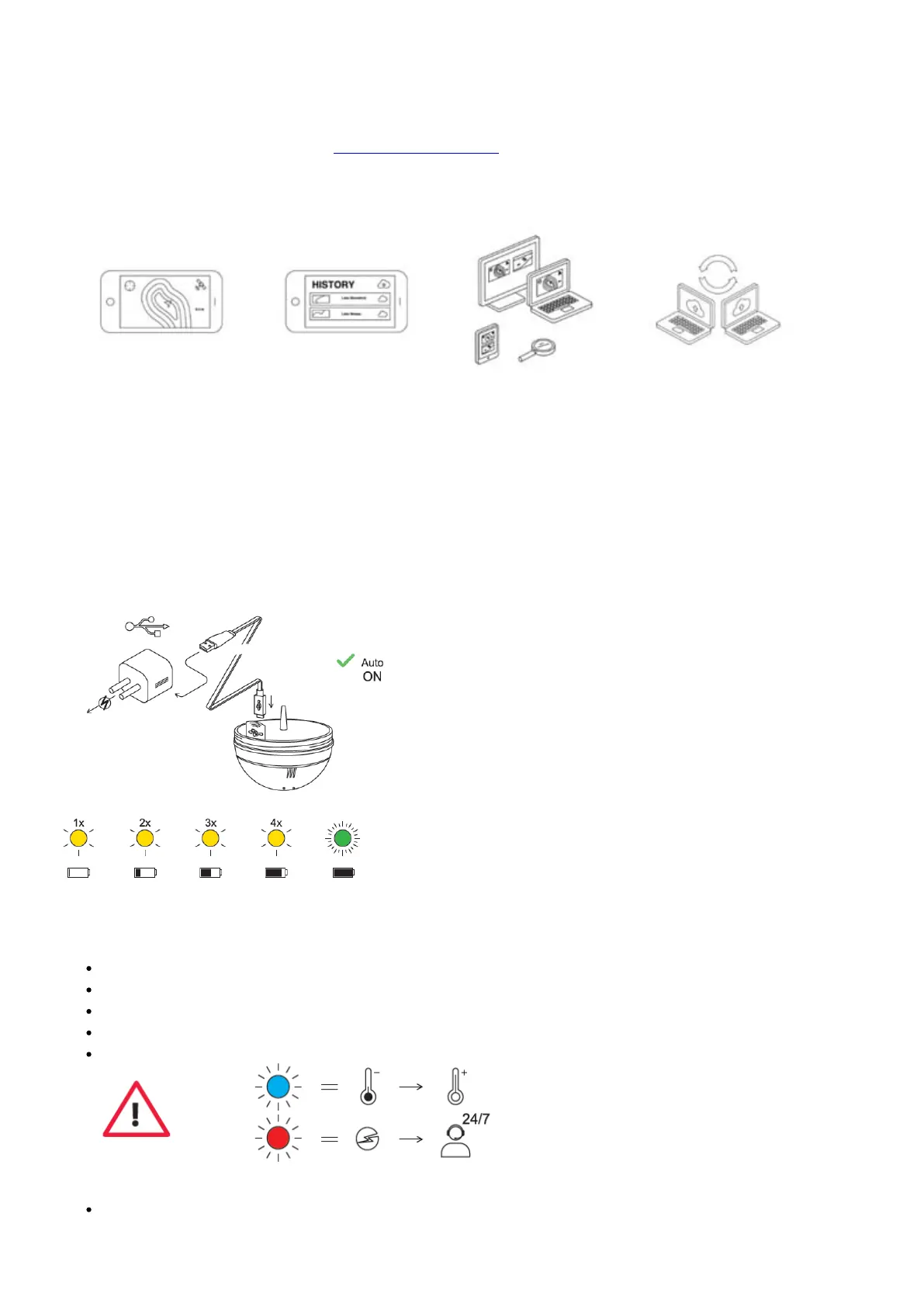
First unscrew the top cover to open the device – please always ensure the device is dry before opening it. Now
connect your Deeper Sonar to a USB power source using the cable included. For charging, please use a standard
smartphone or tablet charger, or connect the cable to your personal computer, your car’s power outlet, or the USB
outlet of another device.
When you connect your Deeper CHIRP+ to a power source, it automatically turns on. An orange light will flash in
intervals to show the device is charging. The number of flashes indicates the status of the battery.
One flash means charging just started and the battery is still empty.
Two flashes mean 25% charged
Three flashes mean 50% charged
Four flashes mean 75% charged
A green light means the battery is fully charged.
A blue light indicates that the temperature is too cold for charging. The lithium-ion battery cannot be


 To Next Page
 Loading...
