EasyManua.ls Logo

Defibtech Lifeline/ReviveR DDU-100 - User Manual

Defibtech Lifeline/ReviveR DDU-100
16 pages
Print Icon
To Next Page IconTo Next Page
Loading...
DAC-A581-EN-DG
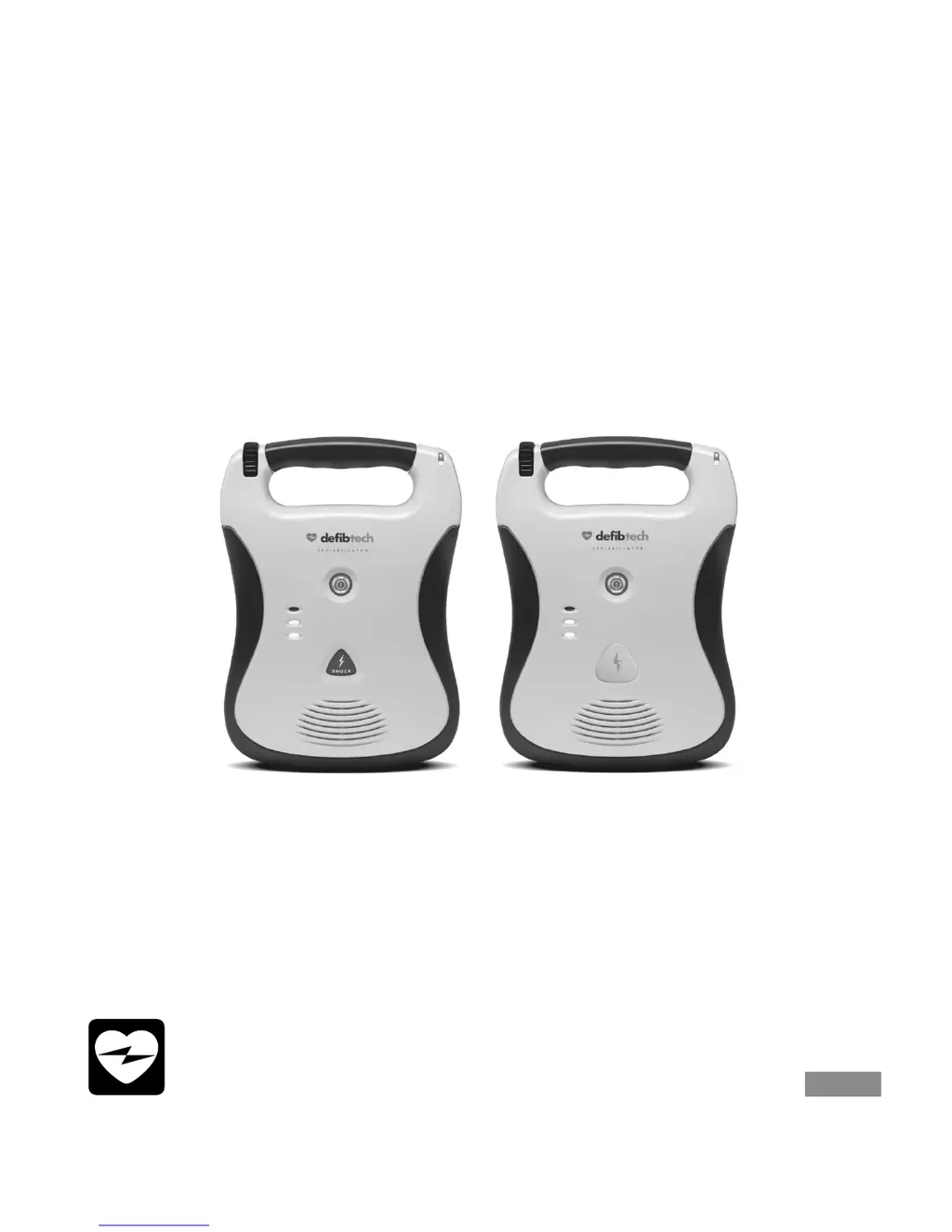
Defibtech Automated External Defibrillator
• Lifeline/ReviveR DDU-100
• Lifeline/ReviveR AUTO DDU-120
Operating Guide
For concise guidance on
set-up, use, maintenance
and technical specifications
check pads
do not touch patient
analyzing
check pads
do not touch patient
analyzing
ELECTRONIC
DISTRIBUTION

Other manuals for Defibtech Lifeline/ReviveR DDU-100

Questions and Answers

  • T
    Tracy FergusonAug 14, 2025
    What to do if Defibtech Medical Equipment says 'Check pads'?
    • K
      Krista WarrenAug 14, 2025
      If your Defibtech Medical Equipment displays a 'Check pads' prompt, it indicates that the pads may be touching. Separate the pads and place them correctly on the patient.
  • J
    John BlairAug 17, 2025
    Why does Defibtech Lifeline/ReviveR DDU-100 show 'Unknown battery type'?
    • M
      martinezalexanderAug 17, 2025
      If your Defibtech Medical Equipment shows an 'Unknown battery type' prompt, it means the installed battery pack is not recommended for use with the unit. Replace the installed battery pack with a recommended battery pack.
  • C
    Christopher SmithAug 20, 2025
    What to do if Defibtech Lifeline/ReviveR DDU-100 Medical Equipment says 'Apply pads to patient’s bare chest as shown'?
    • A
      Ashley GeorgeAug 20, 2025
      If the Defibtech Medical Equipment prompts 'Apply pads to patient’s bare chest as shown', it means the pads are either not connected to the patient or not making good contact. Ensure that you place the pads on the patient and check the pad connection to ensure it is properly connected. If the pads or pad cable are damaged, replace them.
  • Y
    Yolanda DiazAug 25, 2025
    Why does my Defibtech Lifeline/ReviveR DDU-100 Medical Equipment say 'Shock cancelled'?
    • G
      gmarksAug 25, 2025
      The 'Shock cancelled' prompt on your Defibtech Medical Equipment can occur for several reasons: * The patient’s ECG rhythm may have changed. * The shock button was not pushed within 30 seconds (DDU-100 ONLY). In this case, push the shock button within 30 seconds (DDU-100 ONLY). * The battery may be low, with insufficient charge. Replace the battery pack. * There may be a hardware failure. Run a manually initiated Self-Test and return the unit for servicing. * There could be a bad pad-to-patient connection. Check that pads are placed securely on the patient. * The pads might be dry. Replace the pads.
  • C
    Charlene PhamAug 27, 2025
    What to do if Defibtech Medical Equipment says 'Plug in pads connector'?
    • A
      Amanda SmithAug 27, 2025
      If your Defibtech Medical Equipment displays a 'Plug in pads connector' prompt, it indicates that the pads connector is not properly connected. Ensure you plug in the pads connector. If the connector is broken, replace the pads. If the unit’s connector is broken, call for service.
  • D
    Daniel GreeneAug 30, 2025
    What to do if Defibtech Lifeline/ReviveR DDU-100 Medical Equipment says 'Analyzing interrupted'?
    • M
      Michael PageAug 31, 2025
      If the Defibtech Medical Equipment shows an 'Analyzing interrupted' prompt, it means motion or interference has been detected. To resolve this, stop the motion or interference.
  • T
    Tabitha GlennSep 3, 2025
    How to fix 'Pads missing' prompt on Defibtech Lifeline/ReviveR DDU-100?
    • C
      Connie AlvarezSep 3, 2025
      If your Defibtech Medical Equipment is showing a 'Pads missing' prompt, it means the pads are not connected. Make sure the pads connector is oriented correctly and fully inserted into the unit.
  • R
    Raymond JonesSep 6, 2025
    What to do if Defibtech Medical Equipment says 'Stop interference'?
    • M
      Mr. Matthew Arnold MDSep 6, 2025
      If the Defibtech Medical Equipment displays 'Stop interference', it means external interference has been detected. You should stop the external interference.
  • C
    Christopher SandersSep 10, 2025
    How to fix 'Replace data card' prompt on Defibtech Lifeline/ReviveR DDU-100 Medical Equipment?
    • J
      Jessica WallSep 10, 2025
      If your Defibtech Medical Equipment displays a 'Replace data card' prompt, it could be because the DDC card is full or has failed. Replace the DDC card with one that is not full, or replace the DDC card if it has failed.

Summary

Quick Use Instructions

When to Use

Diagram of Components

Setting Up the AED

Using the AED

Prepare Pads

Instructions for preparing defibrillation pads by tearing open the package.

Place Pads

Instructions for applying defibrillation pads to a patient's bare chest.

The Defibrillation Pads

How to Connect the Pads

Steps to connect the defibrillation pad cable to the AED unit.

The Battery Pack

Installing and Removing the Battery Pack

Instructions for inserting and removing the AED battery pack.

Checking AED Status

Maintenance

Troubleshooting

Warnings and Cautions

Defibtech Lifeline/ReviveR DDU-100 Specifications

General IconGeneral
Device TypeAutomated External Defibrillator (AED)
WaveformBiphasic Truncated Exponential
OperationSemi-automatic
Battery TypeLithium Manganese Dioxide (LiMnO2)
Voice PromptsYes
CPR CoachingYes
Data RecordingYes
Operating Temperature0°C to 50°C (32°F to 122°F)
Storage Temperature-20°C to 60°C (-4°F to 140°F)
Relative Humidity5% to 95% (non-condensing)
CPR FeedbackNo
ECG DisplayNo
Warranty8 years
Energy150 J (fixed)
Dimensions22 cm x 30 cm x 9 cm (8.7 in x 11.8 in x 3.5 in)
IP RatingIP54
AltitudeUp to 15, 000 feet
Visual IndicatorsYes
Weight2.0 kg (4.4 lbs) (including battery)

Related product manuals