1
DefineSat VM55
TROPHY-ACCESS
embedded decoder
1
2
3
4
Table of contents
1 Front and Rear Panel.........................................................................................1
1.1 Front Panel .....................................................................................................1
1.2 Rear Panel ......................................................................................................1
2 Remote Control...................................................................................................2
2.1 Key introduce ..................................................................................................2
2.2 Installing the Batteries......................................................................................2
2.3Using the Remote Control.................................................................................2
3 Connections........................................................................................................3
4 First Time Installation .........................................................................................3
4.1 Program Manage Settings ..............................................................................3
4.1.1 Program Edit ................................................................................................3
4.1.2 EPG (Electronic program guide)...................................................................4
4.1.3 Sort...............................................................................................................4
4.2 Video Setting ...................................................................................................4
4.2.1 Aspect Ratio .................................................................................................4
4.2.2 Resolution ....................................................................................................4
4.2.3 TV format......................................................................................................4
4.3 Channel Search...............................................................................................4
4.3.1 Satellite ........................................................................................................5
4.3.2 Transponder..................................................................................................6
4.4 Time Setting ....................................................................................................6
4.5 Option..............................................................................................................7
4.6 System.............................................................................................................7
4.6.1 Set Password ...............................................................................................7
4.6.2 Restore Factory Default ...............................................................................7
4.6.3 Information ...................................................................................................7
4.6.4 Recall List ....................................................................................................7
4.6.5 Software update............................................................................................7
4.7 USB..................................................................................................................7
4.7.1 Multimedia:....................................................................................................7
4.7.2 Photo configure:............................................................................................8
5.Troubleshooting .................................................................................................8
6.Technical Specifications.....................................................................................9
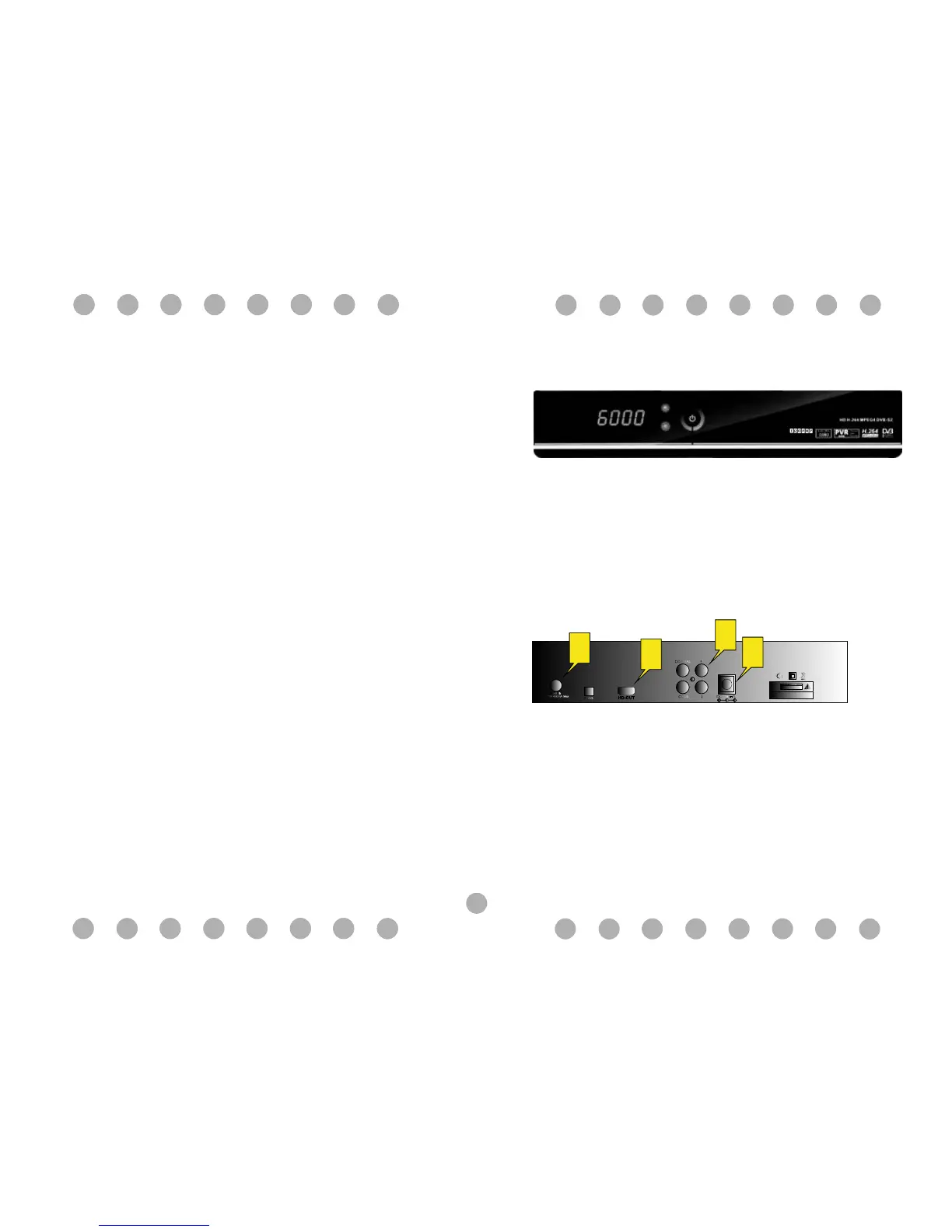
1 Front and Rear Panel
1.1 Front Panel
1.2 Rear Panel
1 LNB IN: Used to connect the LNB to receive the signal.
2 HD-OUT: HDMI connector .
3 CVBS: This socket outputs composite video&audio signal
4 Electrical source hole: Make the electrical source line cut in it.



 To Next Page