PAGE 5 OF 20
Setting the time of day
• When the power is first connected ( or after a power failure), the clock display will flash
00.00.
• To set the clock, press buttons 1 and 2 and hold them down.
• Press button 5 or 6 until the correct time of day is displayed.
• Release the buttons. The clock is now set.
• Please note that the clock has a 24 hour display.
• For example 3.00 PM will be displayed as 15.00.
Automatic oven timer / clock.
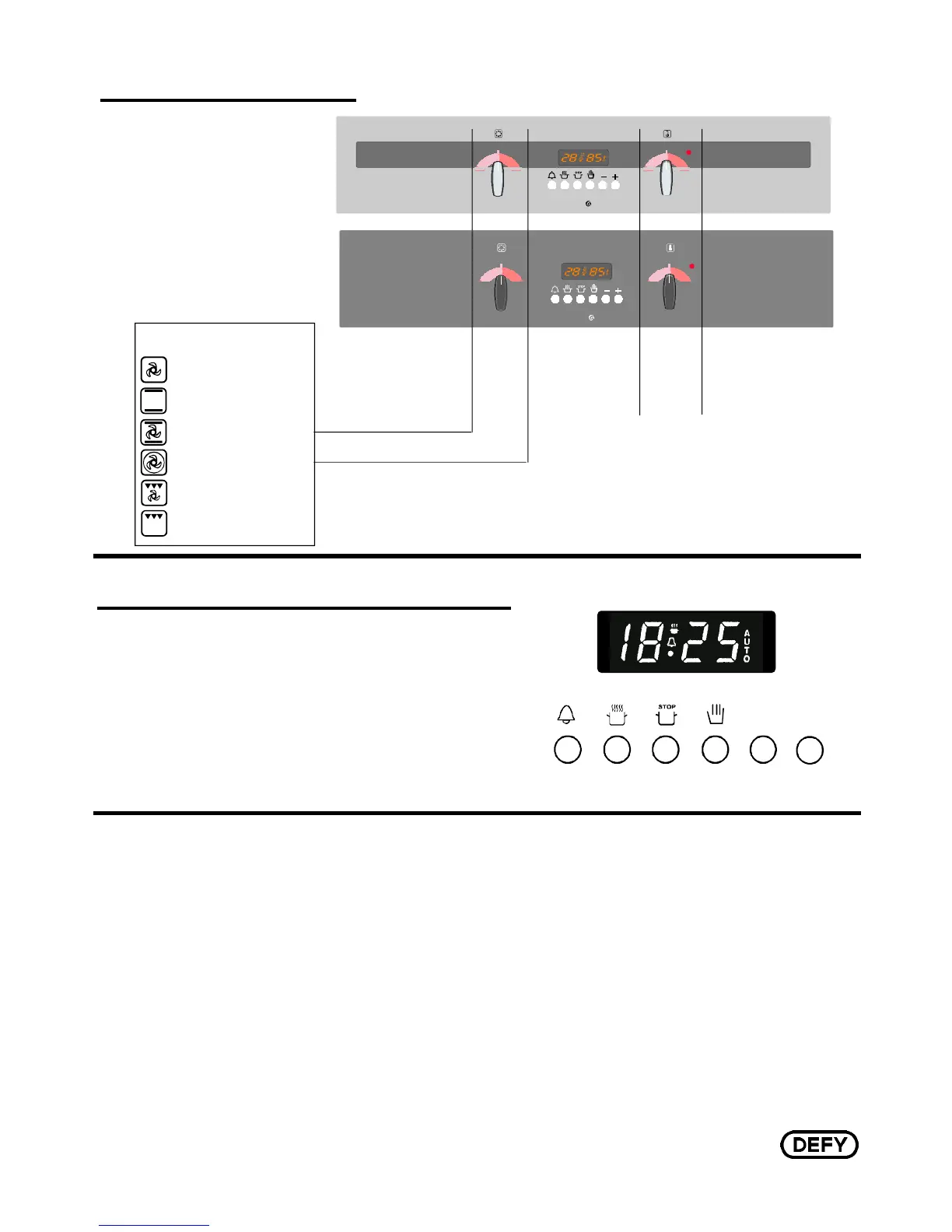
Button Functions
1 = MINUTE MINDER
2 = COOKING PERIOD
3 = STOP TIME
4 = MANUAL CONTROL
5 = SUBTRACT
6 = ADD
+
-
600 MGSE
MULTIFUNCTION
THERM FAN
SELECTOR THERMOSTAT
THERM FAN
SELECTOR THERMOSTAT
MULTIFUNCTION
600 MGE
MULTI FUNCTION SELECTOR
STATIC OVEN
FAN ASSISTED OVEN
THERMOFAN OVEN
TURBO GRILL
CONVENTIONAL GRILL
DEFROST - FAN ONLY
The oven thermostat is market at 70°C. When set to this position the oven may
be used to keep food warm.
OVEN
THERMOSTAT
MULTI FUNCTION SELECTOR
CLOCK / TIMER
MODEL
600 MGE
MODEL
600 MGSE
EYE LEVEL OVEN
The Control Panel.
EYE LEVEL OVEN
The oven thermostat is marked at 70°C. When set to this position
the oven may be used to keep food warm.



 To Next Page