14
2
16
17
7
13
8
12
6
5
1
15
4
10
3
11
9
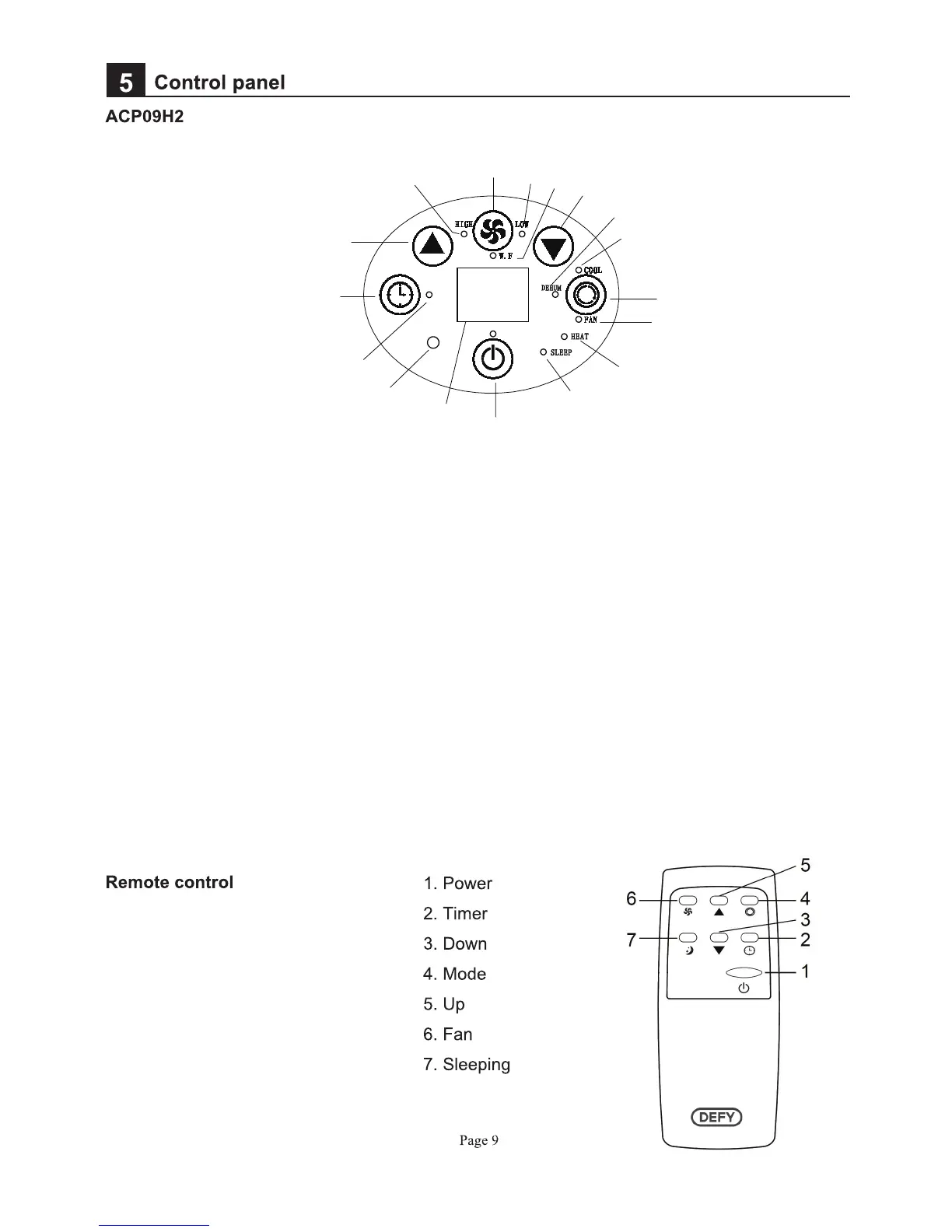
1.POWER: Press this key to turn on/off machine. After machine turns on, default
value is cooling mode with low fan speed.
2.MODE: After machine turns on, press this key to select cooling, dehumidifying ,
fan and heating mode
3.FAN: After machine turns on, press this key to select fan speed (high and low).
4.DOWN: Under cooling or heating mode, press this key to downward setting
temperature from 16~31℃.
5.UP: Under cooling or heating mode, press this key to upward temperature
from 16~31℃.
6.TIMER: Under power-on or standby mode, press this key to setup on/off time
from 1~24.
7.SLEEP(on the remote control): Under cooling or heating mode, press this key
to turn on/off sleeping function.


 To Next Page