10
11
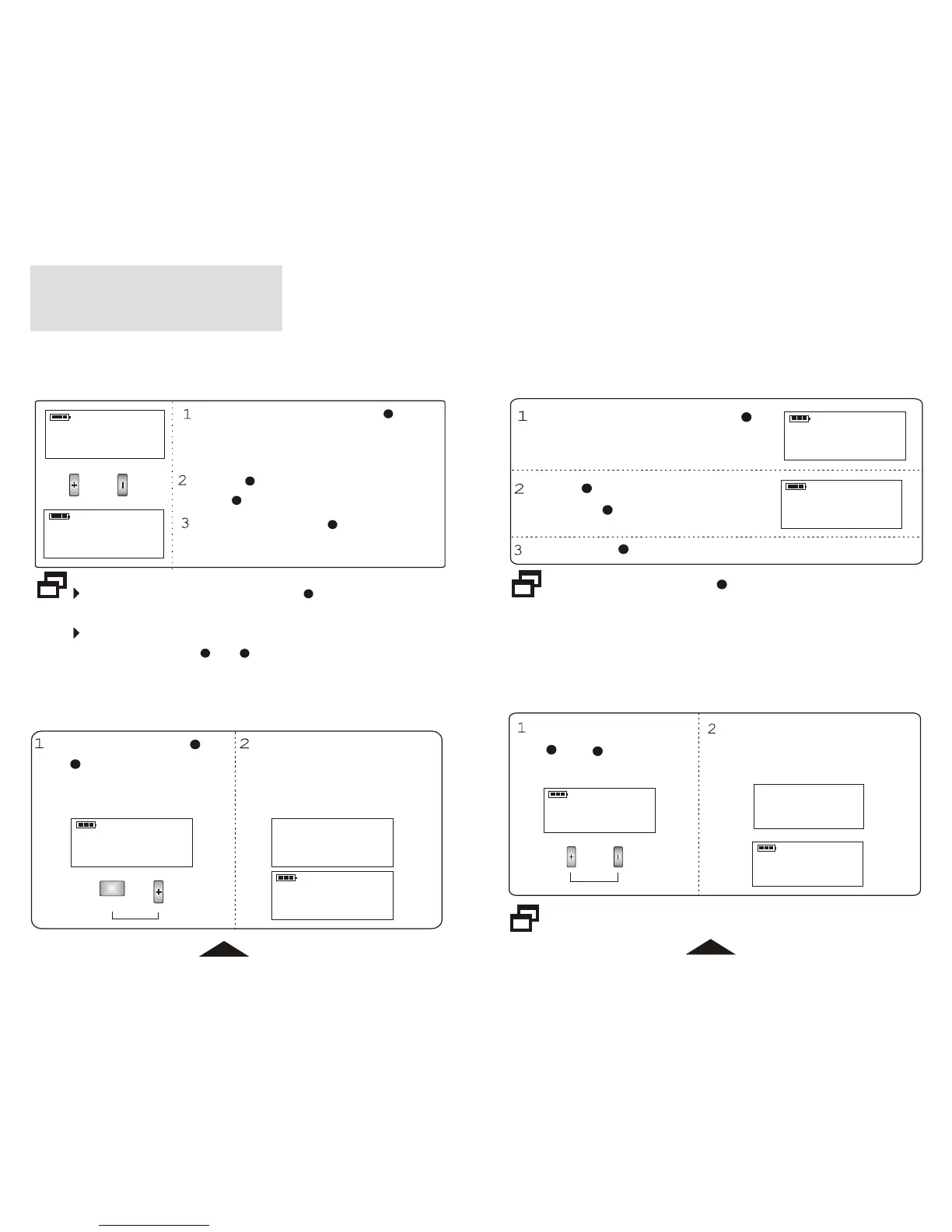
Make sure to press STORE / TIME after clock setting,
otherwise setting is failed.
In step 2, hour or minute will step up continuously if you
press and hold + or - until you release the button.
LOCAL
WEEKDAY
18:00
5
LOCAL
WEEKDAY
19:01
5
Press + to cyclically increase the hour
and - to cyclically increase the minute.
11
12
Press and hold STORE / TIME for 2s
into Clock Set mode when unit is off, ":"
in the clock indicator stops flashing.
9
Press STORE / TIME to store the clock
setting.
9
9
1. Adjust the Clock
11
12
CLOCK SET
11
LOCAL
WEEKDAY
18:00
5
2:00
6
WEEKDAY
Cl2
12
You can preset dual clock - CL1(local) and CL2 in the unit with
independent clock and weekday.
When the unit is off, press
+ and - together for
above 2s.
Clock number indicates in the
display for a short time and then
new clock shows in the display.
4. DUAL CLOCK
Repeat the same procedure to change the clock to CL1(Local).
12
11
LOCAL
WEEKDAY
18:00
5
LOCAL
WEEKDAY
18:00
6
3. WEEKDAY
When the unit is off, press MEMO
for above 2s until WEEKDAY
flashes in the display.
Press + to change the weekday
upward or - to downward.
Press MEMO to store the setting.
8
8
Make sure to press MEMO after weekday setting,
otherwise setting is failed.
8
2. 12H / 24H
LOCAL
WEEKDAY
MEMO
WEEKDAY
PM
LOCAL
11
8
18:00
5
12H
6:00
5
Press and hold MEMO and
+ together for above 2s
when the unit is off.
Clock mode indicates in the
display for a short time and
then clock with the new mode
shows in the display.



 To Next Page