EasyManua.ls Logo

Delabie 512066BK - User Manual

Default Icon
28 pages
Go to English
Print Icon
To Next Page IconTo Next Page
Loading...
NT 512066
Indice B
512066
Distributeur électronique de savon liquide
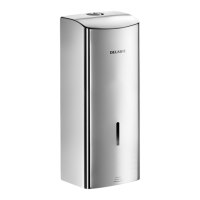
Electronic liquid soap dispenser
Elektronischer Flüssigseifenspender
Elektroniczny dozownik mydła w płynie
Elektronische verdeler voor vloeibare zeep
Dispensador electrónico de jabón líquido
Doseador eletrónico de sabão líquido
Сенсорный диспенсер для жидкого мыла
ES
FR
EN
DE
PL
NL
PT
RU
Question and Answer IconNeed help?

Do you have a question about the Delabie 512066BK and is the answer not in the manual?

Overview

The DELABIE 512066 is an electronic liquid soap dispenser designed for use with vegetable-based liquid soap or hydroalcoholic gel, with a maximum viscosity of 3,000 mPa.s. It is suitable for professional installation and use.

Function Description

The dispenser is designed to provide a controlled dose of liquid soap or hydroalcoholic gel. Its electronic operation ensures precise dispensing and helps prevent waste. The device features an infrared detection system for hands, which triggers the dispensing mechanism. It includes a reservoir for the liquid product and a pump for dispensing. The dispenser can be set to different operating modes, including "sleep" mode, "active" mode, and various dosage settings. The LED indicator provides visual feedback on the device's status and operation.

Important Technical Specifications

  • Detection Distance: 100 mm.
  • Dispensed Volume: 2 doses of 0.8 ml, totaling 1.6 ml.
  • Installation: The dispenser should be installed at least 250 mm above the basin (350 mm if it's a stainless steel basin) to avoid interference from infrared waves.
  • Power Supply: Operates on 6 AA – 1.5 V (DC9V) batteries, which are housed in a compartment within the device.
  • Product Compatibility: Suitable for liquid soap or hydroalcoholic gel with a maximum viscosity of 3,000 mPa.s.
  • Dimensions: The dispenser measures 256 mm in height, 105 mm in width, and 80 mm in depth (from the wall). The wall bracket has dimensions of 206 mm in height, 79 mm in width, and 80 mm in depth.

Usage Features

The DELABIE 512066 offers several usage features to optimize its functionality:

  • Activation: Automatic opening and closing via infrared presence detection of hands.
  • "Sleep" Mode: To prevent wear of the silicone tube, the pump rotates for 72 hours. To deactivate "sleep" mode, press the settings button 5 times consecutively. The LED will light up for 3 seconds.
  • "Active" Mode: To activate "active" mode, press the settings button 1 time. The LED will blink slowly (for 5 seconds).
  • Adjusting Detection Distance:
    • Cancel "sleep" mode if it has not already been done.
    • Activate "settings mode" (procedure "Activate settings mode"), unless the settings mode has already been activated and you haven't cancelled it (with a conventional detection).
    • Press and hold the settings button (Fig. J) until the LED (Fig. I) blinks rapidly.
    • Place your other hand at the required distance from the sensor (Fig. J) (between 5 and 15 cm).
    • Release the button, the LED (Fig. I) will stay lit for up to 2 seconds.
    • Remove hand from beneath the sensor.
    • The setting of the detection distance is complete.
    • Check the new distance settings by repeating the procedure to achieve the correct distance.
  • Adjusting Dispensed Volume:
    • Activate "settings mode" (procedure "Activate settings mode"), unless the settings mode has already been activated and you haven't cancelled it (with a conventional detection).
    • Press the settings button twice consecutively (Fig. J): the LED (Fig. I) blinks slowly (for 5 seconds).
    • During these 5 seconds, place hand beneath the sensor (Fig. J): various doses (1.6 ml by default) are consecutively dispensed. Remove hand when the desired quantity is reached (7 doses maximum). The new quantity shall be registered and dispensed for all future uses.
    • The adjustment of the dispensed volume is finished.
  • Refilling the Reservoir:
    • Open the lid (Fig. H) to access the electronic unit.
    • Open the hatch (Fig. F).
    • Remove the battery case.
    • Remove the battery holder from its protection case.
    • Change the 6 AA batteries (do not mix new and used).
    • Put the battery holder back in its protection case.
    • Put the case back in place, and put the wires back carefully.
    • Remove the cover (Fig. G). Fill the tank with liquid soap with a maximum viscosity of 3,000 mPa.s.
    • Replace the cover (Fig. G) on the reservoir, and close the lid (Fig. H). The LED (Fig. I) will blink 5 times.
  • Priming the Pump:
    • Press the settings button 8 times consecutively (Fig. J), to activate pump's priming (which will turn continuously in the opposite direction).
    • Let it turn for about 5 seconds, and press the settings button once again (Fig. J) (the pump will stop, and return to dispensing mode).
    • Repeat this procedure if the soap is not being dispensed.
    • If after 10 detections, the soap is still not being dispensed, verify that the dispenser does contain soap.
    • If not, fill the tank, and run the detections again.
    • If soap is still not dispensed, the nozzle might be blocked. The nozzle can be unblocked with a Ø 2mm (max.) long object, inserted up to 10mm in the nozzle (further could risk damaging the pump).
  • LED Indicator: The LED (Fig. I) stays on when the settings button (Fig. J) is not aligned with the opening destined for it. Open the cover and reposition the settings button (Fig. J) so that it passes through the correct opening.

Maintenance Features

  • Cleaning: Clean with mild soapy water using a cloth or a sponge. Never use abrasive, scouring powder, chlorine, or any other acid-based cleaning products.
  • Battery Replacement:
    • Open the lid (Fig. H).
    • Dismantle the electronic unit (Fig. G).
    • Replace the seal (Fig. G) supplied with the replacement kit for the electronic unit.
    • Put the new electronic unit in the place of the old one (Fig. G).
    • It is recommended to reset the settings after battery replacement.
  • Troubleshooting: If the dispenser does not work after battery replacement, check the following:
    • Open the lid (Fig. H).
    • Dismantle the electronic unit (Fig. G).
    • Remove the old seal (Fig. G).
    • Insert the new electronic unit (Fig. G).
    • It is recommended to reset the settings.
  • Professional Installation: Our products must be installed by professional installers in accordance with current regulations and recommendations in your country, and the specifications of the fluid engineer.
  • Do not shake the dispenser.
  • Do not block the soap outlet or the sensor.

Delabie 512066BK Specifications

General IconGeneral
BrandDelabie
Model512066BK
CategoryDispenser
LanguageEnglish