10
5. After successful pairing, the switch can be controlled remotely using a smartphone. For more information
about application settings, see the TuyaSmart description.
PAIRING OF OPTIONAL KINETIC SWITCHES:
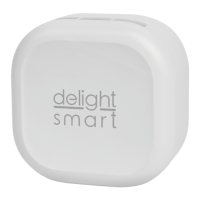
Provide power to the control unit, then press and hold the button on the top for 5-6 seconds. A blue light on
the bottom of the button illuminates to indicate that the device has switched to pairing mode. Then briey
press the wall switch you want to pair it with. After successful pairing, the device can be controlled with
the wall switch. Multiple wall switches can be paired with one control unit. Repeat the steps to add more
switches.
TO RESET THE DEVICE:
Hold the button at the top for 10 seconds to restore the factory settings.
CLEANING:
If the switch is accessible and there is dirt on the outer case, de-energize the device and wipe o any dirt with
a soft, dry, microber cloth. Do not use a damp cloth.
DISPOSAL:
This symbol on the product or on its packaging indicates that this electrical and electronic product must not
be disposed of with your other household waste. For proper disposal and reuse, please return this product
to a designated collection point. By ensuring this product is disposed of correctly, you will help prevent
potential negative consequences for the environment and human health, which could otherwise be caused
by inappropriate waste handling of this product. Contact your local authorities or the nearest collection point
for more details on disposal.
USER MANUAL AND INSTALLATION GUIDE


 To Next Page
 Loading...