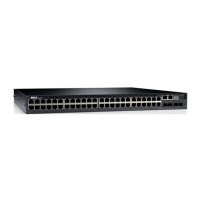
This document is the Dell Networking S4100-ON Series Set-Up Guide, providing comprehensive information for the installation, configuration, and maintenance of the Dell Networking S4100-ON Series switches. It covers site preparation, physical installation procedures, technical specifications, and resources for Dell support.
The Dell Networking S4100-ON Series switches are designed for network telecommunication facilities, data centers, and other locations where the National Electric Code (NEC) applies. These switches are suitable for installation as part of a common bond network (CBN). The guide emphasizes that only trained and qualified personnel should install this equipment and highlights the importance of reading the guide before installation and power-up.
Important Technical Specifications:
The S4100-ON Series switches have specific physical and environmental parameters.
Usage Features:
The S4100-ON Series switches are designed for rack or cabinet installation.
- Rack Mounting: The system supports mounting in a 19-inch wide, EIA-310-E-compliant rack. It can be installed using four-post, two-post, round threaded holes, or square holes. The Dell ReadyRails system is provided for 1U front-rack and two-post installations.
- ReadyRails Installation: The ReadyRails system facilitates easy rack configuration and supports 1U tool-less square-hole mounting, as well as three tooled installation methods: two-post flush mount, two-post center mount, and four-post threaded mount.
- Fan and Airflow: The switches support two airflow options: normal (I/O to PSU) and reverse (PSU to I/O). Fan installation is factory-configured based on the SKU type. It is crucial to use a single type of airflow fan in the system and not mix reverse and normal airflows. For proper ventilation, a minimum of 5 inches (12.7 cm) clearance around exhaust vents is required. The fan speed varies based on internal temperature monitoring, and fans are never intentionally turned off.
- Power-Up Sequence: Upon power-up, the fans immediately operate at high speed, gradually slowing down as the system boots up.
- Optics Installation: Optics are inserted into ports until they snap into place, with a keying mechanism to prevent incorrect insertion.
- Open Networking (ONIE): The S4100-ON Series supports an open network installation environment (ONIE), allowing users to install ONIE-compatible operating systems.
Maintenance Features:
The guide provides several recommendations for maintenance and safe handling.
- Electrostatic Discharge (ESD) Protection: To prevent ESD damage, users must wear grounding wrist straps when handling the equipment and its components. After unpacking, components should be placed on an anti-static surface.
- Power Disconnection: Always disconnect the power cable before servicing power supply slots. For AC systems, the power supply cable serves as the main disconnect device and must be easily accessible.
- Component Storage: If not immediately installed, components should be stored properly in a dry, clean, dust-free environment, away from direct sunlight, heat, and air conditioning ducts. The storage temperature range is -40° to 65°C (-40° to 149°F).
- Fan Module Requirement: The switch should not be powered up if a fan module is not installed. Blank panels should be installed if optional modules are not used.
- Optics Removal: Optics can be removed by pushing a tab and sliding them out. For direct attach cables (DACs), the release tab should be pulled firmly and steadily, ensuring the optic is properly seated before pulling.
- Lithium Battery Caution: There is a danger of explosion if the battery is incorrectly replaced. It must be replaced only with the same or equivalent type and disposed of according to the manufacturer's instructions.
- Optical Fiber Safety: When working with optical fibers, users must follow all warning labels, wear eye protection, and never look directly into the end of a terminated or unterminated fiber or connector to avoid eye damage.
- Rack Safety: Overloading or uneven loading of racks can cause failure and personal injury. Racks should be stabilized, and components mounted from bottom to top, not exceeding the rack's load rating. Power connections must adhere to specified unit requirements, and total component power ratings should not exceed circuit capabilities. The operating temperature in a closed rack assembly must not exceed 45°C. Adequate airflow must be maintained, and reliable earthing of rack-mounted equipment is essential.
The document also provides information on accessing Dell support resources, including product documentation, drivers, downloads, and community forums, through the Dell support website. Users can find product-specific information by entering the 7-character service tag or 11-digit express service code.

 Need help?
 General

 To Next Page