Rev01 | November 2016 1
Dell Networking
300 Series Access Points
Installation Guide
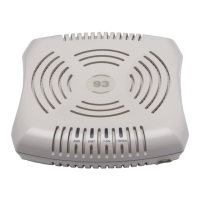
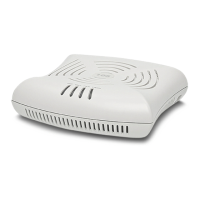
The Dell Networking 300 Series wireless access points
(W-AP304, W-AP305, W-IAP304 and W-IAP305) support
IEEE 802.11ac standards for high-performance WLAN, and
are equipped with two radios, which provide network access
and monitor the network simultaneously. These access points
deliver high-performance 802.11n
2.4 GHz and 802.11ac 5 GHz functionality, while also
supporting 802.11a/b/g wireless services. Multi-user Multiple-
in, Multiple-output (MU-MIMO) is enabled when operating
in 5GHz mode for optimal performance.
The W-AP304 and W-AP305 access points work in
conjunction with a Dell controller, while the W-IAP304 and
W-IAP305 access points can be configured using a built-in
virtual controller.
The 300 Series wireless access points provide the following
capabilities:
IEEE 802.11a/b/g/n/ac operation as a wireless access point
IEEE 802.11a/b/g/n/ac operation as a wireless air monitor
IEEE 802.11a/b/g/n/ac spectrum monitor
Compatible with IEEE 802.3at PoE+ and IEEE 802.3af
PoE
Centralized management configuration and upgrade
Integrated Bluetooth Low Energy (BLE) Radio
Package Contents
300 Series access point
9/16” and 15/16” Ceiling Rail Adapters
Dell Networking 300 Series Access Points Installation
Guide (printed version)
Dell Networking 300 Series Access Points Regulatory
Compliance and Safety Information Guide
Dell Networking W-Series Instant Quick Start Guide
(W-IAP304 and W-IAP305 only)
Dell Networking W-Series Instant Access Point Professional
Installation Guide Supplement (W-IAP304 only)
.
Software
The W-AP304 and W-AP305 access points require AOS 6.5.1
or higher. For additional information, refer to the AOS User
Guide and AOS Quick Start Guide.
The W-IAP304 and W-IAP305 access points require Instant
4.3.1 or higher. For additional information, refer to the
Instant User Guide and Instant Quick Start Guide.
Hardware Overview
Figure 1
Status LEDs on AP Front (305 shown)
LEDs
The 300 Series access points have two LEDs that indicate the
system and radio status of the device. These two LEDs can be
configured via AOS (for W-AP304 and W-AP305) or Instant
(for W-IAP304 and W-IAP305) software for three separate
modes:
Normal mode (by default): See the following LED table.
Off mode: LEDs are off
Blink mode: Both LEDs blink green (synchronized)
Note: Inform your supplier if there are any incorrect,
missing, or damaged parts. If possible, retain the
carton, including the original packing materials. Use
these materials to repack and return the unit to the
supplier if needed.
CAUTION: Dell access points are classified as radio
transmission devices, and are subject to government
regulations of the host country. The network
administrator(s) is/are responsible for ensuring that
configuration and operation of this equipment is in
compliance with their country’s regulations. For the
complete list of country-approved channels and
devices, refer to the
Dell Networking W-Series
Downloadable Regulatory Table (DRT) Release Notes
at download.dell-pcw.com.
System Status
Radio Status

 Need help?
 General

 To Next Page