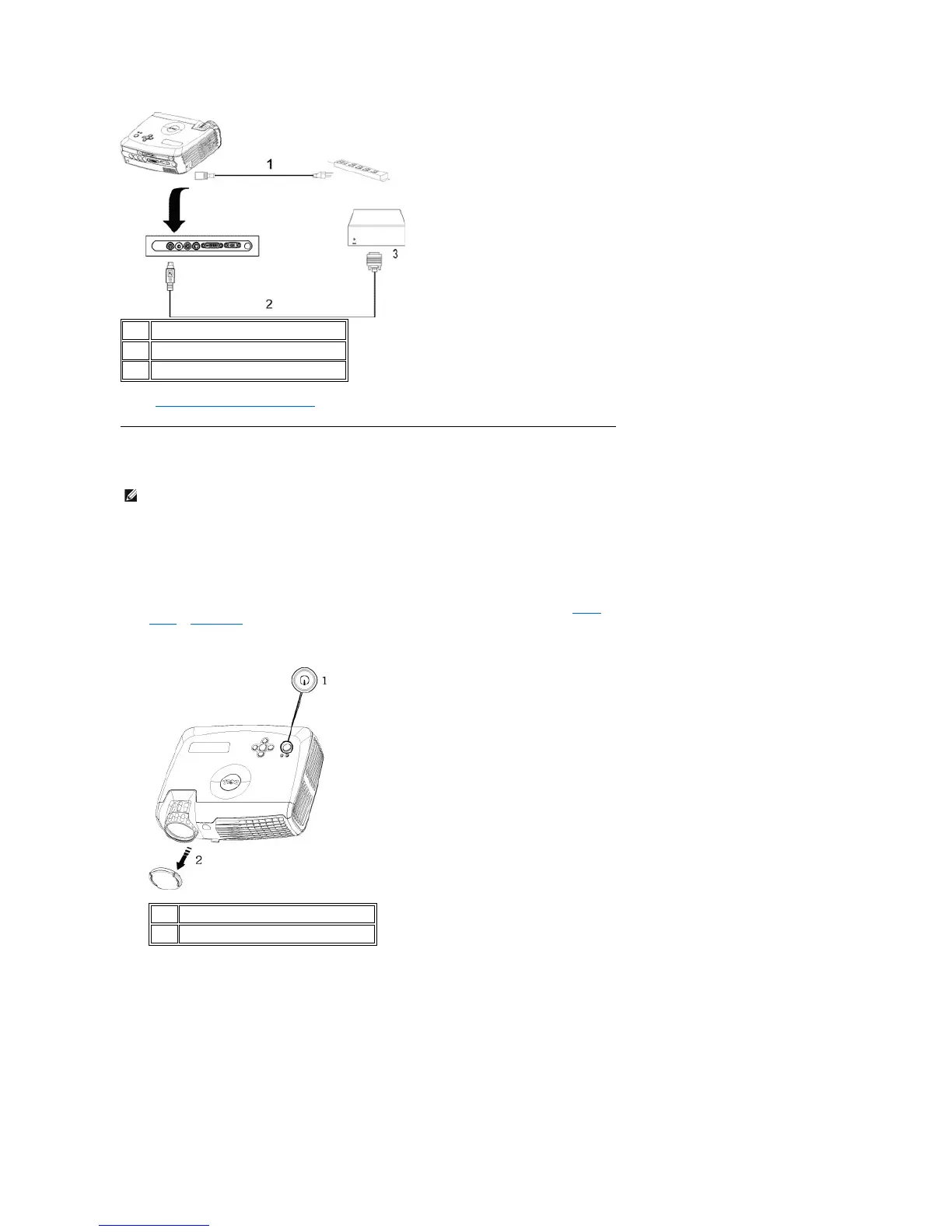
Note: RS232 cable not provided by Dell. Consult professional installer for cable and RS232 remote control software.
Refer to RS232 pin assignment and commands.
1. Ensure that the lens cap has been removed.
2. Ensure that the power cord and appropriate signal cable(s) are securely connected. The power button light will
blink blue.
3. Press the power button to turn on the projector. The Dell logo will be displayed for 30 seconds.
4. Turn on your source (computer, notebook, DVD, etc.). The projector automatically detects your source.
l If the "Searching for signal..." message appears on the screen, ensure that the appropriate signal
cable(s) are securely connected.
l If you are connecting multiple sources to the projector simultaneously, press the Source button on the remote
control or control panel to select the desired source.
Powering Off the Projector
DO NOT UNPLUG THE PROJECTOR BEFORE PROPERLY SHUTTING DOWN USING THE FOLLOWING STEPS.
l Powering off procedures
1. Press the power button to turn off the projector. The "Power Off the Lamp?" message appears on the OSD.



 To Next Page