Oculus Rift with touch
NOTE: The USB dongles are only shipped with computers that are Oculus
certified.
1 Download and run the setup tools for your VR headset at www.dell.com/
VRsupport.
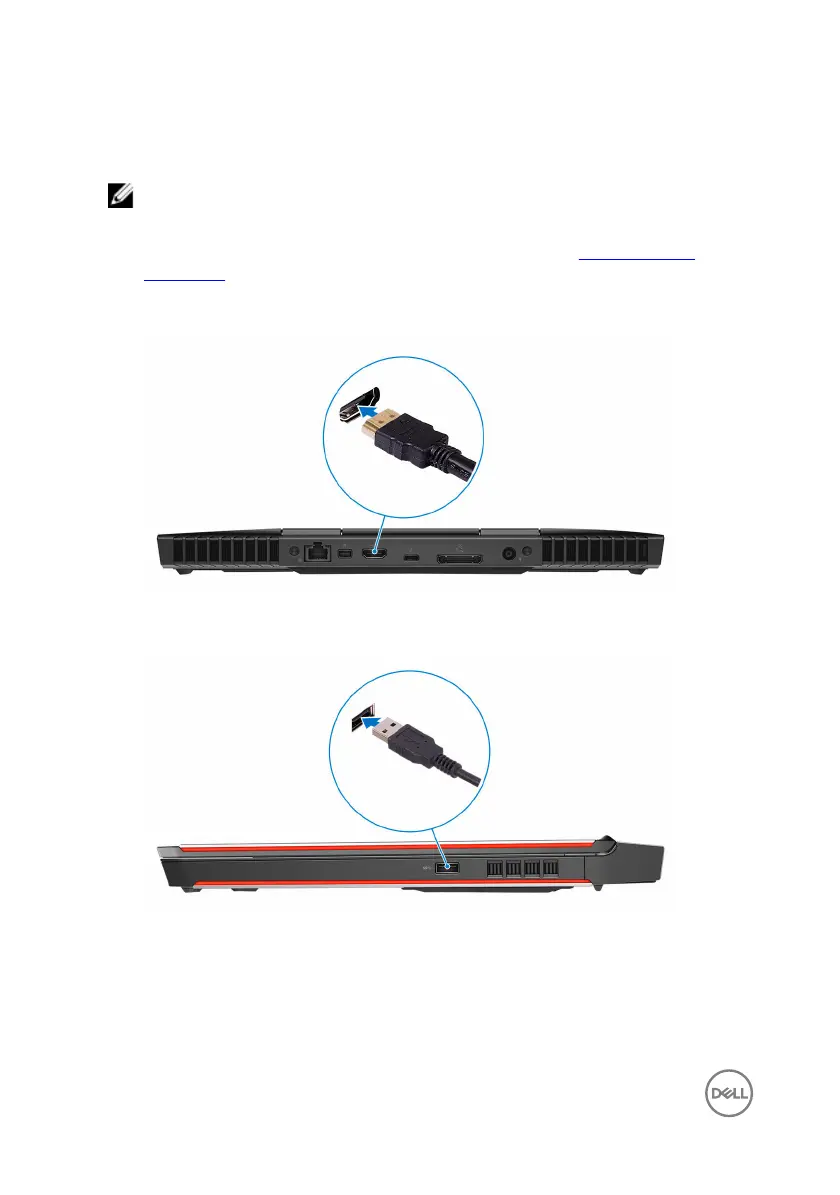
2 Connect the HDMI cable of the Oculus Rift headset to the back of your
computer.
3 Connect the Oculus Rift headset to the USB Type-A port on the right side of
your computer.
8
Проконсультироваться и купить данное оборудование вы можете в компании «АНД-Системс»
адрес: 125480, г.Москва, ул.Туристская, д.33/1; site: https://andpro.ru тел: +7 (495) 545-4870 email: info@andpro.ru
При обращении используйте промокод AND-PDF и получите скидку.












 To Next Page