Connect the keyboard and mouse
Connectez le clavier et la souris
Connect the network cable — optional
Connectez le câble réseau (facultatif)
2
3
Connect the display
Connectez l’écran
4
Install the stability foot
Installez le pied de stabilisation
1
1
3
2
4
Connect the power cable and press the
power button
Connectez le câble d’alimentation et appuyez sur le bouton
d’alimentation
5
NOTE: If you have two graphics cards, PCI-Express X16 (graphics) slot 1 will be the
primary graphics card. If you have three graphics cards, PCI-Express X16 (graphics)
slot 3 will be the primary graphics card.
REMARQUE : si vous avez deux cartes graphiques, l’emplacement 1 (carte graphique)
PCI-Express X16 correspondra à la carte graphique principale. Si vous avez trois
cartes graphiques, l’emplacement 3 (carte graphique) PCI-Express X16 correspondra
à la carte graphique principale.
NOTE: Ensure that the input source on the monitor is not set to Auto Select. Select
the input source manually using the On-Screen Display (OSD) menu on the monitor.
REMARQUE : assurez-vous que la source d’entrée du moniteur n’est pas définie sur
Sélection automatique. Sélectionnez la source d’entrée manuellement à l’aide du
menu d’affichage à l’écran sur le moniteur.
Quick Start Guide
Guide d’information rapide
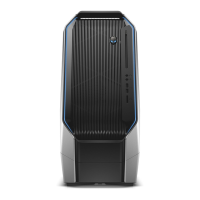
Area-51

 Need help?







 To Next Page
 General