
 Need help?
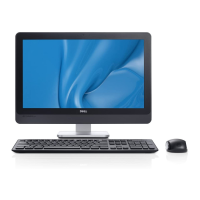
Do you have a question about the Dell OptiPlex 9010 AIO and is the answer not in the manual?
Steps for removing and installing the VESA stand.
Steps for removing and installing the computer's back cover.
Steps for removing and installing memory modules.
Steps for removing/installing system board, shields, and brackets.
Steps for removing and installing optical and hard drives.
Procedures for coin-cell battery, WLAN card, and intrusion switch.
 General
| RAM | Up to 16GB DDR3 |
|---|---|
| Chipset | Intel Q77 Express |
| Networking | Integrated Intel 82579LM Ethernet LAN 10/100/1000 |
| Webcam | Integrated 2.0 MP webcam |
| Processor | Intel Core i3/i5/i7 (3rd Gen) |
| Storage | Up to 1TB HDD or 256GB SSD |
| Display | 23-inch Full HD (1920 x 1080) |
| Graphics | Intel HD Graphics 4000 |
| Operating System | Windows 7 Professional |
| Optical Drive | DVD+/-RW |
| Audio | Integrated HD audio |
| Wireless | 802.11a/g/n Wi-Fi |
| Ports | USB 3.0, USB 2.0, HDMI, DisplayPort, RJ-45, Audio Line-In/Out |





 To Next Page
