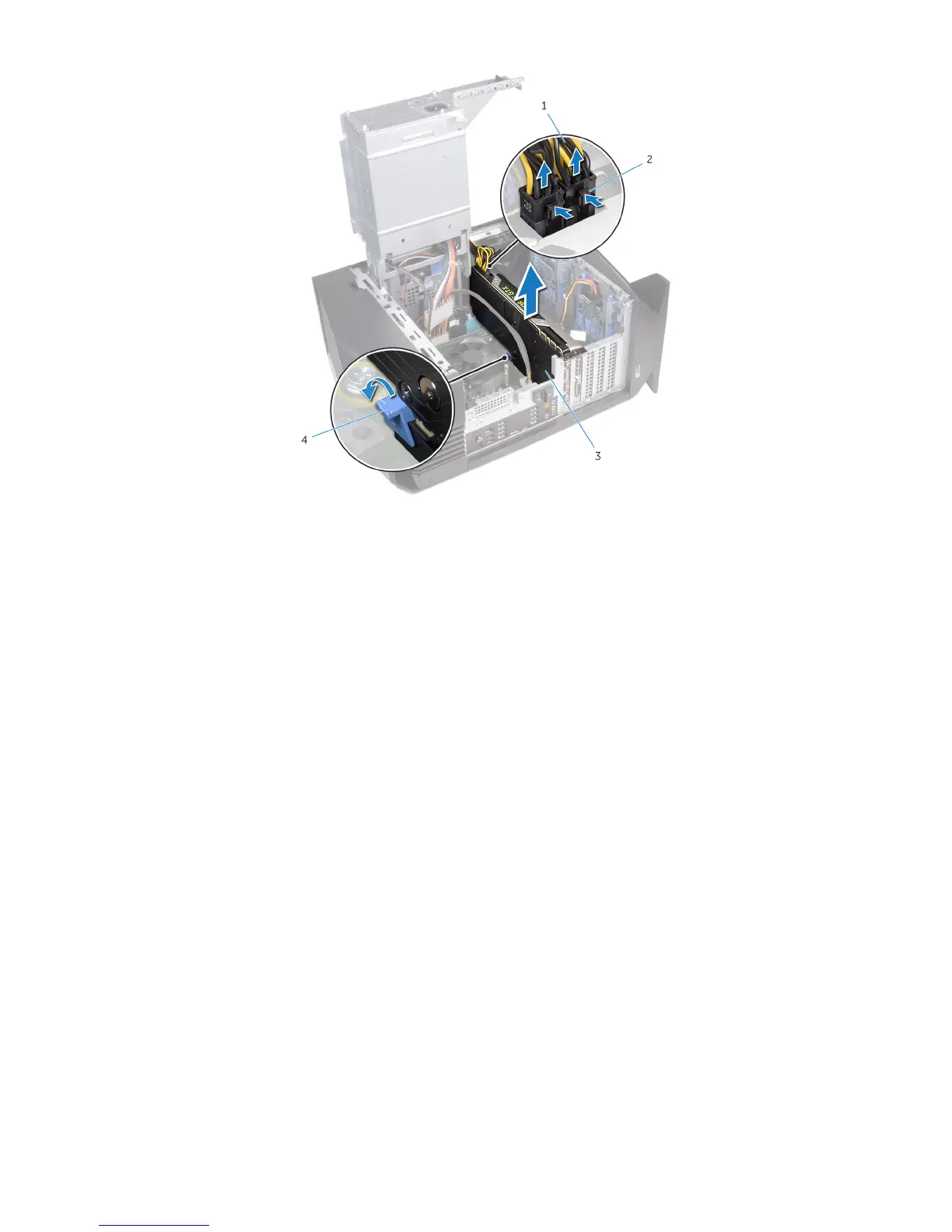
Figure 9. Removing the graphics card
1
power cables 2 releasing clips (2)
3 graphics card 4 securing tab
15 Slide the fan cable and the data and power cable through the power-supply unit cage.
16 Connect the fan cable to the system board.
17 Connect the power cable to the power-supply unit.
18 Connect the data cable to the connector on the solid-state drive adapter.
19 Slide the solid-state drive adapter to the solid-state drive slot and replace the screw that secures the solid-state drive adapter to the
system board.
12
Installing the U.2 solid-state drive




 To Next Page