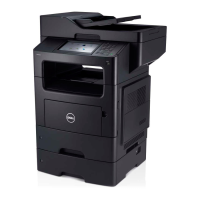
What to do if a small amount of toner is left in the indicated cartridge of my Dell All in One Printer?
R
Robert AndersonSep 12, 2025
If a small amount of toner is left in the indicated cartridge of your Dell All in One Printer, prepare a new cartridge for a replacement. You may temporarily increase the printing quality by redistributing the toner as described in the section 'Redistributing toner'.
A
Ashley MurphySep 14, 2025
What to do if the machine unit cannot be controlled on my Dell All in One Printer?
R
Rhonda HarrisonSep 14, 2025
If your Dell All in One Printer unit cannot be controlled, reboot the power and try the printing job again. If the problem persists, please call for service.
Apple AirPrint, Dell Mobile Print, Google Cloud Print
Standard interfaces
USB 2.0
AC input voltage
100 - 120 V
AC input frequency
50 - 60 Hz
Power consumption (standby)
30 W
Power consumption (PowerSave)
2.1 W
Power consumption (average operating)
- W
Mac operating systems supported
Mac OS X 10.5 Leopard, Mac OS X 10.6 Snow Leopard, Mac OS X 10.7 Lion, Mac OS X 10.8 Mountain Lion
Other operating systems supported
Android, Novell NetWare 5.x, Novell NetWare 6.x
Server operating systems supported
Windows Server 2003, Windows Server 2008, Windows Server 2008 R2
Windows operating systems supported
Windows 2000, Windows 7 Home Basic, Windows 7 Home Basic x64, Windows 7 Home Premium, Windows 7 Home Premium x64, Windows 7 Professional, Windows 7 Professional x64, Windows 7 Starter, Windows 7 Starter x64, Windows 7 Ultimate, Windows 7 Ultimate x64, Windows 8, Windows 8 Enterprise, Windows 8 Enterprise x64, Windows 8 Pro, Windows 8 Pro x64, Windows 8 x64, Windows Vista Business, Windows Vista Business x64, Windows Vista Enterprise, Windows Vista Enterprise x64, Windows Vista Home Basic, Windows Vista Home Basic x64, Windows Vista Home Premium, Windows Vista Home Premium x64, Windows Vista Ultimate, Windows Vista Ultimate x64, Windows XP Home, Windows XP Home x64, Windows XP Professional, Windows XP Professional x64


 To Next Page


 General
 Weight and Dimensions