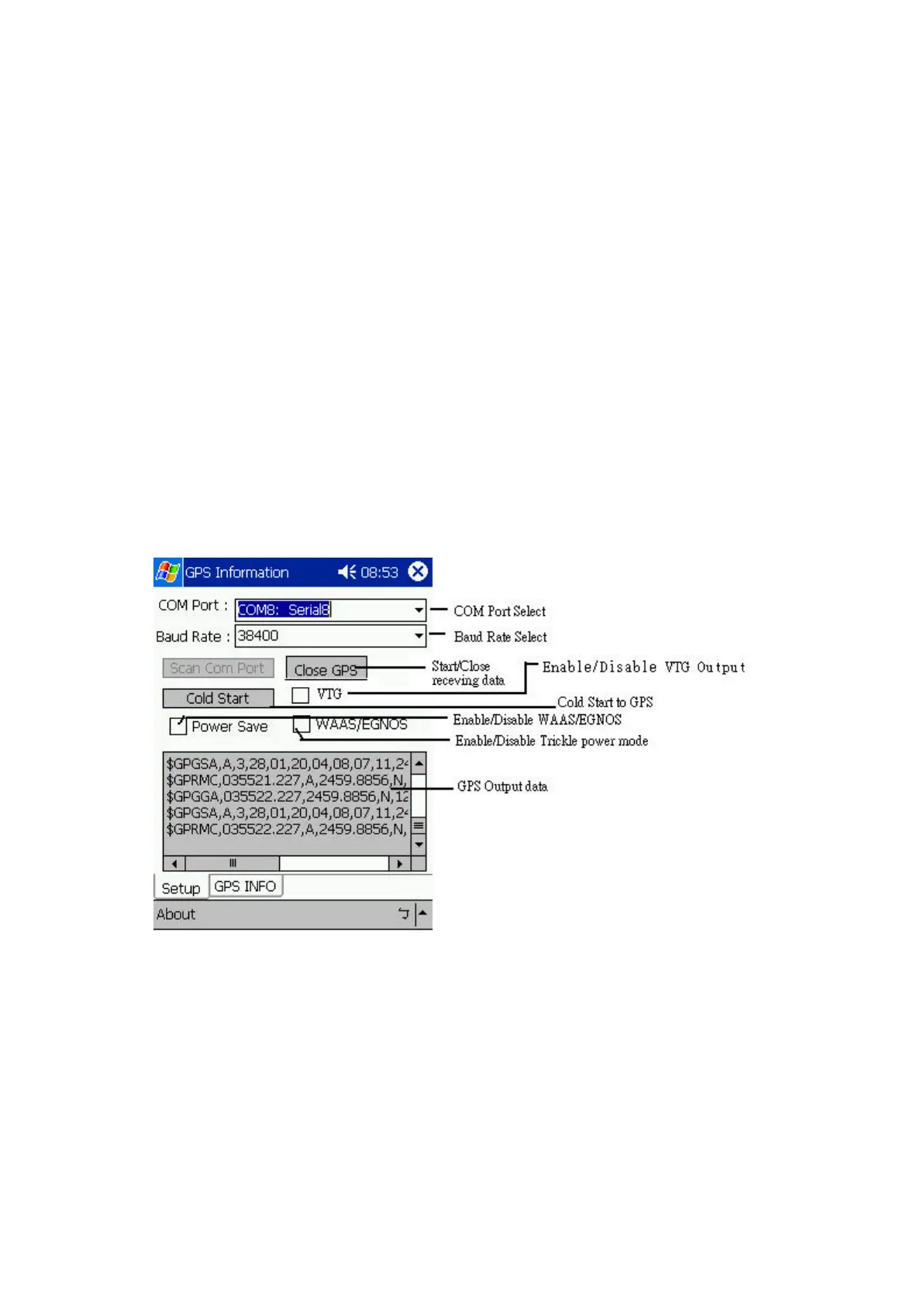
3. How to test your Bluetooth GPS Receiver ?
The testing program only supports the Microsoft Windows CE & Pocket PC based PDA
platform.
1. Run the “GPSinfo.exe” to execute the installation procedure of testing program (via
PC and ActiveSync).
2. Run the “GPS Information” program from “Start → Program files” of PDA.
Here is the description of “GPS Information” testing program as follows:
User must select COM port , Baud Rate (38400) and click the [Star GPS] button to start
receiving GPS data.
Note: Most of the applications, the Bluetooth device have an “auto-detect” feature
that you do not need to select Baud Rate.


 To Next Page