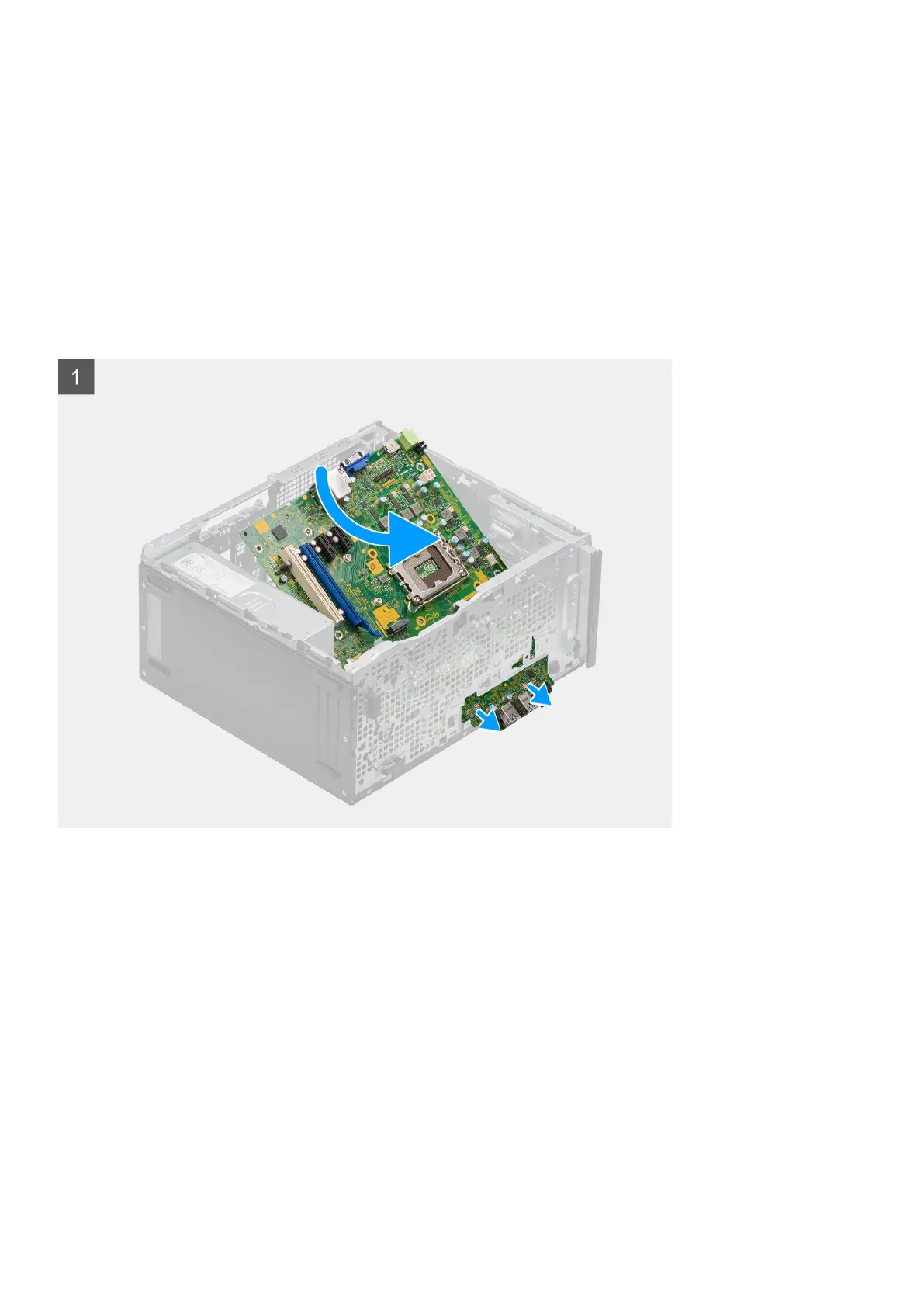
5. Unroute the SATA cables from the cable routing guide on the metal bracket.
6. Remove the eight (#6-32) screws and single (M2x4) screw that secures the system-board to the chassis.
7. Slide the system board and lift the system-board assembly at an angle out of the chassis.
Installing the system board
Prerequisites
If you are replacing a component, remove the existing component before performing the installation procedure.
About this task
The following image indicates the location of the system board and provides a visual representation of the installation procedure.
56 Removing and installing components





 To Next Page