EasyManua.ls Logo

Dell D15U - User Manual

Dell D15U
98 pages
Print Icon
To Next Page IconTo Next Page
Loading...
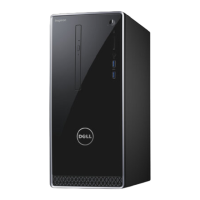
OptiPlex Micro Plus 7010
Owner's Manual
Regulatory Model: D15U
Regulatory Type: D15U001
March 2023
Rev. A00

Table of Contents

Other manuals for Dell D15U

Questions and Answers

  • R
    Rachel SwansonAug 28, 2025
    How to fix BIOS Recovery image not found on Dell Desktop?
    • M
      Marissa HowardAug 28, 2025
      If your Dell Desktop displays a 'BIOS Recovery image not found' error, try flashing the latest BIOS version. If the problem persists, the system board may need to be replaced.
  • K
    Kyle GalvanAug 28, 2025
    How to fix CMOS battery failure on Dell D15U?
    • D
      Donna DanielAug 28, 2025
      If your Dell Desktop indicates a CMOS battery failure, try resetting the CMOS battery connection. If the problem continues, consider replacing the RTS battery.
  • C
    castanedalaurenAug 27, 2025
    What to do if Dell D15U has System board / Chipset Error?
    • M
      matthewsjeffreyAug 28, 2025
      If your Dell Desktop encounters a System board / Chipset Error / Clock failure / Gate A20 failure / Super I/O failure / Keyboard controller failure, try flashing the latest BIOS version. If the issue continues, replacing the system board might be necessary.
  • M
    Melissa WilliamsonSep 7, 2025
    What to do if my Dell D15U Desktop has BIOS Recovery image not found?
    • L
      Lori LarsonSep 7, 2025
      Flash latest BIOS version. If the problem persists, replace the system board.
  • C
    crystal82Sep 9, 2025
    What to do if my Dell Desktop has TPM detection failure?
    • P
      Paul WoodSep 9, 2025
      Replace the system board.
  • P
    phyllissmithSep 13, 2025
    What to do if invalid memory installed in Dell Desktop?
    • S
      Stephanie EvansSep 13, 2025
      Reset and swap the memory modules among the slots. If the problem persists, replace the memory module.
  • A
    Audrey HarperSep 17, 2025
    How to fix a BIOS Recovery image not found error on a Dell Desktop?
    • T
      Trevor BestSep 17, 2025
      To resolve a 'BIOS Recovery image not found' error on your Dell Desktop, flash the latest BIOS version. If the problem continues, replace the system board.
  • J
    jo67Aug 26, 2025
    How to fix CPU failure on Dell Desktop?
    • M
      Matthew HuynhAug 26, 2025
      If your Dell Desktop indicates a CPU failure, run the Dell Support Assist/Dell Diagnostics tool. If the problem continues, the system board may need to be replaced.
  • S
    Shannon McgrathAug 26, 2025
    What to do if my Dell D15U Desktop has a memory/RAM failure?
    • L
      Laura CochranAug 26, 2025
      If you're experiencing a memory/RAM failure in your Dell Desktop, try resetting and swapping the memory modules among the slots. If the issue continues, replace the memory module.
  • R
    reedsuzanneAug 25, 2025
    What to do if my Dell D15U Desktop has a PCI or Video card/chip failure?
    • S
      Samuel HarveyAug 26, 2025
      If your Dell Desktop is experiencing a PCI or video card/chip failure, replace the system board.

Summary

OptiPlex Micro Plus 7010 Setup and Overview

Front Panel Features

Details front ports, power button, and diagnostic LEDs.

Rear Panel Connectivity

Explains rear ports like USB, video, Ethernet, and power.

Initial Computer Setup

Step-by-step guide to connect peripherals and power on the system.

OptiPlex Micro Plus 7010 System Specifications

Processor and Memory Details

Covers processor types, speeds, cores, cache, and memory configurations.

Storage and Connectivity Options

Details storage devices, Ethernet, Wi-Fi, and external ports.

Integrated Graphics and Security Features

Information on integrated graphics performance and hardware security measures.

System Maintenance and Component Replacement

Safety and Preparation for Internal Access

Essential safety guidelines and preparation steps before working inside the computer.

Customer Replaceable Unit (CRU) Procedures

Guides for replacing components like SSD, RAM, and wireless card.

Field Replaceable Unit (FRU) Procedures

Steps for replacing major FRUs such as processor, heat sink, and system board.

System Management, Software, and Support

Supported Operating Systems and Drivers

Lists compatible OS and information on obtaining drivers.

BIOS Setup and Management

Covers BIOS access, configuration, updates, and password security.

Troubleshooting and System Recovery

Guides for diagnostics, error codes, OS recovery, and connectivity issues.

Dell Support Resources

Information on accessing online help, knowledge base, and contacting Dell.

Dell D15U Specifications

General IconGeneral
BrandDell
ModelD15U
CategoryDesktop
LanguageEnglish

Related product manuals