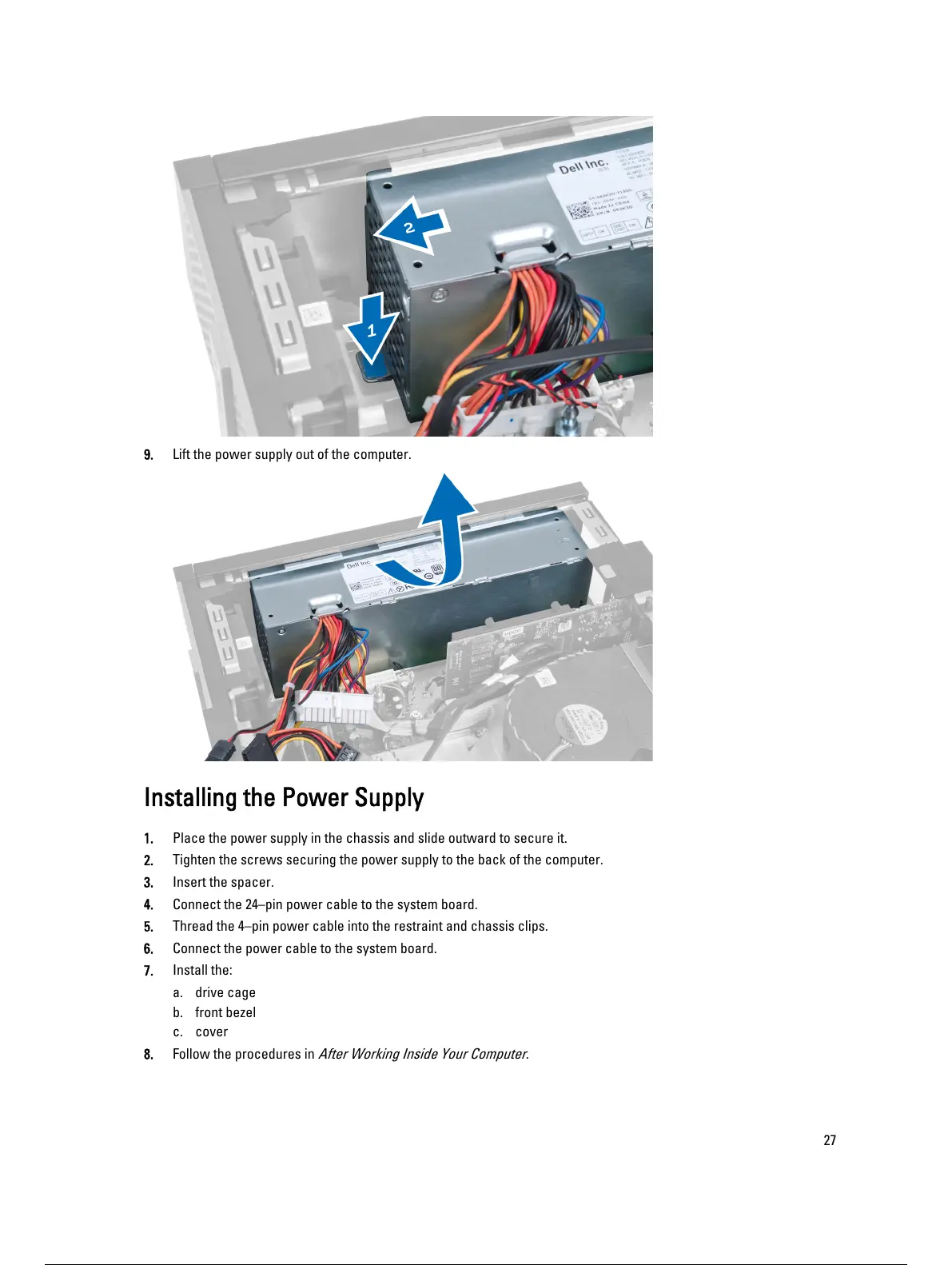
9. Lift the power supply out of the computer.
Installing the Power Supply
1. Place the power supply in the chassis and slide outward to secure it.
2. Tighten the screws securing the power supply to the back of the computer.
3. Insert the spacer.
4. Connect the 24–pin power cable to the system board.
5. Thread the 4–pin power cable into the restraint and chassis clips.
6. Connect the power cable to the system board.
7. Install the:
a. drive cage
b. front bezel
c. cover
8. Follow the procedures in
After Working Inside Your Computer
.
27
28 / 62 27 / 60 28 / 62









 To Next Page