Dell E176FPc
23
6. Mechanical Instruction
Tools: 2 Power screwdrivers (φ=5mm,L=60mm); 1 small cross screwdriver; turnbuckle driver;
Setting: Power screwdriver torque A=11 kgF. Cm; torque B=6 kgF. Cm
Note: Firstly, put the monitor on a soft, flat and clean surface, wear gloves.
Fig Remark
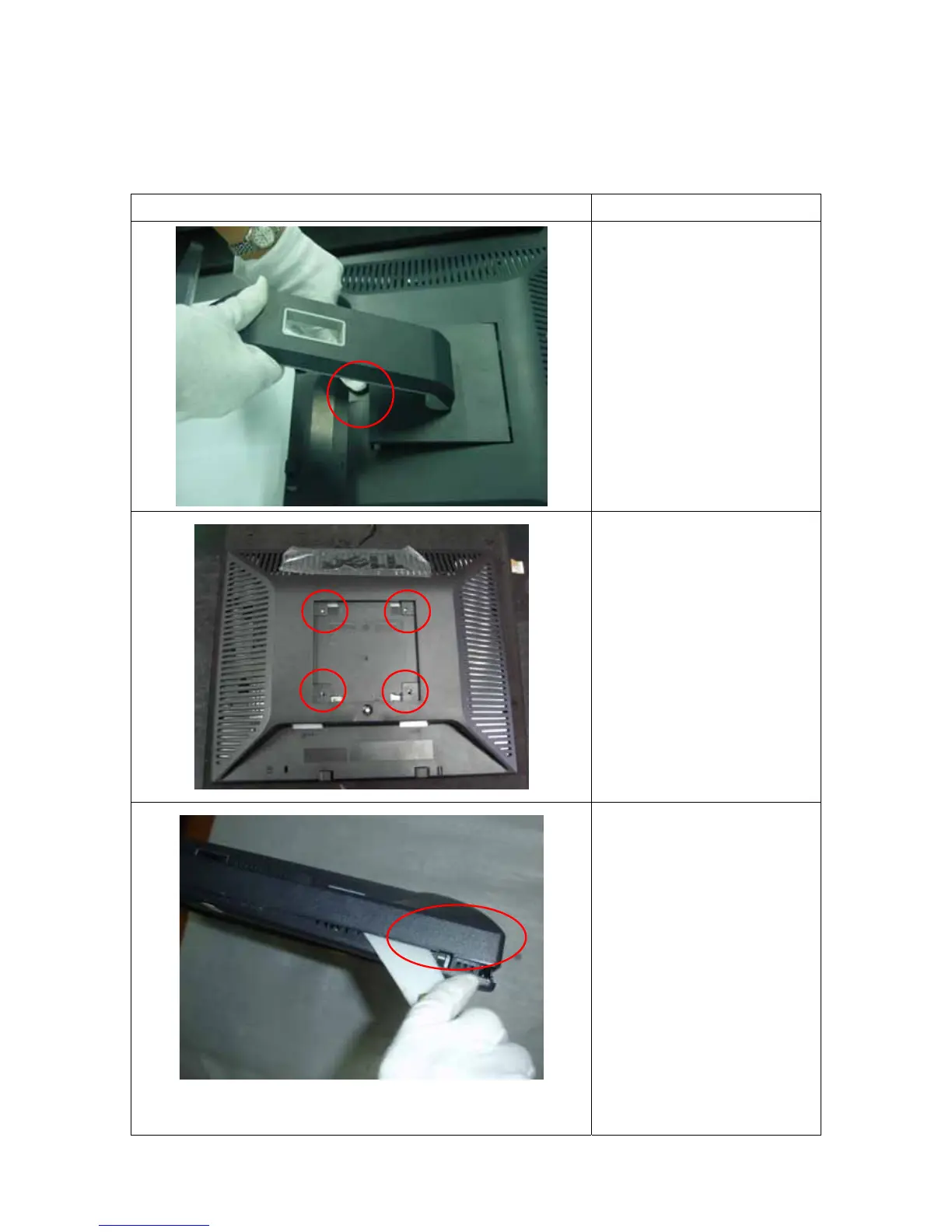
Remove stand:
Press the Stand release button
and lift up the Stand and away
from the monitor.
Remove bezel:
1. Remove the 4 screws by
torque A
2. Pry the monitor up then find
out the hooks’ position, use
the tool (like the picture or
other card) to insert into the
gap of bezel and rear cover.



 To Next Page