38 PowerEdge R720 and R720xd Technical Guide
> The quantity and type of PCIe cards installed: This affects overall system acoustics.
Installation of more than two PCIe cards results in an increase in overall system acoustics.
> Utilization of a GPU card: This results in an increase in overall system acoustics.
> PCIe controller-based SSD drives: Drives such as Express flash drives and Fusion-io
®
cards require greater airflow for cooling, and result in significantly higher noise levels.
> Systems with an H310 PERC: This configuration may be quieter than those with an H710
PERC with battery backup. However, higher noise levels result when a system is
configured as non-RAID.
> Hot spare feature of power supply unit: In the system default setting, the Hot Spare
Feature is disabled; acoustical output from the power supplies is lowest in this setting.
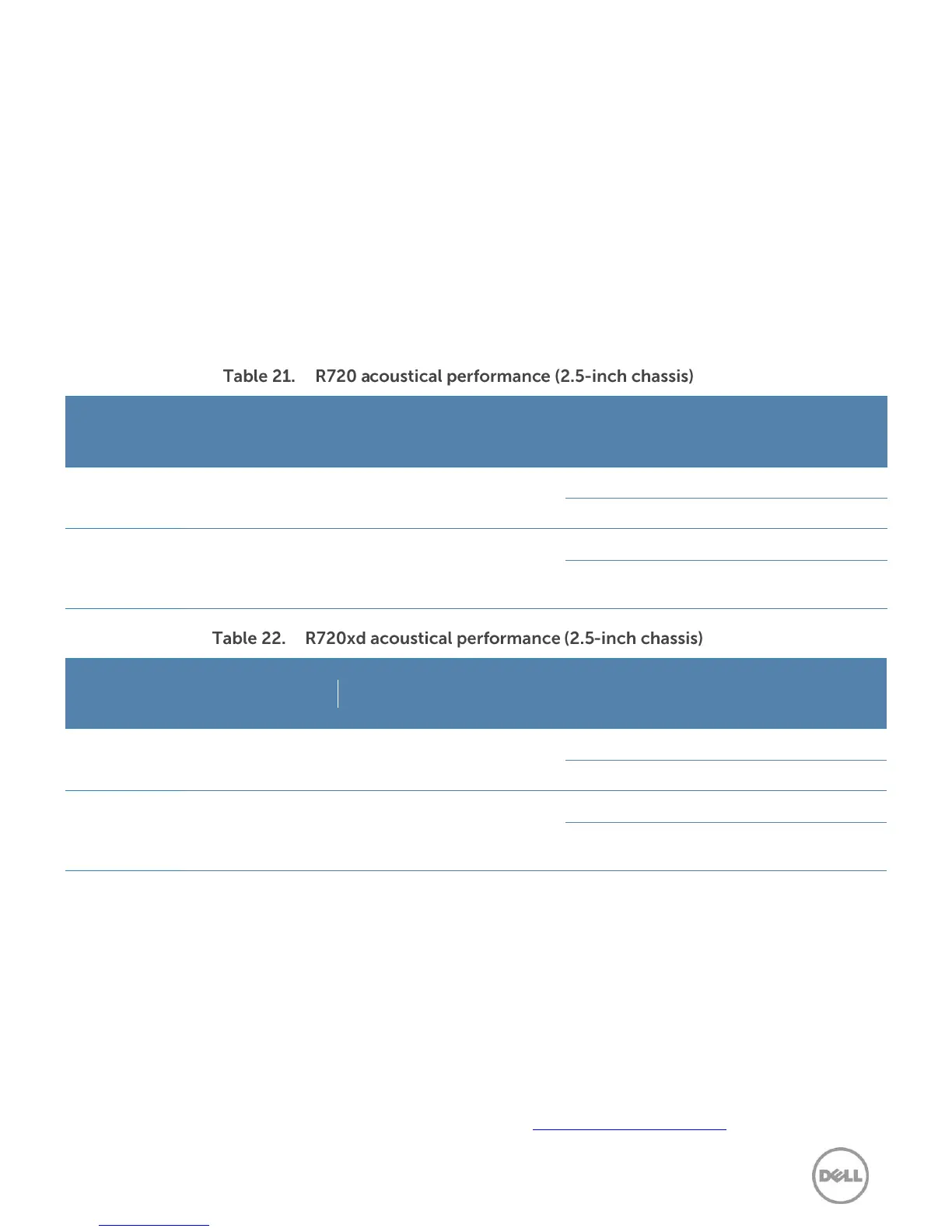
Table 21 and Table 22 detail the acoustical performance for the R720 and R720xd.
Configuration
(23 ± 2°C
ambient)
1 x PERC
H710,
1 x GbE
NIC
Configuration
(23 ± 2°C
ambient)
1 x PERC
H710,
1 x GbE
NIC
1
LwA – UL is the upper limit sound power levels (LwA) calculated per section 4.4.1 of ISO 9296 (1988) and measured in
accordance to ISO 7779 (2010).
2
LpA is the average A-weighted sound pressure level from the four bystander positions calculated per section 4.3 of
ISO9296 (1988) and measured in accordance with ISO7779 (2010). The system is placed in a half rack enclosure (base of
system is 25 cm above reflective floor).
3
Prominent tone: Criteria of D.6 and D.11 of ECMA-74 11th ed. (2010) are followed to determine if discrete tones are
prominent. The system is placed in a half rack enclosure (base of system is 75 cm above reflective floor) and acoustic
transducer is at front bystander position, ref ISO7779 (2010 Section 8.6.2).
4
Idle: Reference ISO7779 (2010) definition 3.1.7; system is running in its OS but no other specific activity.
5
Stressed processor: An operating mode per ISO7779 (2010) definition 3.1.6. The software SPECPower at 50% loading is
activated to stress the processors.
For more information on Dell’s acoustical design, see the Dell Enterprise Acoustics white paper.

 To Next Page
 Loading...