Using Your Dell DJ 34
www.dell.com | support.dell.com
4
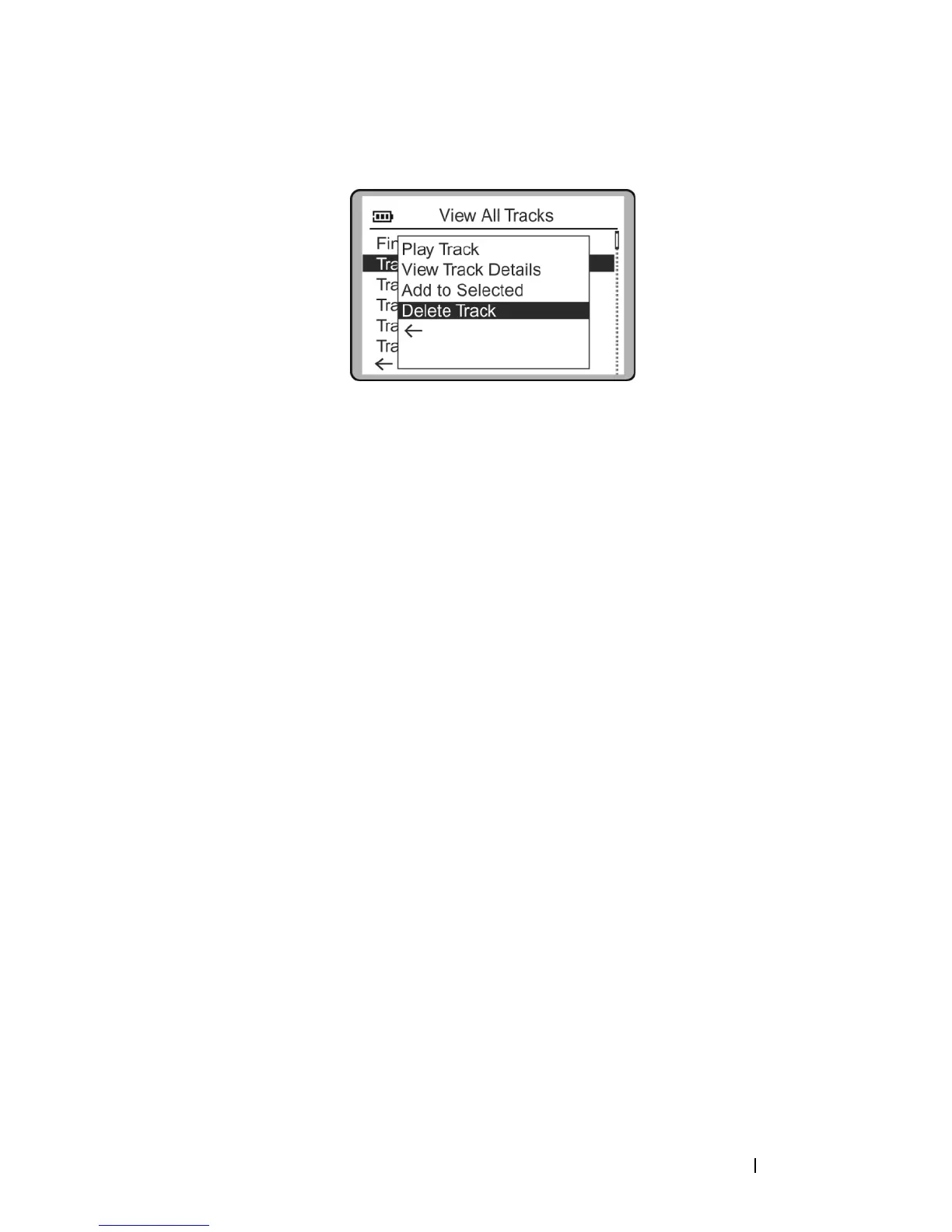
Scroll-select
Yes
to delete the track from your Dell DJ.
To delete an entire album, artist, genre, or playlist:
1
Press the Home button on your Dell DJ.
2
Scroll-select
Music Library
.
3
Scroll-select an audio category. For example, if you want to delete a
particular album, scroll-select
Albums
.
4
Scroll-select the sub-category . For example, under
Albums
, scroll-
select the album you want to delete. A list of options appears.
5
Depending on the sub-category you selected, scroll-select
Delete
Album
,
Delete Artist
,
Delete Genre
, or
Delete Playlist
. A message box
appears, asking if you want to delete the selected album, artist, genre,
or playlist.
6
Scroll-select
Yes
, to delete the album, artist, genre, or playlist from
your Dell DJ.
Renaming a Playlist
To rename a playlist, you must load the playlist into the Selected Music list
as previously described and then save it under a new name. You can then
delete the old playlist.
To rename a playlist:
1
Clear the Selected Music List using the Clear Selection feature
described in "Clearing the Selected Music List" on page 32.
2
Load the playlist to the Selected Music list. See "Adding Tracks to the
Selected Music List" on page 31 for more information.
3
Save the Selected Music list as a new playlist.


 To Next Page