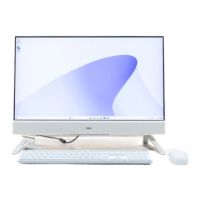
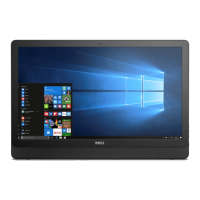
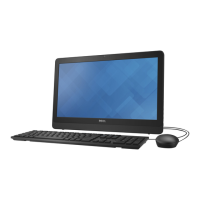
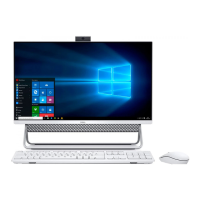
The Dell Inspiron 24-5400 is an all-in-one desktop computer designed for everyday use, offering a blend of functionality, user-friendly features, and integrated design. This device is suitable for a range of tasks, from productivity and communication to entertainment.
Function Description:
The Inspiron 24-5400 serves as a complete computing solution, integrating the display, processor, and other components into a single unit. It is designed to be a central hub for your digital life, enabling tasks such as web browsing, document creation, multimedia consumption, and video conferencing. The system runs on Windows 10 Home (64-bit) or Windows 10 Pro (64-bit), providing a familiar and versatile operating environment.
Usage Features:
Setup and Initial Use: Setting up the Inspiron 24-5400 is straightforward. Users begin by connecting a keyboard and mouse, followed by the power cable. Once powered on, the system guides the user through the Windows setup process, including network connection and account creation. Dell recommends connecting to a network for Windows updates during this initial setup.
Integrated Display: The computer features a Full High Definition (FHD) display with Wide Viewing Angle (WVA) technology, providing clear and vibrant visuals for various applications. The display is anti-glare, which helps reduce reflections and eye strain, and touch options are available for interactive use.
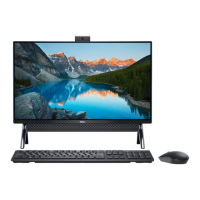
Retractable Camera Assembly: A key privacy feature is the retractable camera assembly. This camera can be extended for use during video chats, photo capture, or video recording, and then retracted when not in use to physically block the lens, ensuring privacy. Depending on the configuration, the camera may be an HD RGB camera or an FHD RGB + infrared camera, with infrared emitters for enhanced security features like Windows Hello face authentication. A camera-status light indicates when the camera is active.
Audio Capabilities: The Inspiron 24-5400 includes two integrated speakers, providing audio output for multimedia and system sounds. Digital-array microphones are also built-in, offering clear sound input for voice calls and audio recording. An audio-out port allows connection to external audio devices such as speakers or amplifiers.
Connectivity Options: The device offers a comprehensive range of ports for connecting peripherals and external devices.
USB Ports: It includes multiple USB ports, such as USB 2.0 with Power on/Wake-up support, USB 3.1 Gen 1, and USB 3.1 Gen 2 Type-C with PowerShare. PowerShare ports allow charging of connected USB devices even when the computer is turned off, provided the BIOS Deep Sleep control is disabled.
HDMI Ports: An HDMI port provides video and audio output to a TV or another HDMI-enabled device, while an HDMI-in port allows connection of external video sources like gaming consoles or Blu-ray players, effectively turning the Inspiron's display into a monitor for other devices.
Network Port: An RJ-45 Ethernet port enables wired network and Internet access at speeds of 10/100/1000 Mbps.
Media-Card Reader: An SD-card slot supports various SD card types, including SD, SDHC, SDXC, mSD, mSDHC, and mSDXC, facilitating easy transfer of photos and other media.
Power Adapter Port: A dedicated port is available for connecting the power adapter to supply power to the computer.
Security-Cable Slot: A Kensington lock slot is provided for physical security, allowing users to secure the computer and prevent unauthorized movement.
Storage Options: The Inspiron 24-5400 supports various storage configurations, including a 2.5-inch hard-disk drive and/or an M.2 2230 solid-state drive, offering flexibility in terms of capacity and speed.
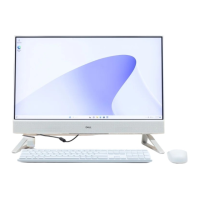
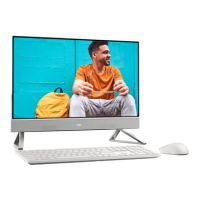
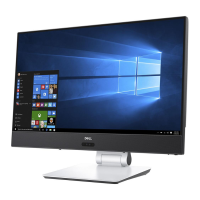
Stand Designs: The computer is available with different stand types—Bipod, Arch, and A-Frame—each offering a stable base and allowing for a tilt adjustment of up to 25 degrees for ergonomic viewing.
Power Button and Display Built-in Self Test: The power button turns the computer on, puts it to sleep, or forces a shut-down if held for 10 seconds. Its behavior can be customized in Power Options. A separate Display Built-in Self Test button allows users to test the display functionality.
Dell Applications: The system comes pre-installed with useful Dell applications:
My Dell: A centralized hub for Dell applications, help articles, warranty status, recommended accessories, and software updates.
SupportAssist: Proactively checks hardware and software health, and includes an OS Recovery tool for troubleshooting.
Dell Update: Keeps the computer updated with critical fixes and the latest device drivers.
Dell Digital Delivery: Facilitates the download of purchased software applications not pre-installed on the computer.
Maintenance Features:
Software Updates: Dell Update helps keep the system's drivers and critical fixes current, contributing to system stability and performance.
System Health Monitoring: SupportAssist provides tools for monitoring the computer's hardware and software health, helping users identify and resolve potential issues.
Troubleshooting Resources: Dell offers extensive self-help resources online, including knowledge base articles, manuals, and troubleshooting guides, accessible through www.dell.com/support. These resources cover product specifications, operating system information, setup instructions, data backup, diagnostics, factory and system restore procedures, and BIOS information.
Service Tag: Each computer has a unique Service Tag label, an alphanumeric identifier that allows Dell service technicians to quickly identify the hardware components and access warranty information for efficient support.
Contacting Dell: For sales, technical support, or customer service, Dell provides contact information and support channels, with availability varying by country/region and product.

 Need help?
 General



 To Next Page