
 Need help?
Do you have a question about the Dell Inspiron 3790 and is the answer not in the manual?
Details ports and slots located on the right side of the laptop.
Details ports and slots located on the left side of the laptop.
Explains touchpad, click areas, and power button on the laptop base.
Describes the laptop's camera and status light.
Details speakers and service tag label on the bottom of the laptop.
Details the physical dimensions and weight of the laptop.
Lists processor models, chipset, and related technical specifications.
Details supported operating systems and memory specifications.
Lists external ports and communication module specifications.
Details audio components and supported storage configurations.
Explains Intel Optane memory technology and its specifications.
Specifies media reader, keyboard, and touchpad details.
Details camera, power adapter, and battery specifications.
Lists display panel specifications and video graphics details.
Details fingerprint reader specs and computer operating environment.
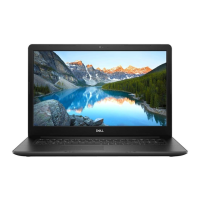
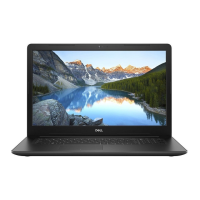
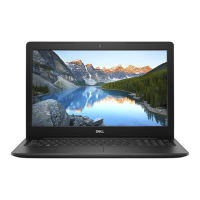
The Dell Inspiron 3790 is a versatile laptop designed for everyday computing, offering a balance of performance and features for various user needs. This manual provides comprehensive guidance on setting up, using, and maintaining your device, ensuring a smooth and efficient experience.
The Inspiron 3790 serves as a personal computer, capable of handling a wide range of tasks from basic web browsing and document creation to more demanding applications like multimedia editing and light gaming. It features a full-sized keyboard and a responsive touchpad for intuitive interaction. The integrated display provides clear visuals, while the built-in camera and microphone facilitate video conferencing and online communication. Connectivity options include multiple USB ports for peripherals, an HDMI port for external displays, and an Ethernet port for wired network access. Wireless connectivity is also supported, allowing for flexible internet access and connection to Bluetooth devices. The laptop is powered by an AC adapter and includes an internal battery for portable use. An optical drive is included for reading and writing CDs, DVDs, and Blu-ray discs, depending on the region.
Setting up your Inspiron 3790 is a straightforward process. Upon connecting the power adapter and pressing the power button, you will be guided through the operating system setup. The laptop supports both Ubuntu and Windows, with on-screen instructions available for both. For Windows users, Dell recommends connecting to a network for updates and signing in with a Microsoft account or creating an offline account. Dell also provides several pre-installed applications to enhance your user experience. "My Dell" acts as a centralized hub for Dell applications, help articles, warranty status, and software updates. "SupportAssist" proactively monitors your computer's hardware and software health, offering troubleshooting tools for operating system issues and providing options to renew or upgrade your warranty. "Dell Update" ensures your computer stays current with critical fixes and device drivers, while "Dell Digital Delivery" allows you to download purchased software applications not pre-installed on your system.
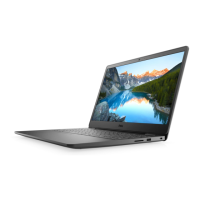
The laptop's design incorporates user-friendly elements. The right side features an SD-card slot for easy data transfer from memory cards, a USB 2.0 port for connecting various peripherals, and an optical drive for disc-based media. A security-cable slot is also present to deter unauthorized movement of the computer. On the left side, you'll find the power-adapter port, an HDMI port for connecting to external displays, a network port for wired internet, two USB 3.1 Gen 1 ports for high-speed data transfer, and a headset port for audio input and output.
The base of the laptop includes a left-click area, a touchpad for mouse pointer control (supporting tap-to-left-click and two-finger tap-to-right-click), and a right-click area. The power button, which may optionally include a fingerprint reader, is used to turn the computer on, put it to sleep, or force a shut-down. If equipped with a fingerprint reader, it can also be used for secure login. The display features a camera for video chat and recording, accompanied by a camera-status light that indicates when the camera is active. The bottom of the laptop houses left and right speakers for audio output and a Service Tag label, which is crucial for identifying your computer and accessing warranty information.
Keyboard shortcuts are provided to streamline common tasks. Function keys (F1-F12) can be used for multimedia control (e.g., mute audio, adjust volume, control media playback) or for specific software applications. The primary behavior of these keys can be configured in the BIOS setup. Additionally, the Fn key, in combination with other keys, enables various secondary functions such as turning wireless on/off, pausing/breaking, toggling scroll lock, adjusting display brightness, and accessing system requests.
Maintaining your Inspiron 3790 involves utilizing the provided Dell tools and resources. "SupportAssist" plays a key role in proactive maintenance by checking the health of your hardware and software, helping to identify and resolve potential issues before they escalate. "Dell Update" ensures that your system's drivers and critical fixes are always up-to-date, which is essential for optimal performance and security.
For troubleshooting and support, Dell offers a comprehensive set of self-help resources. The Dell support website (www.dell.com/support) provides access to knowledge base articles, user manuals, setup instructions, product specifications, technical help blogs, drivers, and software updates. You can search for specific topics or keywords to find relevant information. The "Me and My Dell" resource, accessible through the support website, allows you to identify your product by detecting it, selecting from a list of products, or entering your Service Tag or Product ID, providing access to product-specific documentation and support.
In case of more complex issues, Dell's "Contact Support" feature (accessible through Windows search) allows you to reach out for sales, technical support, or customer service. It's important to note that availability of services may vary by country/region. If you do not have an active internet connection, contact information can typically be found on your purchase invoice, packing slip, bill, or Dell product catalog. Regular software updates, driver installations, and utilizing the diagnostic tools provided by Dell are key to ensuring the longevity and optimal performance of your Inspiron 3790.
 General
| Operating System | Windows 10 Home |
|---|---|
| Processor | 10th Gen Intel Core i3/i5/i7 |
| RAM | Up to 16GB DDR4 |
| Storage | 1TB HDD |
| Display | 17.3-inch FHD (1920 x 1080) |
| Graphics | NVIDIA GeForce MX230 |
| Battery | 3-cell 42Whr |
| Ports | 2 x USB 3.1, 1 x USB 2.0, HDMI, SD card reader, headphone/microphone combo jack |
| Wireless | 802.11ac Wi-Fi and Bluetooth |
| Camera | HD 720p |
| Audio | Stereo Speakers |





 To Next Page