EasyManua.ls Logo

Dell Latitude 7220EX - User Manual

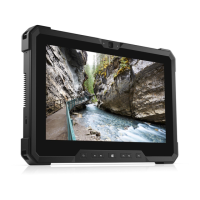
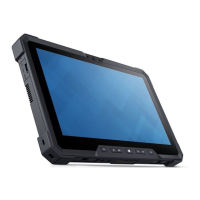
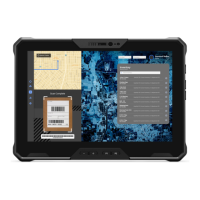
Dell Latitude 7220EX
94 pages
Print Icon
To Next Page IconTo Next Page
Loading...
Latitude 7220EX Rugged Extreme Tablet
Service Manual
Regulatory Model: T03H
Regulatory Type: T03H004
August 2021
Rev. A02

Table of Contents

Questions and Answers

  • C
    Connor GardnerAug 3, 2025
    How to drain residual flea power (perform hard reset) on a Dell Latitude 7220EX?
    • R
      Ruben FrankAug 3, 2025
      To perform a hard reset and drain residual flea power on your Dell Tablet, follow these steps: 1. Turn off your tablet. 2. Disconnect the power adapter. 3. Remove the base cover. 4. Remove the battery. 5. Press and hold the power button for 20 seconds. 6. Install the battery. 7. Install the base cover. 8. Connect the power adapter. 9. Turn on your tablet.
  • N
    Natasha StewartAug 19, 2025
    What to do if the battery is swollen on my Dell Tablet?
    • J
      Jared WalkerSep 12, 2025
      If you notice that the Lithium-ion battery in your Dell Tablet is swollen, immediately stop using the tablet. Disconnect the AC adapter and allow the battery to fully discharge. It is recommended to replace the swollen battery and ensure it is disposed of properly. You may also contact Dell product support to explore options for replacing the battery under your warranty or service contract.

Summary

Working on Your Tablet

Safety Instructions

Essential safety guidelines to protect your tablet and ensure personal safety during service.

Before Working Inside the Tablet

Procedures to follow before starting any internal work on the tablet to prevent damage.

After Working Inside the Tablet

Steps to complete after servicing to ensure proper reassembly and functionality.

Major Components of the Tablet

Field Service Information

Safety Instructions

Essential safety guidelines for performing service procedures on the tablet.

Before Working Inside the Tablet

Critical steps to take before opening or servicing the tablet's internal components.

Recommended Tools

List of tools required for performing disassembly and reassembly procedures.

Screw List

Details on screw types, quantities, and images for various tablet components.

Batteries

Information on handling, removing, and installing the tablet's batteries.

Display Assembly

Step-by-step guide for removing and installing the tablet's display assembly.

System Board

Procedures for removing and installing the tablet's main system board.

System Setup

BIOS and Boot Configuration

Managing boot menu, navigation keys, boot sequence, and system setup options.

BIOS Update Procedures

Guide on updating the system BIOS via Windows or USB flash drive.

System and Setup Passwords

Instructions for setting, changing, or deleting system and BIOS setup passwords.

Software

Drivers and Downloads

Information on downloading and installing system drivers and software updates.

Troubleshooting

Handling Swollen Batteries

Precautions and procedures for handling swollen lithium-ion batteries safely.

Diagnostics and Self-Tests

Running ePSA, M-BIST, L-BIST, and LCD BIST for hardware diagnostics.

System Lights and Recovery Options

Understanding diagnostic lights and options for system recovery and backup.

System Maintenance Procedures

Steps for WiFi power cycle and draining residual flea power (hard reset).

Getting Help and Contacting Dell

Self-Help Resources

Accessing online information, FAQs, and Dell support tools.

Contacting Dell Support

Methods and information for contacting Dell for sales or technical support.

Dell Latitude 7220EX Specifications

General IconGeneral
Operating SystemWindows 10 Pro
Memory16 GB LPDDR3
Storage256 GB SSD
RuggedizationMIL-STD-810G, IP65
PortsMicroSD card reader
Camera8 MP

Related product manuals