EasyManua.ls Logo

Dell Latitude 9430 - User Manual

Dell Latitude 9430
26 pages
Print Icon
To Next Page IconTo Next Page
Loading...
Latitude 9430
Setup and Specifications
Regulatory Model: P141G/P142G
Regulatory Type: P141G002/P142G002
April 2022
Rev. A00
Question and Answer IconNeed help?

Do you have a question about the Dell Latitude 9430 and is the answer not in the manual?

Summary

Chassis Overview

Right Side Components

Lists ports and vents on the right side of the Latitude 9430.

Left Side Components

Lists ports and vents on the left side of the Latitude 9430.

Top Side Components

Identifies key components located on the top surface of the laptop.

Front Side Components

Identifies key components located on the front of the laptop.

Bottom Side Components

Identifies key components located on the bottom of the laptop.

Service Tag Identification

Explains the purpose and location of the unique service tag.

Operational Modes

Describes the various usage modes for the 2-in-1 Latitude 9430.

Battery Charge and Status Light

Details the LED behavior for battery charge and system power states.

Specifications of Latitude 9430

Dimensions and Weight

Lists the physical dimensions and weight of the Latitude 9430.

Processor Details

Details the specifications of the supported processors for the Latitude 9430.

Chipset Information

Lists the specifications of the laptop's chipset.

Supported Operating Systems

Lists the operating systems compatible with the Latitude 9430.

Memory Specifications

Details the memory type, speed, and configuration options.

External Port Configuration

Lists and describes the external ports available on the Latitude 9430.

Internal Slot Configurations

Lists the internal slots available for expansion.

Wireless Module Specifications

Details the specifications of the Wireless Local Area Network (WLAN) module.

WWAN Module Specifications

Details the specifications of the Wireless Wide Area Network (WWAN) module.

Audio Specifications

Lists the audio controller, conversion, and speaker specifications.

Storage Options

Lists the supported storage types and capacities for the Latitude 9430.

Media Card Reader Support

Details the specifications for the media-card reader and supported card types.

Keyboard Features

Lists the keyboard type, layout, number of keys, and size.

Camera Specifications

Lists the specifications for the laptop's front camera, including resolution.

Touchpad Specifications

Details the touchpad dimensions and resolution.

Power Adapter Options

Lists the specifications for the different power adapter types available.

Battery Specifications

Details the battery types, voltage, dimensions, and operating temperature.

Display Specifications

Lists the display types, panel technology, resolution, and luminance.

Optional Fingerprint Reader

Lists the specifications for the optional fingerprint reader sensor.

Sensor Support List

Lists the various sensors supported by the Latitude 9430.

Integrated GPU Specifications

Details the specifications of the integrated Graphics Processing Unit (GPU).

Multiple Display Support Matrix

Shows the matrix for supported external displays with and without the internal display active.

Hardware Security Features

Lists the hardware security features, including TPM and fingerprint reader.

Operating and Storage Environment

Lists the computer's operating and storage environmental specifications like temperature and humidity.

Keyboard Shortcuts

Keyboard Shortcut List

Details primary and secondary behaviors for function keys F1-F12 and Fn key combinations.

Getting Help and Contacting Dell

Self-Help Resources

Lists resources like the Dell website and My Dell app for product information and support.

Contacting Dell Support

Provides contact information and methods for sales, technical support, and customer service.

Summary

Chassis Overview

Right Side Components

Lists ports and vents on the right side of the Latitude 9430.

Left Side Components

Lists ports and vents on the left side of the Latitude 9430.

Top Side Components

Identifies key components located on the top surface of the laptop.

Front Side Components

Identifies key components located on the front of the laptop.

Bottom Side Components

Identifies key components located on the bottom of the laptop.

Service Tag Identification

Explains the purpose and location of the unique service tag.

Operational Modes

Describes the various usage modes for the 2-in-1 Latitude 9430.

Battery Charge and Status Light

Details the LED behavior for battery charge and system power states.

Specifications of Latitude 9430

Dimensions and Weight

Lists the physical dimensions and weight of the Latitude 9430.

Processor Details

Details the specifications of the supported processors for the Latitude 9430.

Chipset Information

Lists the specifications of the laptop's chipset.

Supported Operating Systems

Lists the operating systems compatible with the Latitude 9430.

Memory Specifications

Details the memory type, speed, and configuration options.

External Port Configuration

Lists and describes the external ports available on the Latitude 9430.

Internal Slot Configurations

Lists the internal slots available for expansion.

Wireless Module Specifications

Details the specifications of the Wireless Local Area Network (WLAN) module.

WWAN Module Specifications

Details the specifications of the Wireless Wide Area Network (WWAN) module.

Audio Specifications

Lists the audio controller, conversion, and speaker specifications.

Storage Options

Lists the supported storage types and capacities for the Latitude 9430.

Media Card Reader Support

Details the specifications for the media-card reader and supported card types.

Keyboard Features

Lists the keyboard type, layout, number of keys, and size.

Camera Specifications

Lists the specifications for the laptop's front camera, including resolution.

Touchpad Specifications

Details the touchpad dimensions and resolution.

Power Adapter Options

Lists the specifications for the different power adapter types available.

Battery Specifications

Details the battery types, voltage, dimensions, and operating temperature.

Display Specifications

Lists the display types, panel technology, resolution, and luminance.

Optional Fingerprint Reader

Lists the specifications for the optional fingerprint reader sensor.

Sensor Support List

Lists the various sensors supported by the Latitude 9430.

Integrated GPU Specifications

Details the specifications of the integrated Graphics Processing Unit (GPU).

Multiple Display Support Matrix

Shows the matrix for supported external displays with and without the internal display active.

Hardware Security Features

Lists the hardware security features, including TPM and fingerprint reader.

Operating and Storage Environment

Lists the computer's operating and storage environmental specifications like temperature and humidity.

Keyboard Shortcuts

Keyboard Shortcut List

Details primary and secondary behaviors for function keys F1-F12 and Fn key combinations.

Getting Help and Contacting Dell

Self-Help Resources

Lists resources like the Dell website and My Dell app for product information and support.

Contacting Dell Support

Provides contact information and methods for sales, technical support, and customer service.

Overview

The Dell Latitude 9430 is a versatile 2-in-1 computer designed for productivity and flexibility, offering various modes of use to adapt to different scenarios. This device is part of Dell's Latitude series, known for its business-oriented features, robust build quality, and comprehensive support.

Function Description:

The Latitude 9430 serves as a high-performance laptop and a flexible tablet, catering to a wide range of computing needs. It is equipped with a powerful processor and ample memory to handle demanding applications and multitasking efficiently. The device supports various operating systems, including Windows 11 Home, Windows 11 Pro, Windows 10 Home, Windows 11 Pro (downgrade to Windows 10), and Ubuntu 20.04 LTS, providing users with choice and compatibility.

Connectivity is a key aspect of the Latitude 9430. It features multiple external ports, including a USB 3.1 Gen 1 port with PowerShare, two Thunderbolt 4 ports with DisplayPort Alt Mode/USB4/Power Delivery, a universal audio port, an HDMI 2.0 port, and a microSD-card slot. These ports allow for seamless connection to peripherals, external displays, and storage devices. For wireless connectivity, the device includes an on-board Wi-Fi and Bluetooth module, supporting various Wi-Fi standards (802.11a/b/g, Wi-Fi 4, Wi-Fi 5, Wi-Fi 6E) and Bluetooth 5.2. Additionally, a WWAN module is available for mobile broadband connectivity, ensuring users can stay connected on the go.

The device incorporates a high-quality display, available in both Full High Definition (FHD+) and Quad High Definition (QHD+) options, both featuring low blue light technology for reduced eye strain. The display offers wide viewing angles and high brightness, making it suitable for various lighting conditions. For audio, the Latitude 9430 is equipped with a Realtek ALC711-CG audio controller, supporting 24-bit DAC and ADC, and features four internal speakers with a Realtek ALC1319D amplifier, delivering clear and immersive sound. Quad-array microphones are integrated for enhanced audio input during calls or recordings.

Security is paramount in the Latitude 9430, with several hardware security features. These include NIST 800-147 protocol compliance, a Trusted Platform Module (TPM) 2.0 FIPS-140-2 Certified/TCG Certified, and an optional Touch Fingerprint Reader integrated into the power button with Control Vault 3.0 Advanced Authentication. The device also supports Face IR camera for Windows Hello compliant authentication, with both ExpressSign-in 1.0 (Proximity Sensor) and ExpressSign-in 2.0 (Camera Sensing) options. Intel vPro Technology is available as an option, further enhancing security and manageability.

Usage Features:

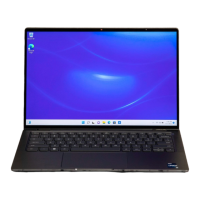
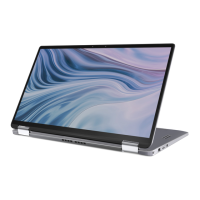
The Latitude 9430 is designed for intuitive and adaptable use. Its 2-in-1 form factor allows it to seamlessly transition between Notebook, Tablet, Stand, and Tent modes, providing flexibility for different tasks and environments.

  • Notebook Mode: This is the traditional laptop configuration, ideal for typing, coding, and general productivity tasks. The backlit keyboard and clickpad offer a comfortable and efficient input experience. Keyboard shortcuts are available for quick access to various functions, such as volume control, screen brightness adjustment, and camera disable. Users can also define the primary behavior of function keys (F1-F12) through the BIOS setup program.
  • Tablet Mode: By folding the display back, the device transforms into a tablet, perfect for touch-based interactions, drawing, or presenting. The optional fingerprint reader provides convenient and secure login.
  • Stand Mode: This mode positions the display upright with the keyboard acting as a base, suitable for watching videos, presentations, or video conferencing without the keyboard being in the way.
  • Tent Mode: Similar to stand mode, tent mode allows for stable viewing in confined spaces, making it ideal for entertainment or collaborative work.

The power button, with an optional integrated fingerprint reader, provides quick and secure access to the system. The battery charge and status light offers visual cues about the device's power state and battery level, indicating whether it's fully charged, charging, or low on battery.

Dell provides several pre-installed applications to enhance the user experience. Dell Product Registration helps users register their device, while Dell Help & Support offers access to assistance resources. SupportAssist is a smart technology that optimizes system performance, detects issues, removes viruses, and notifies users about system updates. Dell Update ensures the device has the latest drivers and critical fixes, and Dell Digital Delivery allows users to download purchased software applications not preinstalled on the computer.

Maintenance Features:

Maintaining the Latitude 9430 involves utilizing Dell's support resources and adhering to recommended operating practices.

  • Self-Help Resources: Dell offers extensive self-help resources, including information on Dell products and services, the My Dell app, and a comprehensive knowledge base. Users can find solutions, diagnostics, drivers, and downloads through www.dell.com/support. The knowledge base contains articles covering a variety of computer concerns, accessible by searching keywords, topics, or model numbers.
  • Contact Support: For direct assistance, users can contact Dell Support for sales, technical support, or customer service issues via www.dell.com/contactdell. The device's unique Service Tag or Express Service Code is crucial for accessing relevant support resources and warranty information.
  • Battery Management: Dell recommends regularly charging the battery for optimal power consumption. The Dell Power Manager application allows users to control charging time, duration, and start/end times, helping to prolong battery life. If the battery is completely depleted, connecting the power adapter and restarting the computer is advised to reduce power consumption.
  • Operating Environment: The Latitude 9430 is designed to operate within specific temperature and humidity ranges. Users should ensure the device is used and stored within these recommended ranges to prevent potential performance issues or damage to components. The operating temperature range is 0°C to 40°C (32°F to 104°F), and the storage temperature range is -40°C to 70°C (-40°F to 140°F). Relative humidity should be between 10% to 90% (non-condensing) for operating and 0% to 95% (non-condensing) for storage.
  • Updates: Regularly using Dell Update ensures the computer receives critical fixes and the latest device drivers, which are essential for maintaining system stability, security, and performance.
  • Security Lock: The chassis includes a wedge-shaped security lock slot, allowing users to secure the device physically, deterring theft in public or shared environments.

By leveraging these features and resources, users can ensure their Latitude 9430 remains in optimal condition, providing a reliable and efficient computing experience.

Dell Latitude 9430 Specifications

General IconGeneral
RAMUp to 32GB LPDDR5
Operating SystemWindows 11 Pro
Processor12th Generation Intel Core i5/i7
Display14-inch FHD+ (1920 x 1200)
StorageUp to 1TB PCIe NVMe SSD
GraphicsIntel Iris Xe Graphics
WeightStarting at 1.27 kg (2.8 lbs)
Battery60 Whr
Ports2 x Thunderbolt 4, 1 x HDMI 2.0, 1 x headphone/mic combo, 1 x microSD card reader
ConnectivityWi-Fi 6E, Bluetooth 5.2
WebcamFHD IR Camera
SecurityFingerprint Reader, IR Camera for Windows Hello, TPM 2.0

Related product manuals