11. touchpad buttons (2)
12. touchpad
13. contactless smart-card reader
14. keyboard
15. volume control buttons (3)
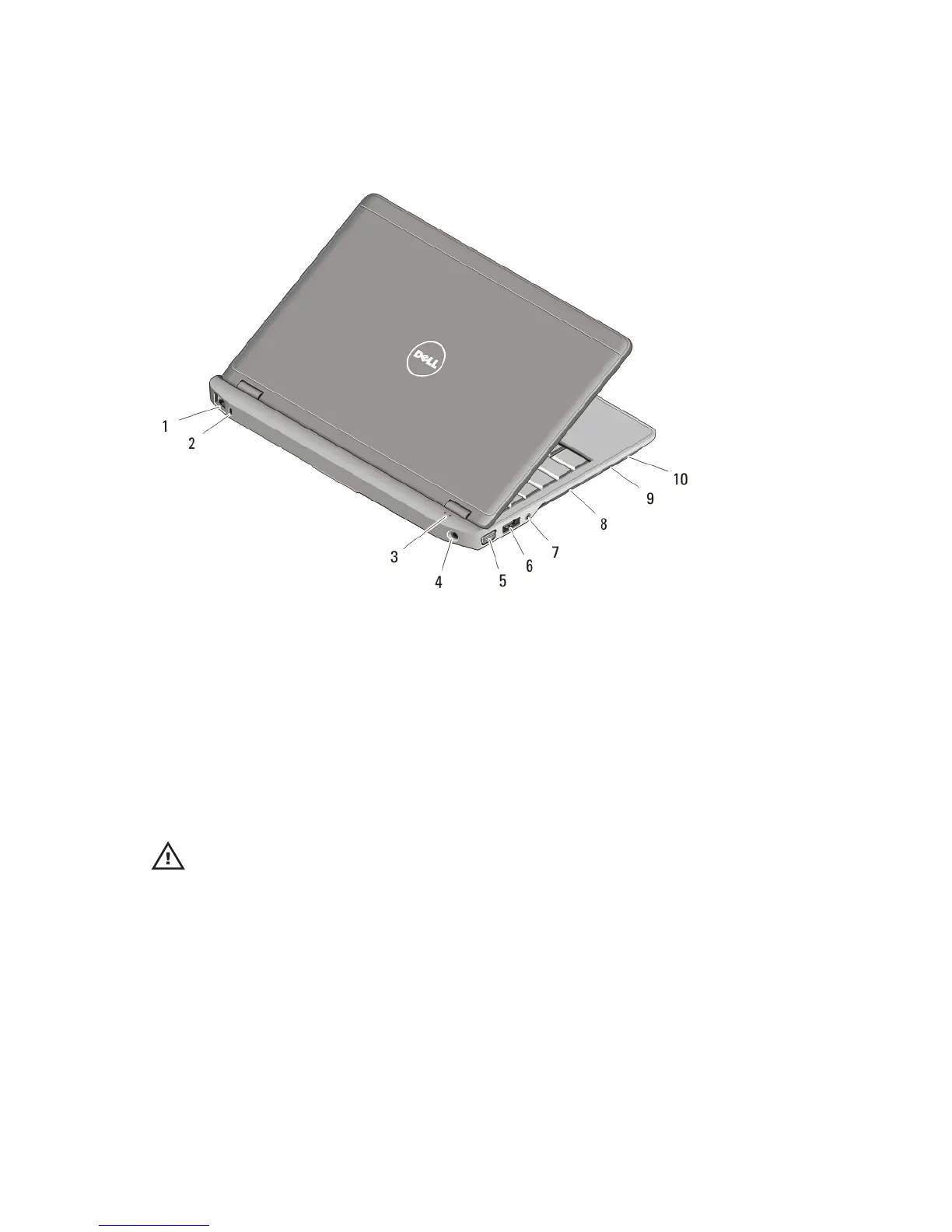
Figure 2. Back View
1. network connector
2. security cable slot
3. device status lights
4. power connector
5. VGA connector
6. eSATA/USB 2.0 connector
7. audio connector
8. cooling vents
9. Secure Digital (SD) memory-card
reader
10. smart card reader
WARNING: Do not block, push objects into, or allow dust to accumulate in the air
vents. Do not store your Dell computer in a low-airflow environment, such as a
closed briefcase, while it is running. Restricting the airflow can damage the
computer or cause a fire. The computer turns on the fan when the computer gets
hot. Fan noise is normal and does not indicate a problem with the fan or the
computer.
2















 To Next Page