36 Using Your Projector
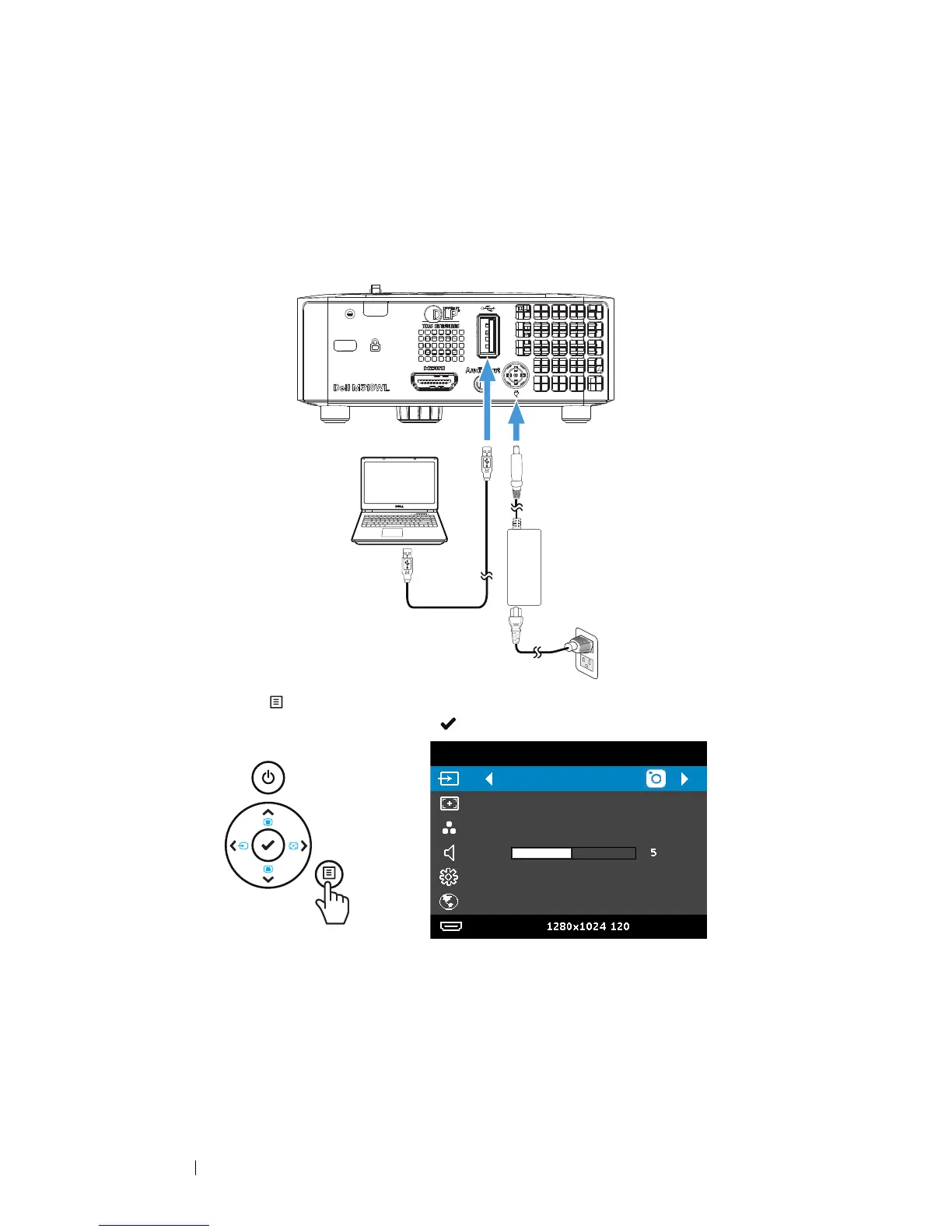
Setting up to Present Using USB Display
Follow these steps to use
Dell Network Projection
application via USB cable.
1 Connect power cable with AC adapter then usinig USB-A to USB-A
cable to connect computer and projector. Power up the projector by
pressing the power button.
2 Press the button. Access the Input Source menu, select the Internal
Memory option, and press the button.
Internal Memory
Dell M318WL
Auto Adjust
Presentation Mode
Advanced Settings
English
Resolution:
Hz



 To Next Page