Using Your Projector 37
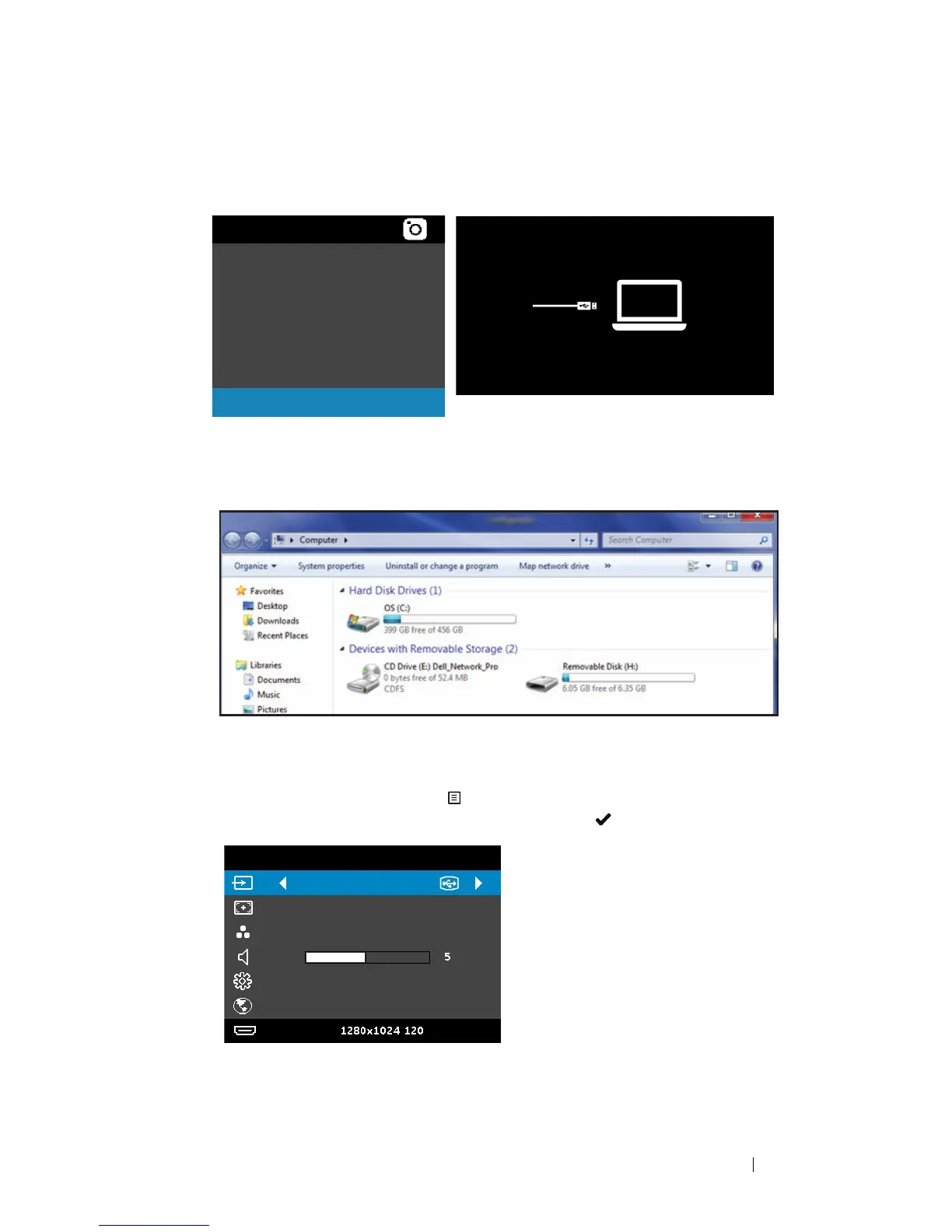
3Select Storage Mode to access the internal memory as Removable
Disk.
4 To use Dell Network Projection Lite application from the Internal
Memory, first open a file explorer window on your computer. Go to
Computer and locate a Dell Network Pro.
5 Open Dell Network Pro and copy Dell Network Projection Lite
application to your computer.
6 On the projector, press the button. Access the Input Source menu,
select the USB Display option, and press the button.
Internal Memory
Video
Music
Photo
Document
Storage Mode
Setting
USB Display
Dell M318WL
Auto Adjust
Presentation Mode
Advanced Settings
English
Resolution:
Hz



 To Next Page