EasyManua.ls Logo

Dell NOT20090 - User Manual

Dell NOT20090
28 pages
Print Icon
To Next Page IconTo Next Page
Loading...
https://tehnoteka.rs
Uputstvo za upotrebu (EN)
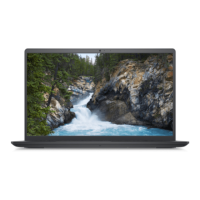
DELL laptop Vostro 3525 (NOT20090)
Tehnoteka je online destinacija za upoređivanje cena i karakteristika bele tehnike,
potrošačke elektronike i IT uređaja kod trgovinskih lanaca i internet prodavnica u Srbiji.
Naša stranica vam omogućava da istražite najnovije informacije, detaljne karakteristike
i konkurentne cene proizvoda.
Posetite nas i uživajte u ekskluzivnom iskustvu pametne kupovine klikom na link:
https://tehnoteka.rs/p/dell-laptop-vostro-3525-not20090-akcija-cena/
1 / 28

Questions and Answers

  • J
    johngriffinAug 28, 2025
    What to do if my Dell NOT20090 is not detecting memory/RAM?
    • C
      christian35Aug 28, 2025
      If your Dell Laptop is not detecting the memory/RAM, first confirm that the memory module is correctly installed. If the problem continues, replace the memory module.
  • B
    Benjamin PenaAug 28, 2025
    What to do if the memory/RAM fails on my Dell NOT20090 Laptop?
    • H
      Holly BuchananAug 28, 2025
      If the memory/RAM fails on your Dell Laptop, replace the memory module.
  • T
    Terri MarshallSep 17, 2025
    What to do if Dell Laptop shows error code for BIOS Recovery image found but invalid?
    • K
      Kathleen OconnorSep 17, 2025
      If your Dell Laptop displays an error code indicating the BIOS Recovery image was found but is invalid, flash the latest BIOS version.
  • J
    jserranoSep 23, 2025
    What to do if my Dell NOT20090 has PCI or Video card/chip failure?
    • B
      bryantaliciaSep 23, 2025
      If your Dell Laptop experiences a PCI or Video card/chip failure, the recommended solution is to replace the system board.
  • R
    Ross AnthonySep 22, 2025
    What to do if my Dell NOT20090 has LCD failure (EC detection of power rail failure)?
    • J
      Jared OrtegaSep 22, 2025
      If your Dell Laptop's LCD fails due to EC detection of a power rail failure, you should replace the system board.
  • J
    Jennifer SanchezSep 7, 2025
    What to do if invalid memory installed on Dell Laptop?
    • D
      driveraSep 7, 2025
      If your Dell Laptop indicates that invalid memory is installed, replace the memory module.
  • C
    cindyjohnsonAug 29, 2025
    What to do if there is Real Time Clock (RTC) power failure on Dell NOT20090?
    • L
      lisahebertAug 29, 2025
      To resolve a Real Time Clock (RTC) power failure on your Dell Laptop, replace the battery.
  • M
    Melissa PerryAug 29, 2025
    What should I do if my Dell NOT20090 Laptop has invalid memory installed?
    • J
      Jonathan SalinasAug 29, 2025
      If your Dell Laptop indicates that invalid memory is installed, attempt to reset and swap the memory modules among the slots. If the problem persists, replacing the memory module might be necessary.
  • J
    Jared HensonAug 29, 2025
    What to do if my Dell NOT20090 has a system board failure (including BIOS corruption or ROM error)?
    • B
      Brian JacksonAug 30, 2025
      If your Dell Laptop is experiencing a system board failure, including BIOS corruption or a ROM error, flash the latest BIOS version. If the problem continues, the system board will need to be replaced.
  • L
    Lauren JacobsAug 30, 2025
    How to fix CPU failure on Dell Laptop?
    • H
      Heather MercadoAug 30, 2025
      To address CPU failure on your Dell Laptop, run the Dell Support Assist/Dell Diagnostics tool. If the problem persists, replacing the system board is recommended.

Dell NOT20090 Specifications

General IconGeneral
CategoryLaptop
Storage256GB SSD
Operating SystemWindows 10 Pro
ProcessorIntel Core i5
RAM8GB
Display1920 x 1080
Battery3-cell, 42Whr
ModelDell NOT20090

Related product manuals