Steps
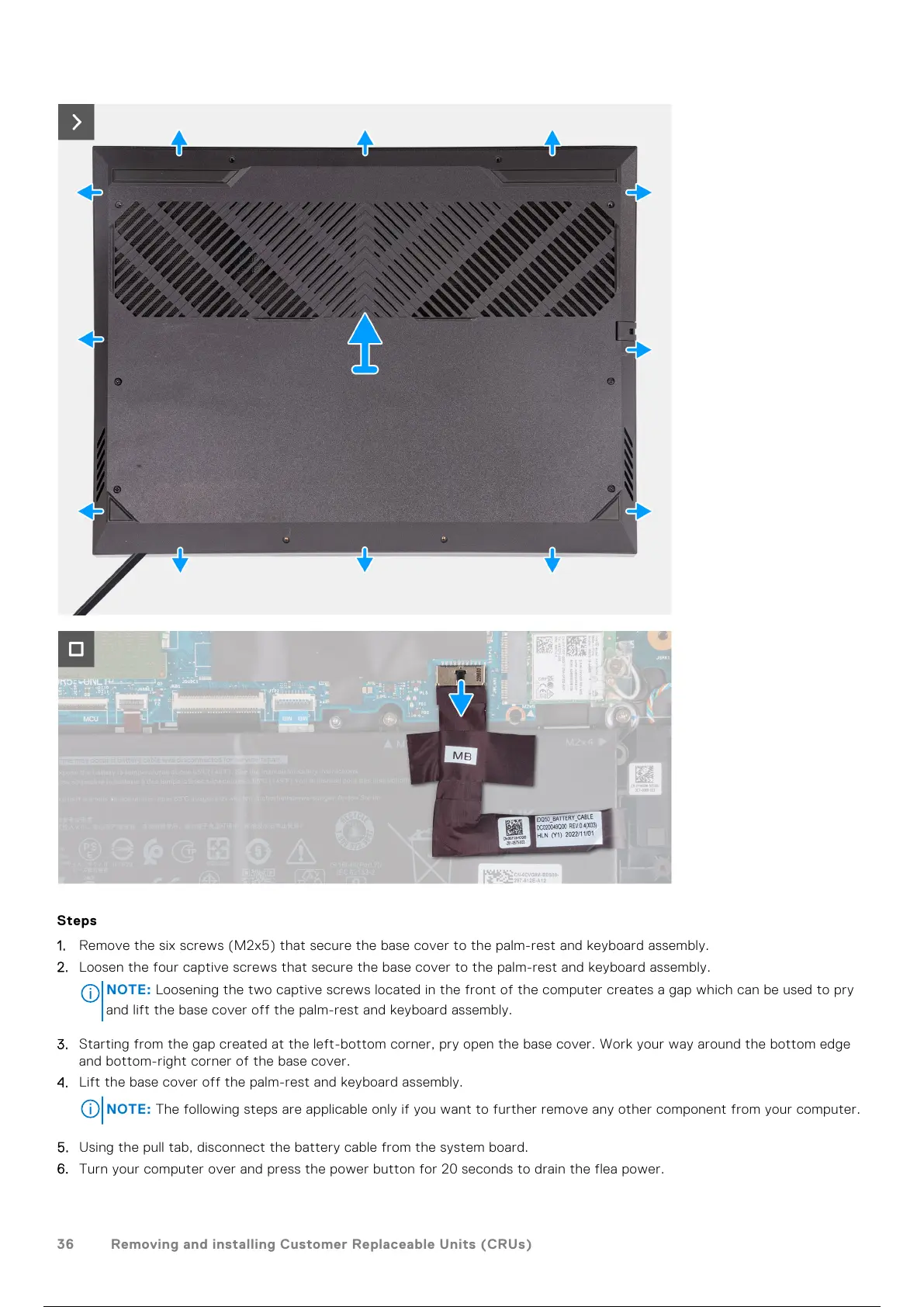
1. Remove the six screws (M2x5) that secure the base cover to the palm-rest and keyboard assembly.
2. Loosen the four captive screws that secure the base cover to the palm-rest and keyboard assembly.
NOTE:
Loosening the two captive screws located in the front of the computer creates a gap which can be used to pry
and lift the base cover off the palm-rest and keyboard assembly.
3. Starting from the gap created at the left-bottom corner, pry open the base cover. Work your way around the bottom edge
and bottom-right corner of the base cover.
4. Lift the base cover off the palm-rest and keyboard assembly.
NOTE: The following steps are applicable only if you want to further remove any other component from your computer.
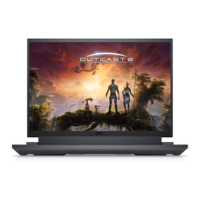
5. Using the pull tab, disconnect the battery cable from the system board.
6. Turn your computer over and press the power button for 20 seconds to drain the flea power.
36
Removing and installing Customer Replaceable Units (CRUs)
37 / 111 36 / 109 37 / 111 36 / 109 37 / 111



 To Next Page