EasyManua.ls Logo

Dell NOT22013 - User Manual

Dell NOT22013
28 pages
Print Icon
To Next Page IconTo Next Page
Loading...
https://tehnoteka.rs
Uputstvo za upotrebu (EN)
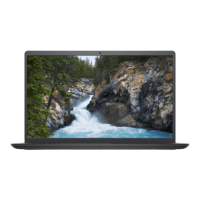
DELL laptop Vostro 3525 (NOT22013)
Tehnoteka je online destinacija za upoređivanje cena i karakteristika bele tehnike,
potrošačke elektronike i IT uređaja kod trgovinskih lanaca i internet prodavnica u Srbiji.
Naša stranica vam omogućava da istražite najnovije informacije, detaljne karakteristike
i konkurentne cene proizvoda.
Posetite nas i uživajte u ekskluzivnom iskustvu pametne kupovine klikom na link:
https://tehnoteka.rs/p/dell-laptop-vostro-3525-not22013-akcija-cena/
1 / 28

Questions and Answers

  • A
    Adam MartinezSep 12, 2025
    What to do if my Dell Laptop battery gets stuck due to swelling?
    • T
      Todd WardSep 12, 2025
      If the battery gets stuck in your Dell laptop due to swelling, do not try to free it. Puncturing, bending, or crushing a battery can be dangerous.
  • B
    brookehayesAug 29, 2025
    What to do if there is Real Time Clock (RTC) power failure on Dell Laptop?
    • S
      stephanie78Aug 29, 2025
      To resolve a Real Time Clock (RTC) power failure on your Dell Laptop, replace the battery.
  • R
    Ryan BruceAug 26, 2025
    How to fix WiFi connectivity issues on a Dell NOT22013 Laptop?
    • E
      Evelyn JohnsAug 27, 2025
      If you are experiencing WiFi connectivity issues with your Dell Laptop, try performing a WiFi power cycle.
  • J
    Judith BlackwellSep 15, 2025
    What to do if my Dell Laptop LCD fails due to EC detection of power rail failure?
    • M
      martinezlaurenSep 15, 2025
      If your Dell Laptop's LCD fails because the EC detects a power rail failure, replace the system board.
  • P
    Philip SchneiderSep 13, 2025
    What to do if SBIOS flash is corrupted on Dell NOT22013 Laptop?
    • M
      Michelle WilliamsSep 13, 2025
      If the SBIOS flash is corrupted on your Dell laptop, begin by flashing the latest BIOS version. Should the problem persist, the next step is to replace the system board.
  • K
    Kristin CooleyAug 31, 2025
    How to fix Flash corruption detected by SBIOS on Dell NOT22013 Laptop?
    • V
      victoria25Aug 31, 2025
      If your Dell Laptop detects flash corruption via SBIOS, press the power button for over 25 seconds to perform an RTC reset. If the problem persists, replace the system board. Alternatively, disconnect all power sources (AC, battery, coin cell) and drain flea power by pressing and holding down the power button for 3-5 seconds to ensure all power is drained.
  • S
    Scott JonesSep 1, 2025
    How to fix no memory/RAM detected on Dell Laptop?
    • E
      ehernandezSep 1, 2025
      If your Dell Laptop is not detecting memory or RAM, first ensure that the memory module is correctly installed. If the problem continues, try replacing the memory module.
  • J
    Joshua HolmesSep 5, 2025
    What to do if Dell NOT22013 Laptop System BIOS Flash incomplete?
    • X
      xmorrisonSep 5, 2025
      If the System BIOS Flash is incomplete on your Dell laptop, this indicates flash corruption detected by SBIOS. If the problem persists, the system board may need to be replaced.
  • D
    Dale RobinsonSep 10, 2025
    How to resolve SBIOS flash corruption on a Dell Laptop?
    • E
      Eric FarmerSep 10, 2025
      To resolve SBIOS flash corruption on your Dell Laptop, flash the latest BIOS version. If the problem continues, replace the system board.
  • X
    xgoldenAug 25, 2025
    What to do if my Dell NOT22013 Laptop does not power on?
    • S
      Sonya LongAug 25, 2025
      If your Dell Laptop does not power on or boot into the operating system, perform a hard reset to drain residual flea power.

Dell NOT22013 Specifications

General IconGeneral
BrandDell
ModelNOT22013
CategoryLaptop
LanguageEnglish

Related product manuals