EasyManua.ls Logo

Dell NOT22110 - User Manual

Dell NOT22110
111 pages
Print Icon
To Next Page IconTo Next Page
Loading...
https://tehnoteka.rs
Uputstvo za upotrebu (EN)
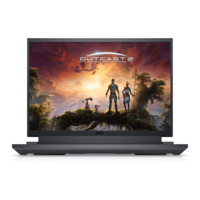
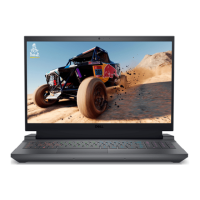
DELL laptop G15 5530 (NOT22110)
Tehnoteka je online destinacija za upoređivanje cena i karakteristika bele tehnike,
potrošačke elektronike i IT uređaja kod trgovinskih lanaca i internet prodavnica u Srbiji.
Naša stranica vam omogućava da istražite najnovije informacije, detaljne karakteristike
i konkurentne cene proizvoda.
Posetite nas i uživajte u ekskluzivnom iskustvu pametne kupovine klikom na link:
https://tehnoteka.rs/p/dell-laptop-g15-5530-not22110-akcija-cena/
1 / 111

Questions and Answers

  • I
    iweeksSep 12, 2025
    What does error code [2,8] mean on Dell Laptop?
    • A
      arthurmccoySep 12, 2025
      If error code [2,8] appears, it means there is a failure on the LCD power rail of the system board in your Dell Laptop, so you should replace the system board.
  • A
    Amber RamosSep 12, 2025
    How to fix error code [2,7] on Dell Laptop?
    • S
      Sean MorrisSep 12, 2025
      If error code [2,7] appears on your Dell Laptop, it indicates that the display cable may not be connected properly. Check to ensure the display cable is properly connected.
  • A
    Adrian WoodsSep 10, 2025
    Why is my Dell NOT22110 Laptop battery light blinking amber?
    • H
      heatherrodriguezSep 12, 2025
      If the battery-status light is blinking amber and you see error codes on your Dell Laptop, this indicates a battery failure. Contact Dell for assistance.
  • K
    Kelly NicholsSep 9, 2025
    How to fix swollen battery on Dell NOT22110?
    • B
      Bethany RyanSep 9, 2025
      If you notice swollen rechargeable Li-ion batteries in your Dell Laptop, discontinue using the laptop, disconnect the AC adapter, and allow the battery to drain. Additionally, contact Dell product support to explore options for replacing the swollen battery and properly disposing of it.
  • M
    Michael Olson Jr.Sep 8, 2025
    What to do if Dell Laptop LCD Power rail test (L-BIST) shows error code [2,8]?
    • K
      karen16Sep 8, 2025
      If the battery status LED flashes an error code [2,8] during the LCD Power rail test (L-BIST) on your Dell Laptop, replace the system board.
  • J
    jameskingAug 23, 2025
    What to do if Dell NOT22110 does not power on?
    • B
      Beth TaylorAug 23, 2025
      If your Dell Laptop computer isn't powering on or booting into the operating system, drain the residual flea power. You can do this by pressing and holding the power button for 20 seconds.
  • M
    Michael FullerSep 6, 2025
    What to do if SupportAssist Pre-Boot System Performance Check shows error codes on my Dell NOT22110?
    • A
      ashleyphillipsSep 6, 2025
      If the SupportAssist Pre-Boot System Performance Check diagnostics displays error codes, note the error code and validation number and contact Dell.
  • A
    Anthony SmithSep 5, 2025
    What to do if Dell NOT22110 battery is swollen?
    • M
      Melissa GillSep 5, 2025
      If you notice a swollen battery in your Dell laptop, stop using the laptop to prevent further damage to the enclosure or internal components. Disconnect the AC adapter and allow the battery to fully discharge. Swollen batteries should be replaced and disposed of properly. Dell recommends contacting their product support for options to replace the swollen battery under the terms of your warranty or service contract, including replacement by a Dell authorized service technician.
  • B
    brendanparkerSep 4, 2025
    What to do if Dell NOT22110 Laptop has display issues on the LCD?
    • C
      Cory PadillaSep 4, 2025
      If you are experiencing display issues on the LCD of your Dell Laptop, run the Built-In Self Test (BIST).
  • C
    Casey MurphySep 3, 2025
    What to do if Dell Laptop screen is flickering?
    • S
      sarahwoodSep 3, 2025
      If you are experiencing screen abnormalities such as flickering, distortion, clarity issues, or a fuzzy/blurry image on your Dell Laptop, run the Built-In Self Test (BIST) to isolate the LCD from the video card (GPU) and PC settings.

Dell NOT22110 Specifications

General IconGeneral
BrandDell
ModelNOT22110
CategoryLaptop
LanguageEnglish

Related product manuals