Steps
1. Using the pull tab, disconnect the battery cable from the system board, if it is not previously disconnected.
2. Remove the four screws (M2x4) that secure the battery to the palm-rest and keyboard assembly.
3. Lift the battery at a 45 degree angle and remove it from the palm-rest and keyboard assembly.
Installing the battery
Prerequisites
If you are replacing a component, remove the existing component before performing the installation procedure.
About this task
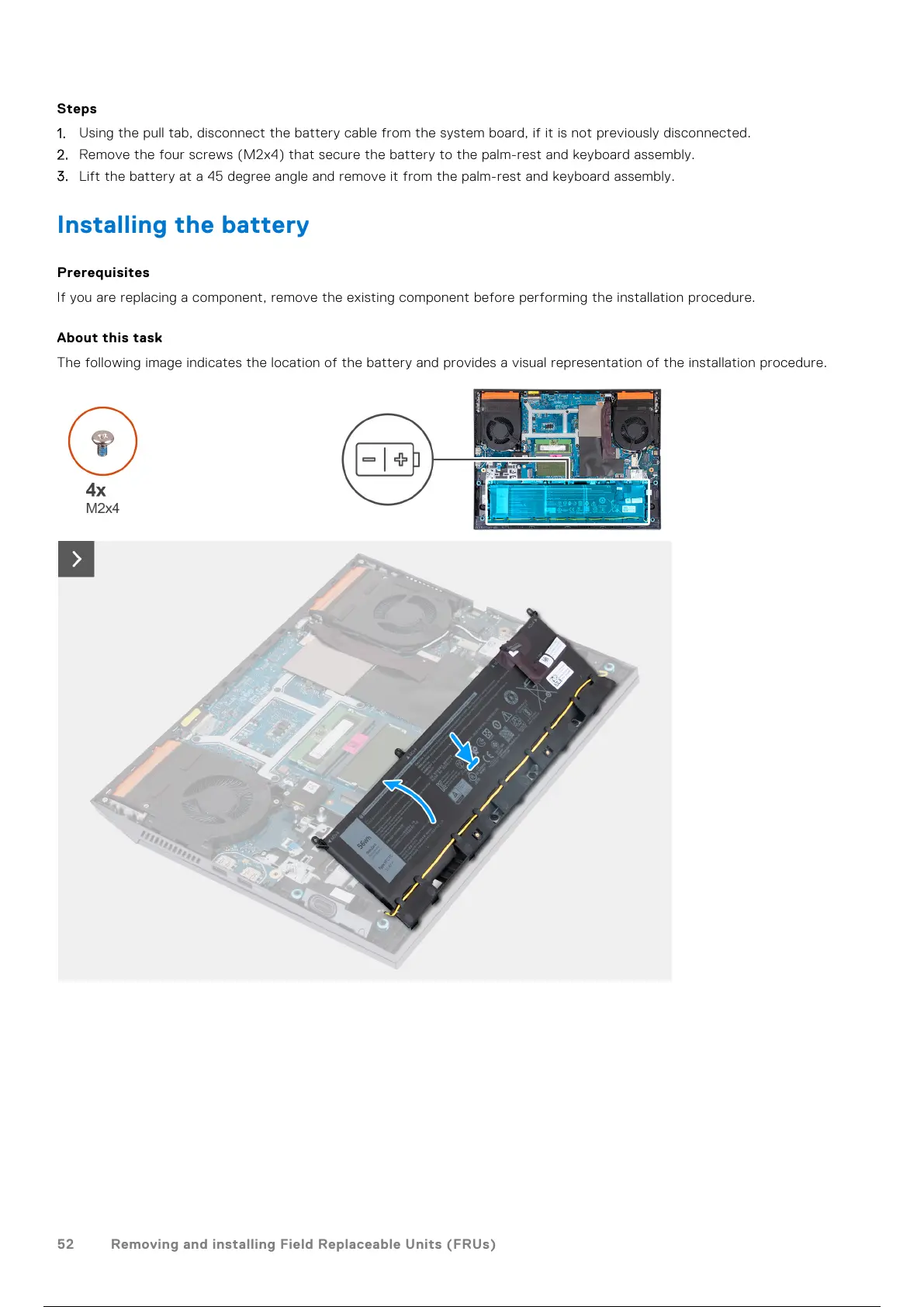
The following image indicates the location of the battery and provides a visual representation of the installation procedure.
52 Removing and installing Field Replaceable Units (FRUs)
53 / 111 52 / 109 53 / 111



 To Next Page