
 Need help?
Do you have a question about the Dell OptiPlex Tower and is the answer not in the manual?
Information required before seeking technical assistance from Dell.
Overview of online and telephone support options provided by Dell.
Steps to find contact information and select the appropriate support channel.
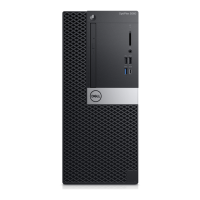
The Dell OptiPlex Tower Cable Cover and Dust Filter Installation Guide provides comprehensive instructions for enhancing the organization, protection, and longevity of your OptiPlex Tower computer. This manual outlines the installation processes for both the cable cover and the dust filter, offering clear, step-by-step guidance to ensure proper setup and functionality.
The OptiPlex Tower Cable Cover serves a dual purpose: it protects the various ports on your computer and helps organize the multitude of cables connected to it. By enclosing the rear ports and routing cables neatly, the cover reduces clutter, improves the aesthetic appeal of your workstation, and minimizes the risk of accidental disconnections or damage to the cables and ports. This feature is particularly beneficial in environments where a tidy and secure setup is paramount, preventing tangles and making it easier to manage your connections. The cover acts as a physical barrier, safeguarding the delicate port connections from dust, spills, and physical impact, thereby extending the lifespan of your computer's external interfaces.
The OptiPlex Tower Dust Filter is designed to protect the internal components of your computer from fine dust particles. Dust accumulation inside a computer can lead to overheating, reduced performance, and potential hardware failures over time. By filtering the air entering the system, the dust filter significantly reduces the amount of particulate matter that settles on critical components such as the CPU, GPU, and memory modules. This proactive protection helps maintain optimal operating temperatures, ensures consistent performance, and prolongs the overall life of your computer. The filter is an essential accessory for users operating in dusty environments or those who wish to minimize internal cleaning requirements and maximize system reliability.
The installation process for the cable cover is straightforward and user-friendly, beginning with standard safety precautions such as saving and closing all open files, shutting down the computer, and disconnecting it from electrical outlets and peripherals. Once these preliminary steps are completed, users are guided to route their cables through a designated slot on the cable cover before connecting them to the respective ports on the chassis. The design incorporates retaining hooks that align with slots on the chassis, ensuring a secure fit. Users are cautioned to handle the plastic hooks carefully to avoid bending or breaking them during alignment. After alignment, a gentle push secures the cover in place with an audible click, followed by sliding a latch to lock it to the chassis. For enhanced security, the manual notes that a Kensington cable lock can be used to further secure the computer with the cable cover installed. This thoughtful design ensures that the cable cover is not only functional but also easy to install and secure, providing peace of mind for users concerned about physical security and cable management.
The dust filter installation is equally simple, also starting with the necessary pre-installation steps of shutting down and disconnecting the computer. The filter is designed to align with the edges of the computer, starting from the top edge. Users gently push the lower edge of the filter to close it over the computer, then push the edges of the filter to click it into place. This snap-on design ensures a snug fit, effectively sealing the air intake areas to prevent dust ingress. A key feature of the dust filter is its integration with the system's BIOS. After installation, users can restart their system and access the BIOS Setup menu by pressing F2. Within the BIOS, under "System Configuration" and "Dust Filter Maintenance," users can select from various maintenance intervals (15, 30, 60, 90, 120, 150, or 180 days). By default, this setting is disabled, but enabling it allows the system to generate alerts during a system reboot, reminding users when it's time to clean or replace the dust filter. This intelligent reminder system ensures that the dust filter's protective function is maintained consistently, without requiring manual tracking by the user.
The OptiPlex Tower Cable Cover, once installed, requires minimal maintenance. Its primary function is passive protection and organization. Users may occasionally need to wipe down the external surfaces of the cover to remove any accumulated dust or smudges, similar to cleaning the computer's chassis. The durable materials used in its construction ensure that it withstands regular use and provides long-lasting protection for the ports and cables. Should there be a need to access the ports or reconfigure cables, the cover can be easily unlocked and removed by reversing the installation steps, allowing for convenient access without specialized tools.
The OptiPlex Tower Dust Filter, however, incorporates specific maintenance features designed to ensure its continued effectiveness. The BIOS-level "Dust Filter Maintenance" setting is a crucial aspect of this. By allowing users to set custom intervals for cleaning or replacement reminders, Dell has provided a proactive tool to ensure the filter remains functional. These alerts, generated during system reboots, serve as timely prompts, preventing users from forgetting to maintain the filter. The manual explicitly provides guidance on how to clean the dust filter: "To clean the dust filter, brush or gently vacuum and then wipe down the external surfaces with a moist cloth." This simple cleaning procedure can be performed regularly to remove trapped dust, restoring the filter's efficiency and airflow. Regular cleaning is vital to prevent the filter from becoming clogged, which could impede airflow and potentially lead to overheating issues despite the filter's presence. The ability to easily remove, clean, and re-install the filter ensures that maintaining a dust-free internal environment for the computer is a hassle-free process, contributing significantly to the overall health and longevity of the OptiPlex Tower.
 General
| Form Factor | Tower |
|---|---|
| Storage Options | HDD and SSD options available |
| Graphics | Integrated Intel UHD Graphics |
| Operating System | Windows 11 Pro |
| Ports | USB 3.2, USB-C, HDMI, DisplayPort |
| Optical Drive | Optional DVD |
| Audio | Integrated audio |
| Networking | Gigabit Ethernet |
| Power Supply | Up to 500W |
| Expansion Slots | PCIe x16, PCIe x1, M.2 slots |












 To Next Page