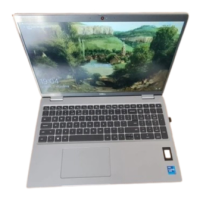
Ports and connectors
Table 8. External ports and connectors
External:
USB
● One USB 3.2 Gen 1 port
● One USB 3.2 Gen 1 port with PowerShare
● Two Thunderbolt 4 ports with DisplayPort Alt Mode/
USB4/Power Delivery for 11
th
Generation Intel Core
i3/i5/i7 processors
● Two Thunderbolt 3 ports with DisplayPort Alt Mode/USB
3.2 Gen2/Power Delivery for 10
th
Generation Intel Core
i5/i7 processors
Audio
One universal audio port
Video
● One HDMI 2.0 port for 11
th
Generation Intel Core i3/i5/i7
processors
● One HDMI 1.4 port for 10
th
Generation Intel Core i5/i7
processors
Media card reader
One micro-SD card slot
Docking port
Supported through USB Type-C
Power adapter port
Type-C power input
Security
One security-cable slot (wedge-shaped)
Communication
● RJ45 port
● microSIM card (optional)
Card slot Smart card reader slot (optional)
Table 9. Internal ports and connectors
Internal:
M.2
● M.2 2230 slot for Wi-Fi and Bluetooth combo card
● M.2 3042 for WWAN
● UMA: Two M.2 2230/2280 slot for solid-state drive
● DSC: One M.2 2280 slot for solid-state drive
NOTE: To learn more about the features of different
types of M.2 cards, see the knowledge base article
SLN301626.
Communications
Ethernet
Table 10. Ethernet specifications
Description Values
Model number
● Intel I219-LM
● Intel I219-V
16 Specifications of Latitude 5520


 To Next Page