About this task
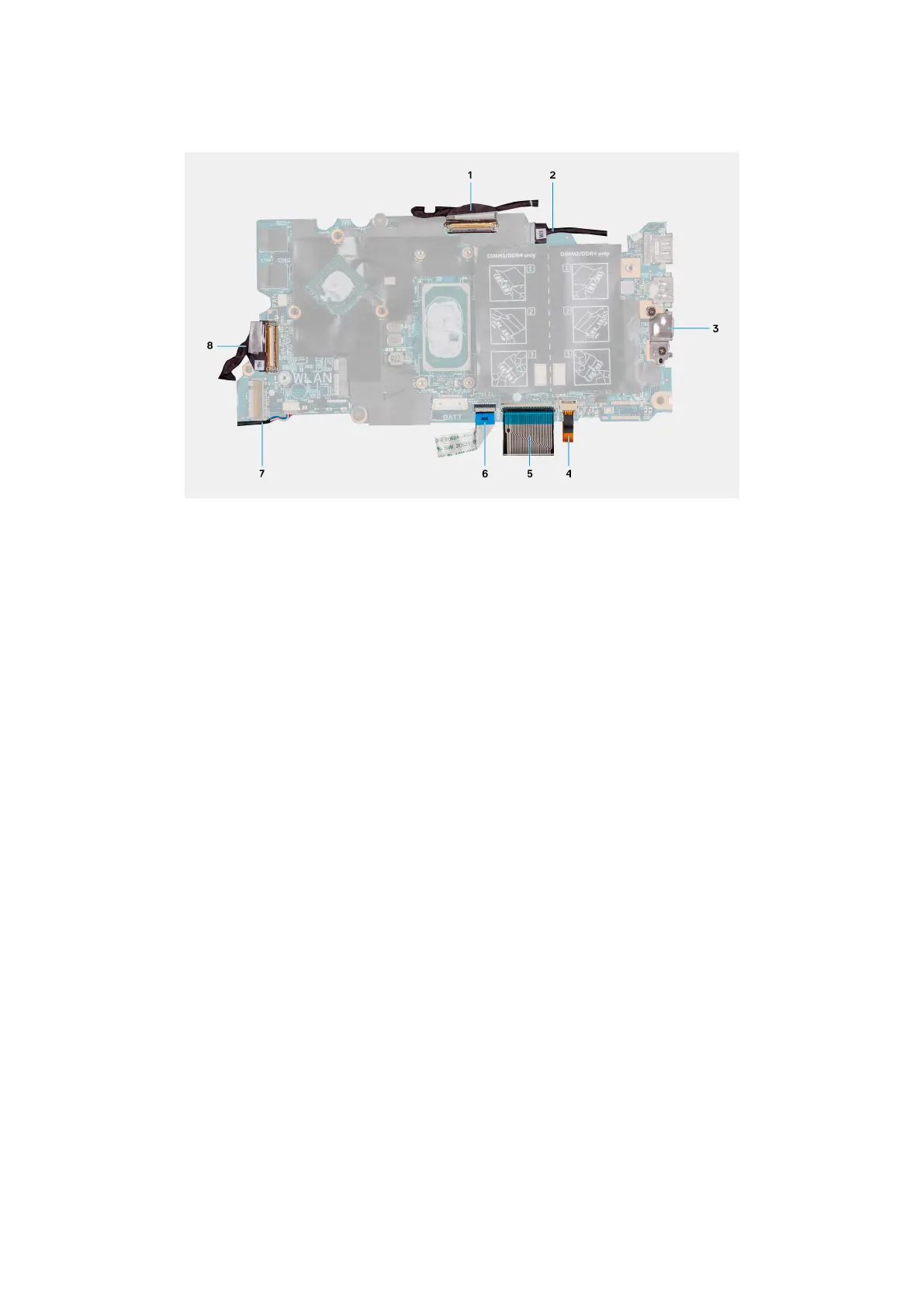
The following image indicates the connectors on your system board.
Figure 2. System-board connectors
1.
Display cable 2. Power-adapter port cable (optional)
3. USB Type-C port bracket 4. Keyboard-backlight cable
5. Keyboard cable 6. Touchpad cable
7. Speaker cable 8. I/O-board cable
The following image indicates the location of the system board and provides a visual representation of the installation procedure.
56
Removing and installing components



 To Next Page