Using the On-Screen Display (OSD) Menu
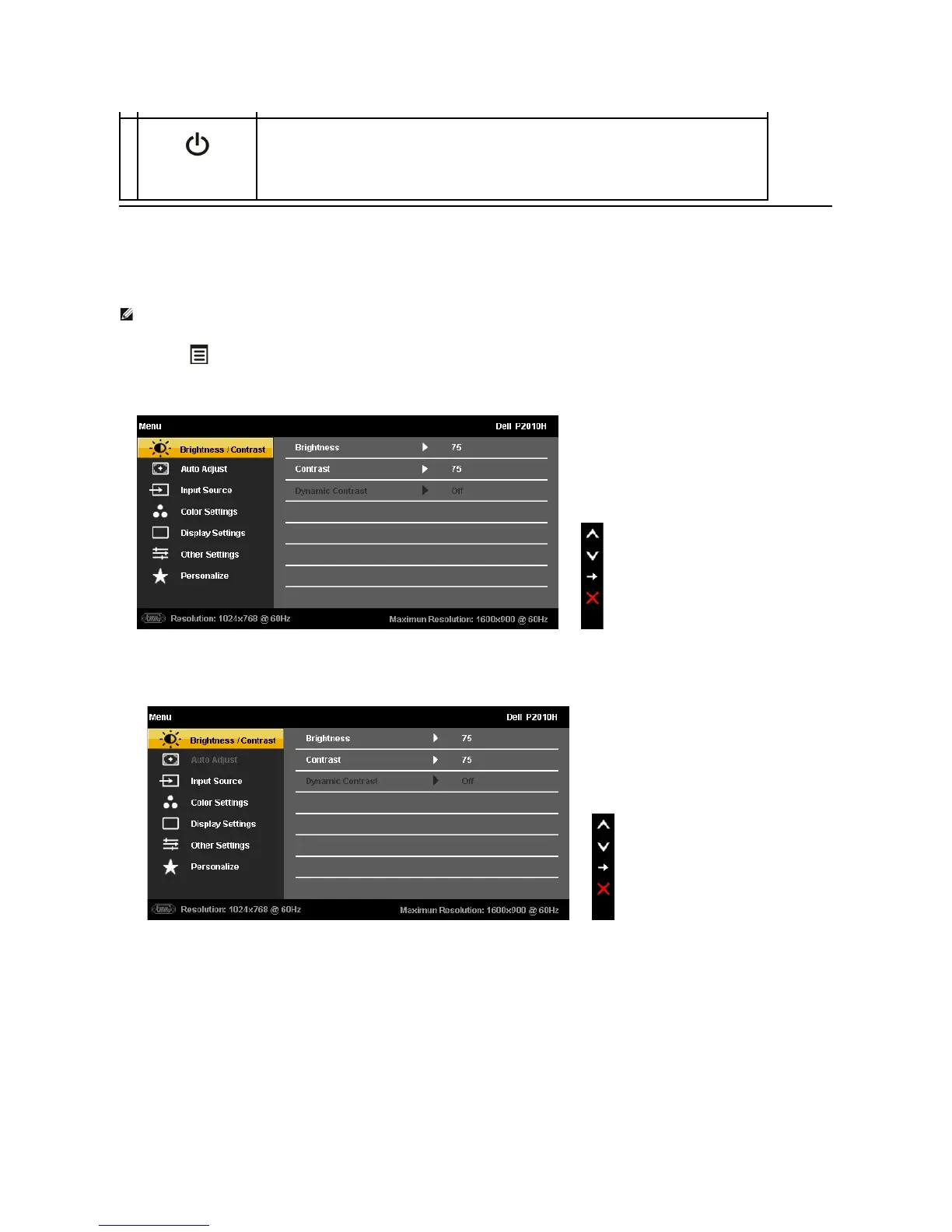
Accessing the Menu System
1. Push the button to launch the OSD menu and display the main menu.
Main Menu for analog (VGA) Input
or
Main Menu for digital (DVI) Input
or
Main Menu for display (DP) Input
Use the Power button to turn the monitor on and off.
The Blue LED indicates the monitor is on and fully functional. An amber LED indicates DPMS power save mode.
NOTE: IfyouchangethesettingsandtheneitherproceedtoanothermenuorexittheOSDmenu,themonitorautomaticallysavesthosechanges.The
changes are also saved if you change the settings and then wait for the OSD menu to disappear.



 To Next Page