EasyManua.ls Logo

Dell P2011H - Page 17

Dell P2011H
37 pages
Print Icon
To Next Page IconTo Next Page
To Previous Page IconTo Previous Page
Loading...
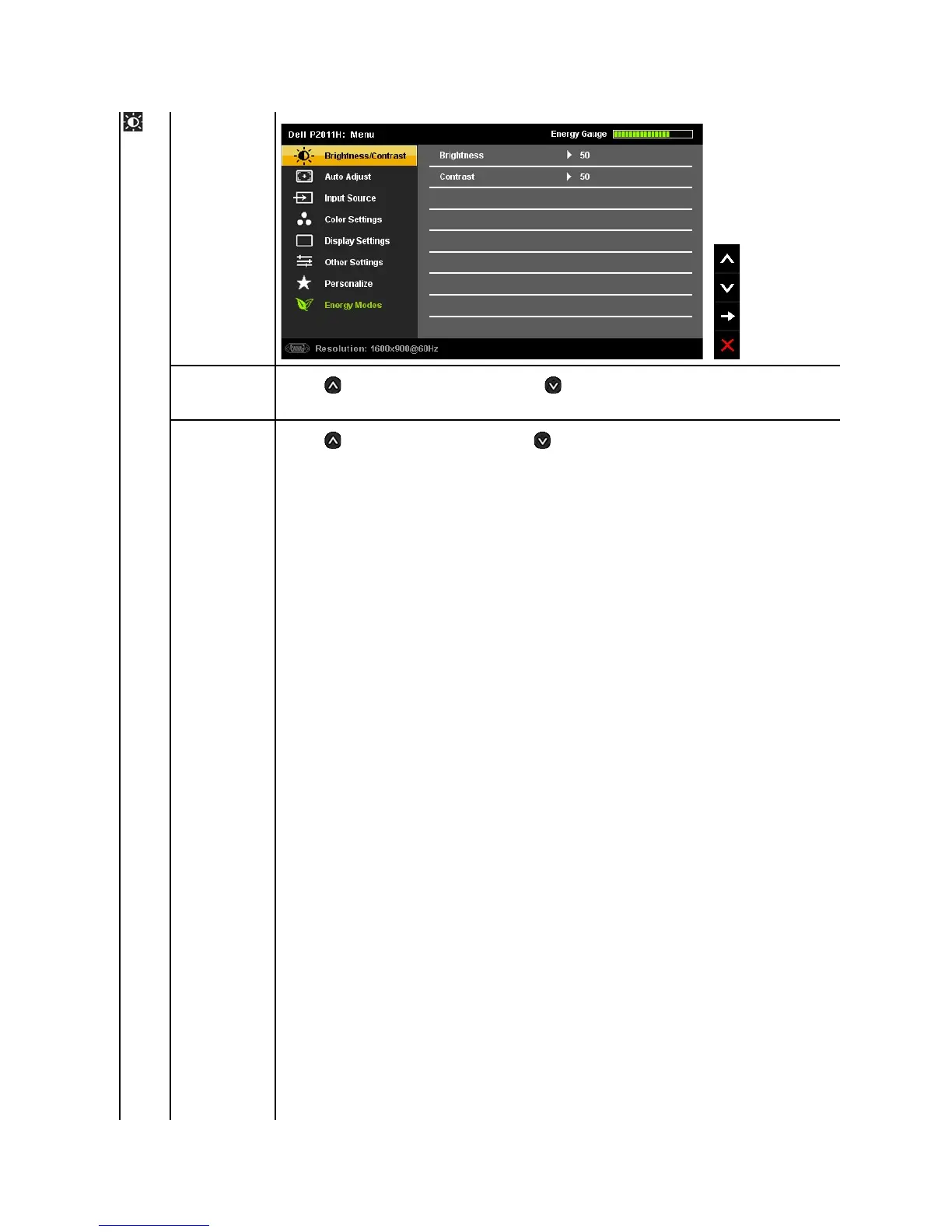
Brightness/Contrast
Use this menu to activate Brightness/Contrast adjustment.
Brightness
Brightness adjusts the luminance of the backlight.
Press the button to increase brightness and Press the button to decrease brightness (min 0 ~ max 100).
NOTE:Brightness control will be greyed out during "Screen dim" in PowerNap option when screen saver is activated.
Contrast
Adjust Brightness first, and then adjust Contrast only if further adjustment is necessary.
Press the button to increase contrast and Press the button to decrease contrast (min 0 ~ max 100).
The Contrast function adjusts the degree of difference between darkness and lightness on the monitor screen.

Other manuals for Dell P2011H

Related product manuals