NOTE: You can customize the power-button behavior in Power
Options. For more information, see
Me and My Dell
at www.dell.com/
support/manuals.
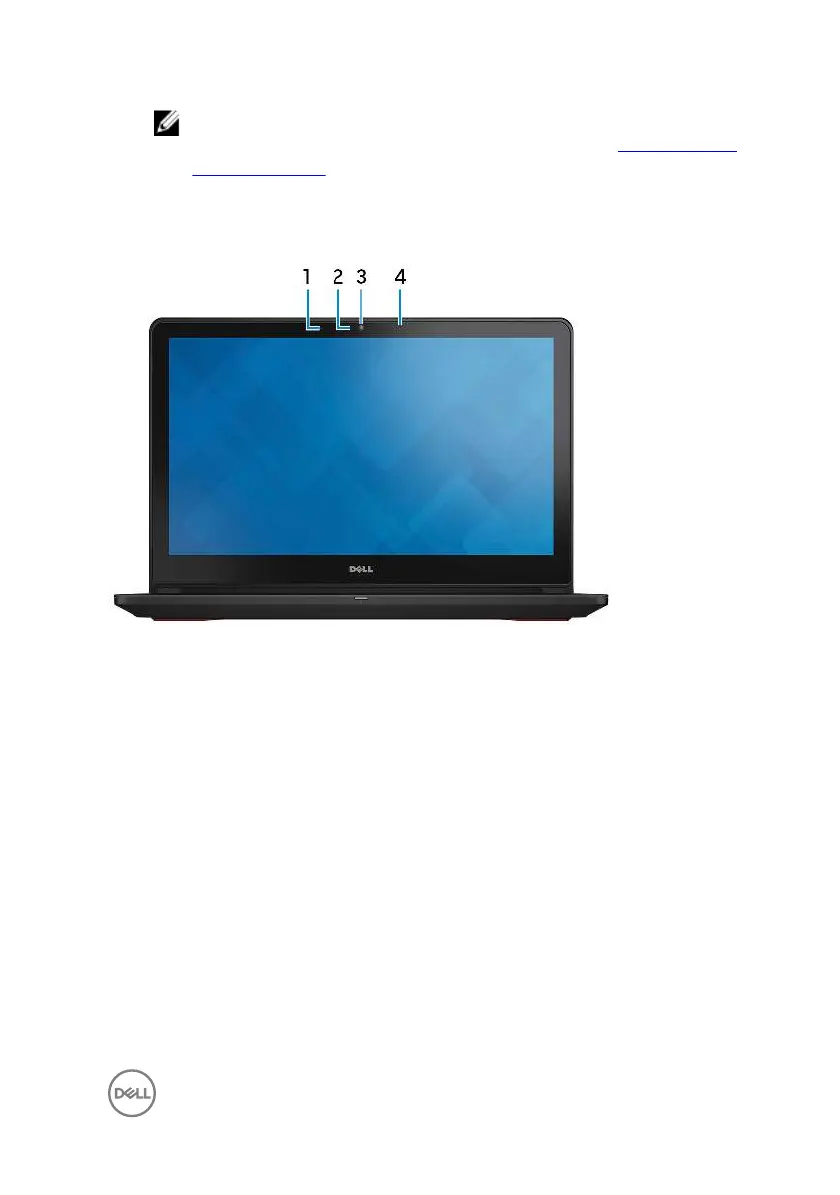
Display
1 Left microphone
Provides digital sound input for audio recording and voice calls.
2
Camera-status light
Turns on when the camera is in use.
3
Camera
Enables you to video chat, capture photos, and record videos.
4
Right microphone
Provides digital sound input for audio recording and voice calls.
11



 To Next Page